Re: GPS and VL53L1 not working
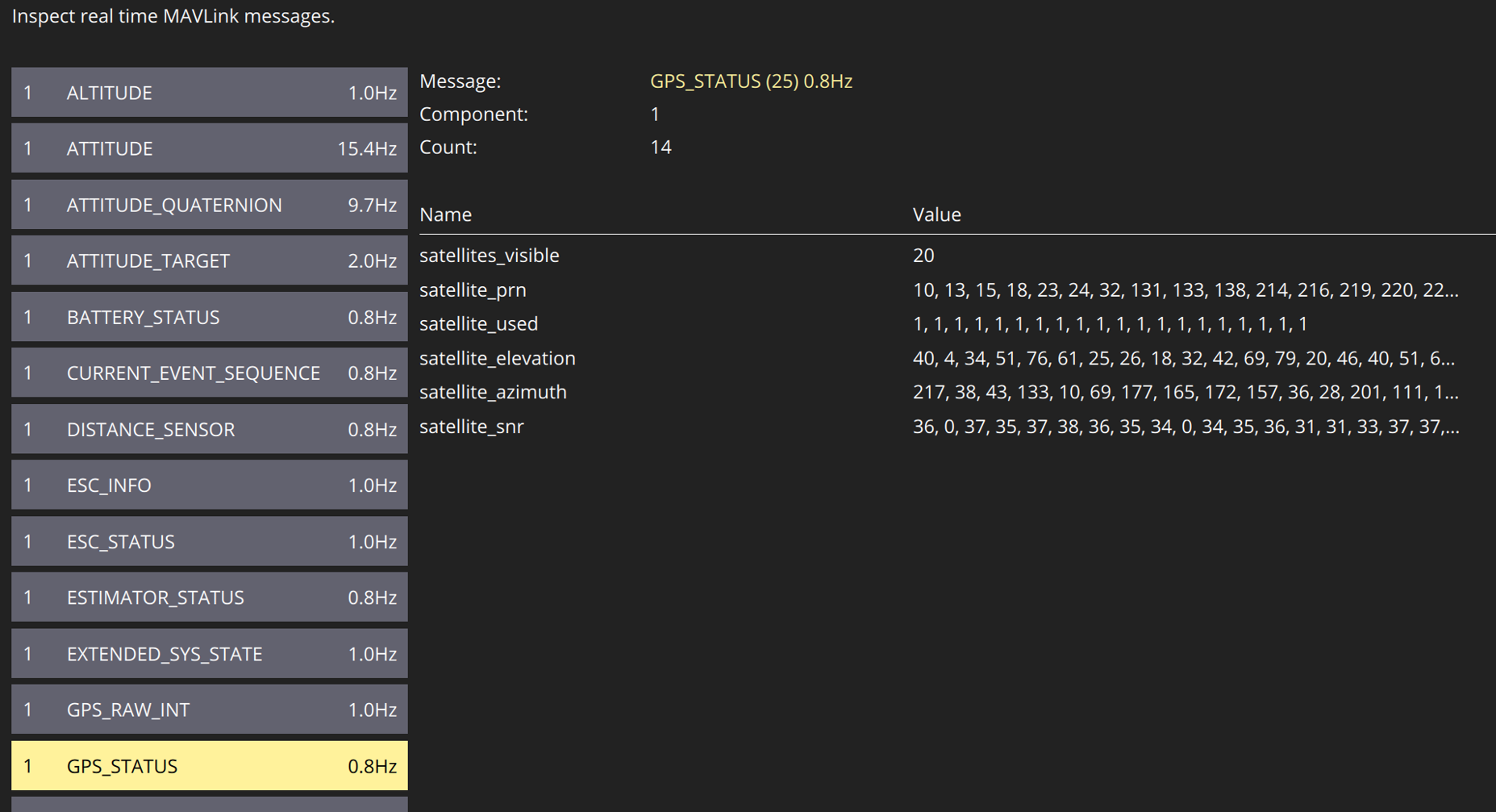
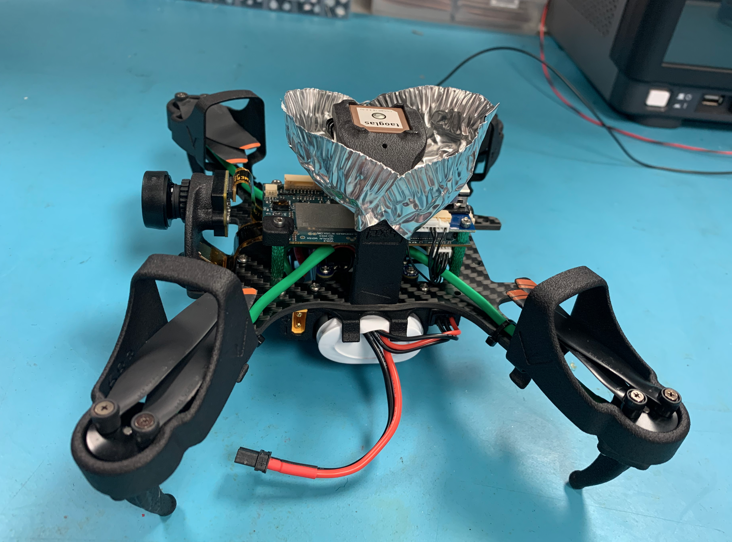
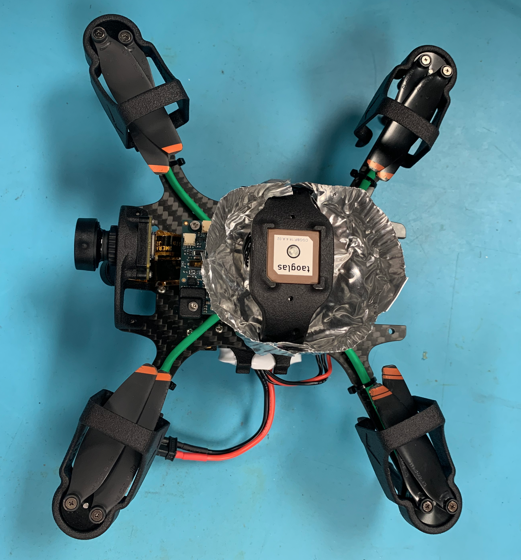
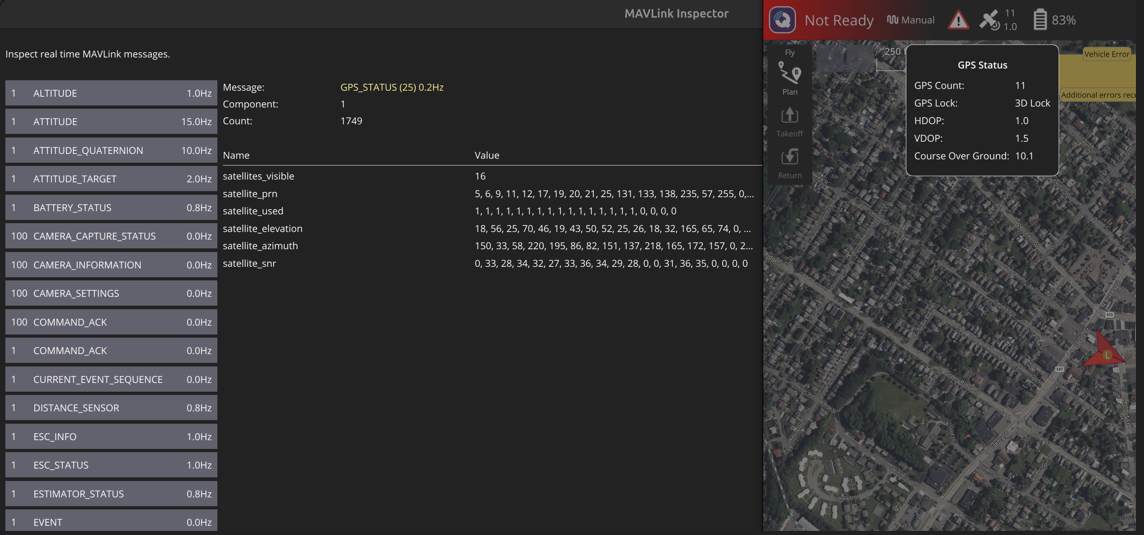
I'm having a similar issue with my PX4 Autonomy Developer Kit drone. A couple weeks ago, I took my drone out for a flight test and it never acquired any GPS satellites. Today I took it out to a parking lot with minimal sky obstructions and played around with the settings in QGC to see if I could get anything to track. The best I observed through the MavLink telemetry was the track of two satellites with valid PRN and SN values. I let the drone stay powered on for 15-30 minutes after various changes to allow time for the drone to self-download almanac (if it actually does it). Time does not seem to help at all.
Any help or insight would be appreciated!
When the drone boots up, here's the INFO that prints out from it:
[uORB] Advertising remote topic event
INFO [uORB] Advertising remote topic health_report
INFO [uORB] Advertising remote topic failsafe_flags
INFO [uORB] Advertising remote topic actuator_armed
INFO [uORB] Advertising remote topic vehicle_control_mode
INFO [uORB] Advertising remote topic vehicle_thrust_setpoint
INFO [uORB] Advertising remote topic vehicle_torque_setpoint
INFO [uORB] Advertising remote topic vehicle_status
INFO [uORB] Advertising remote topic failure_detector_status
INFO [uORB] Advertising remote topic vehicle_attitude_setpoint
INFO [uORB] Advertising remote topic vehicle_rates_setpoint
INFO [muorb] [uORB] Marking DeviceNode(qshell_req) as advertised in process_remote_topic
INFO [muorb] [qshell] qshell gotten: flight_mode_manager start
INFO [muorb] [qshell] arg0 = 'flight_mode_manager'
INFO [muorb] [qshell] arg1 = 'start'
INFO [uORB] Advertising remote topic vehicle_command
INFO [muorb] [qshell] Ok executing command: flight_mode_manager start
INFO [dataman] data manager file '/data/px4/dataman' size is 7866640 bytes
INFO [muorb] [uORB] Advertising remote topic transponder_report
INFO [muorb] [uORB] Advertising remote topic rtl_time_estimate
INFO [muorb] [uORB] Advertising remote topic position_setpoint_triplet
INFO [mavlink] mode: Onboard, data rate: 100000 B/s on udp port 14556 remote port 14557
INFO [muorb] [uORB] Advertising remote topic telemetry_status
INFO [mavlink] partner IP: 127.0.0.1
INFO [muorb] [uORB] Advertising remote topic obstacle_distance
INFO [muorb] [uORB] Advertising remote topic vehicle_visual_odometry
INFO [muorb] [uORB] Advertising remote topic distance_sensor
INFO [muorb] [uORB] Advertising remote topic offboard_control_mode
INFO [muorb] [uORB] Advertising remote topic timesync_status
INFO [uORB] Advertising remote topic estimator_aid_src_rng_hgt
INFO [muorb] [uORB] Marking DeviceNode(vehicle_command_ack) as advertised in process_remote_topic
INFO [mavlink] mode: Normal, data rate: 100000 B/s on udp port 14558 remote port 14559
INFO [muorb] [uORB] Marking DeviceNode(telemetry_status) as advertised in process_remote_topic
INFO [uORB] Advertising remote topic actuator_controls_status_0
INFO [px4] Startup script returned successfully
INFO [logger] logger started (mode=all)
ERROR [muorb] [ekf2] ====> GLOBAL R to Earth: -152.495228 (42)
INFO [uORB] Advertising remote topic estimator_aid_src_ev_hgt
INFO [uORB] Advertising remote topic estimator_aid_src_ev_pos
INFO [uORB] Advertising remote topic estimator_aid_src_ev_vel
INFO [uORB] Advertising remote topic estimator_aid_src_ev_yaw
ERROR [muorb] [gps] GPS: failed to set baud rate 19200 on serial port
INFO [mavlink] partner IP: 127.0.0.1
INFO [muorb] [uORB] Marking DeviceNode(vehicle_command_ack) as advertised in process_remote_topic
INFO [muorb] [gps] No COM port detected
INFO [muorb] [gps] GPS UART baudrate set to 115200
INFO [muorb] [uORB] Advertising remote topic ping
INFO [muorb] [gps] GPS UART baudrate set to 9600
INFO [muorb] [gps] GPS UART baudrate set to 38400
INFO [muorb] [gps] Got ack to initial CFG_VALSET!
INFO [muorb] [gps] u-blox firmware version: SPG 5.10
INFO [muorb] [gps] u-blox protocol version: 34.10
INFO [muorb] [gps] u-blox module: MAX-M10S
INFO [uORB] Advertising remote topic sensor_gps
INFO [uORB] Advertising remote topic satellite_info
INFO [uORB] Advertising remote topic mavlink_log
And here is the voxl-px4 config file. The "EXTRA_STEPS" were added in after the fact while troubleshooting.
AIRFRAME=MULTICOPTER
GPS=AUTODETECT
RC=CRSF_RAW
ESC=VOXL_ESC
POWER_MANAGER=VOXLPM
AIRSPEED_SENSOR=NONE
DISTANCE_SENSOR=NONE
OSD=DISABLE
DAEMON_MODE=ENABLE
SENSOR_CAL=ACTUAL
ARTIFACT_MODE=DISABLE
EXTRA_STEPS=(
qshell gps start -d 7 -b 115200
)
The drone is fairly new and the only "changes" made to it, outside of the GPS QGC settings I played around with, were by the direction of the bootcamp.
QGC GPS Settings Modified:
GPS_1_GNSS: 0* and 1
GPS_1_PROTOCOL: Auto Detect* and U-BLOX
GPS_SAT_INFO: ENABLED* and DISABLED
GPS_UBX_BAUD2: 230400, 115200*, 38400
The configuration that got me two valid PRNs tracking have the * next to them.
And finally, here's a parse of the .ulg from the original test.
https://review.px4.io/plot_app?log=37983558-9d8c-4b27-b33e-84373301fca4
The drone was started in Position mode, it appears that VIO was working fine and holding the drone in place until the altitude was increase beyond what the tracking camera could handle, fell back to altitude hold mode and started flying out of control. We did have a teather on it (just incase) so were able to reel it in and not lose it. Significant wind did pick up halfway through the flight, so I will attribute some of the chaos to that factor.