Skip to content
  • Categories
  • Recent
  • Tags
  • Popular
  • Users
  • Groups
Collapse
Brand Logo

ModalAI Forum

J

jk

@jk
Unfollow Follow
About
Posts
3
Topics
1
Shares
0
Groups
0
Followers
0
Following
0

Posts

Recent Best Controversial

  • Questions on Starling 2 Max
    J jk

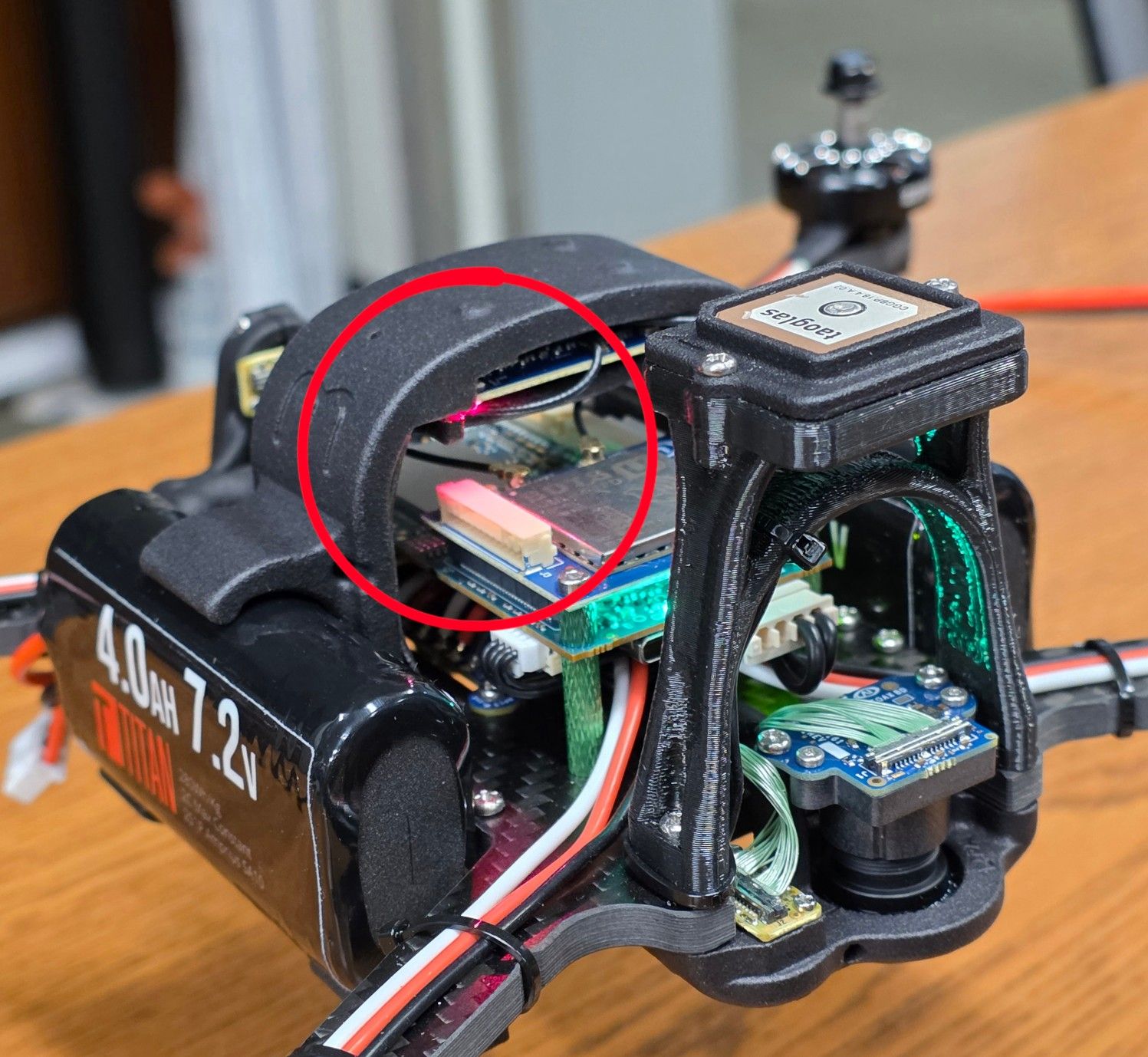
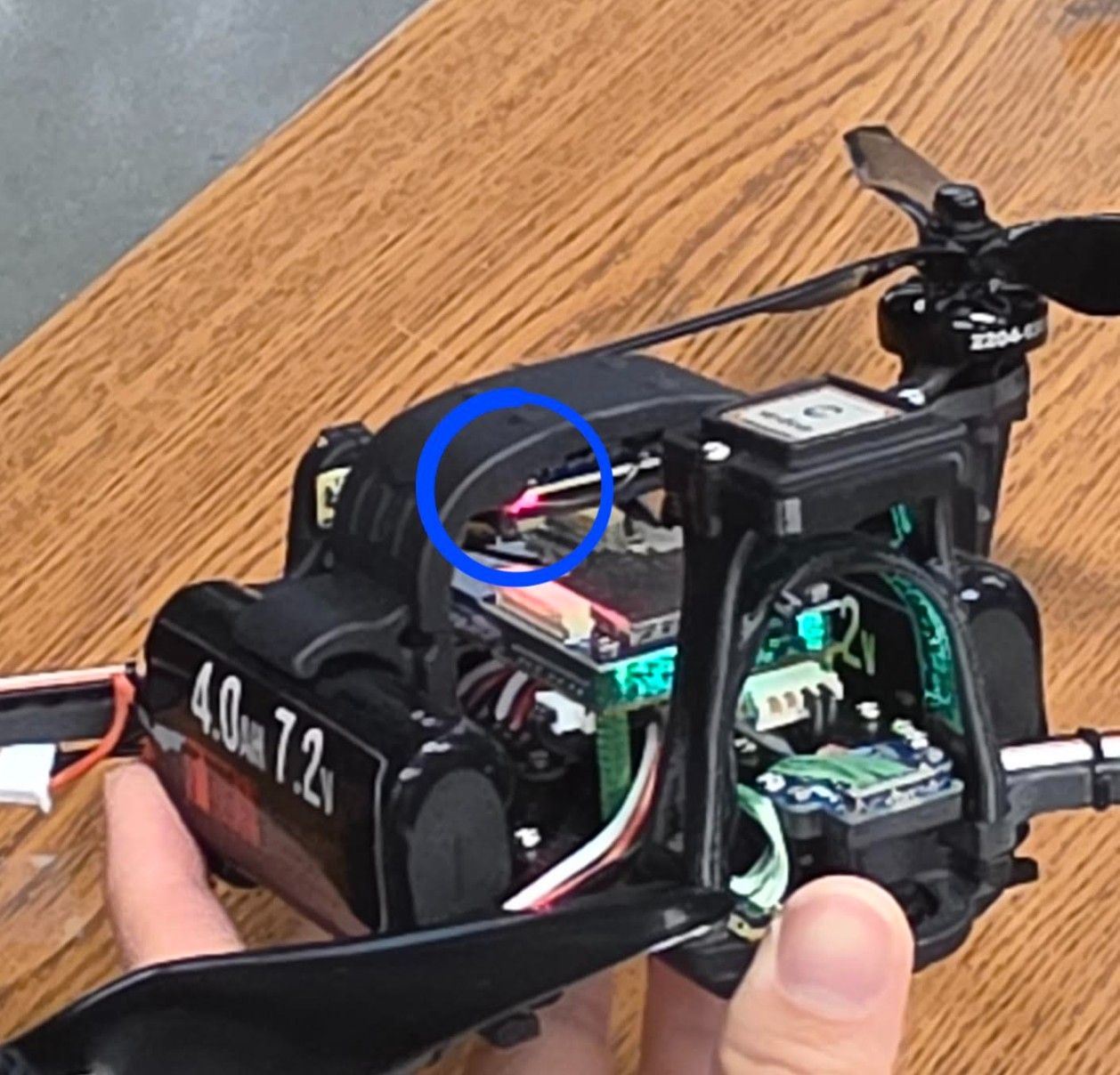
    The error intermittently still appears even when I recalibrate the IMU with airflow on the unit. I will try setting EKF2_EV_CTRL to 0 and report back. I am not sure which component contains the flashing red light, since I could not find a labeled diagram of the drone’s parts. I attached additional photos that hopefully make its location clearer:

    b06905f6-2b7a-4590-83de-0a4ddfb71582-image.jpeg

    c47f705b-3d49-477c-a813-fe8984d811d7-image.jpeg

    Support Request Format for Best Results

  • Questions on Starling 2 Max
    J jk

    Currently, when the drone is sitting flat on the table, my VOXL Portal says "Preflight Fail: High Accelerometer Bias". Below is the temperature of when the log was ran.

    Name MHz Temp Util Jul 22 2026 20:42:30
    cpu0 979 49.6 32.6 Uptime: 0:08:27
    cpu1 979 48.8 22.0
    cpu2 979 48.8 23.4 Mem Use (MB)
    cpu3 979 49.2 22.1 4089.6/7671
    cpu4 710 50.4 44.4 Mem Allocation
    cpu5 710 50.4 40.2 -0.1 MB/s
    cpu6 710 50.0 38.8
    cpu7 844 49.6 5.9 Governor: Cool
    Total 49.6 28.6 Pitmode: Active
    10s avg 29.8 Auto Pitmode: ON
    -------------------------
    GPU 587 48.4 13.7
    GPU 10s avg 13.3
    PID Top CPU Consumers CPU% Core Pri
    1417 voxl-open-vins-server 78.7 6 50
    1416 voxl-camera-server 71.9 5 80
    1930 px4 31.0 0 0
    2233 voxl-mavlink-server 3.6 3 0
    1419 voxl-vision-hub 1.7 1 0
    1714 voxl-imu-server 1.3 1 80
    1290 voxl-cpu-monitor 1.1 0 0
    1399 voxl-rangefinder-server 0.6 0 0
    1421 voxl-mavcam-manager 0.1 1 0
    1497 adbd 0.1 2 0
    -----------------------------------------------
    PID Top Memory Consumers Mem (MB) uptime
    1416 voxl-camera-server 207.9 8:22
    1930 px4 159.2 8:19
    1417 voxl-open-vins-server 67.4 8:22
    17566 tailscaled 20.7 0:25
    1269 python3.6 16.6 8:22
    541 systemd-journald 14.7 8:24
    2317 voxl-streamer 10.9 8:17
    1574 qwesd 9.3 8:21
    1 systemd 9.0 8:27
    1419 voxl-vision-hub 8.3 8:22
    -----------------------------------------------

    The forum says I don't have enough privileges to upload the ulg log, so I uploaded it to the px4 log interpreter, and the logs can be found here: https://logs.px4.io/plot_app?log=b6a8145b-b1f4-442b-93bc-ff448e57ab69 . If the actual ulg log would be more helpful, I can either email it to you or upload it to a google drive. Is the red flashing light from the preflight error or is there another cause? I also get "Preflight Fail: Yaw estimate error" at random times. Thank you so much for your help!

    Support Request Format for Best Results

  • Questions on Starling 2 Max
    J jk

    Hardware:

    • Device: Starling 2 Max (MRB-D0012)
    • Hardware platform: M0054
    • Machine variant: 1.2.1
    • SKU: MRB-D0012-4-V3-C28-T8-M36-X0

    Software:

    • System image: 1.8.06-M0054-14.1a-perf
    • Kernel: #1 SMP PREEMPT Wed Oct 22 04:29:38 UTC 2025 4.19.125
    • VOXL Suite: 1.6.4~alpha2

    I am new to drones, the ModalAI interface, and PX4. I encountered several issues while working through the VOXL Developer Bootcamp and would appreciate guidance on the following questions.

    Questions:

    • In the ModalAI VOXL Portal, I repeatedly receive one of the following errors: "Preflight Fail: High Accelerometer Bias" or "Preflight Fail: Yaw Estimate Error". To address these errors, I have restarted the drone while it was stationary and level on a table, and also recalibrated the gyroscope, accelerometer, level horizon, and magnetometer. However, the errors continue to appear. What additional troubleshooting steps should I follow to resolve these preflight failures?

    • While the drone is powered on and idle on a table, the reported CPU temperature rises to approximately 104°C. Pointing a desk fan at the drone reduces the temperature to approximately 80°C. Is this temperature expected during normal development? If not, what are the recommended practices for keeping the system cool while writing, compiling, or testing code? The log is shown below:

    Name MHz Temp Util Jul 20 2026 20:46:05
    cpu0 979 104.7 99.0 Uptime: 0:15:36
    cpu1 979 103.5 90.0
    cpu2 979 102.4 91.4 Mem Use (MB)
    cpu3 979 104.3 89.5 6244.8/7671
    cpu4 710 103.9 100.0 Mem Allocation
    cpu5 710 104.7 99.0 6.4 MB/s
    cpu6 710 103.5 100.0
    cpu7 844 104.7 100.0 Governor: Cool
    Total 104.0 96.1 Pitmode: Active
    10s avg 91.4 Auto Pitmode: ON
    ------------------------- CPU OVERLOAD WARN
    GPU 305 98.1 15.0 CPU OVERHEAT CRIT
    GPU 10s avg 18.6 MEM LEAK WARNING
    PID Top CPU Consumers CPU% Core Pri
    1429 voxl-camera-server 184.3 4 80
    2867 voxl-qvio-server 96.2 6 80
    1931 px4 89.7 3 0
    2219 voxl-mavlink-server 12.3 3 0
    1266 voxl-cpu-monitor 5.3 3 0
    1425 voxl-vision-hub 5.0 3 0
    1714 voxl-imu-server 5.0 3 80
    2889 voxl-portal 4.3 6 0
    527 systemd-journald 3.4 7 0
    1364 voxl-rangefinder-server 1.9 2 0
    -----------------------------------------------
    PID Top Memory Consumers Mem (MB) uptime
    1931 px4 167.8 15:29
    1429 voxl-camera-server 137.2 15:31
    2867 voxl-qvio-server 12.9 14:22
    2889 voxl-portal 10.4 14:04
    2219 voxl-mavlink-server 7.6 15:27
    2274 voxl-streamer 6.6 15:26
    1364 voxl-rangefinder-server 5.9 15:31
    1714 voxl-imu-server 5.7 15:30
    1277 sensors.qti 5.3 15:31
    1425 voxl-vision-hub 4.6 15:31
    -----------------------------------------------
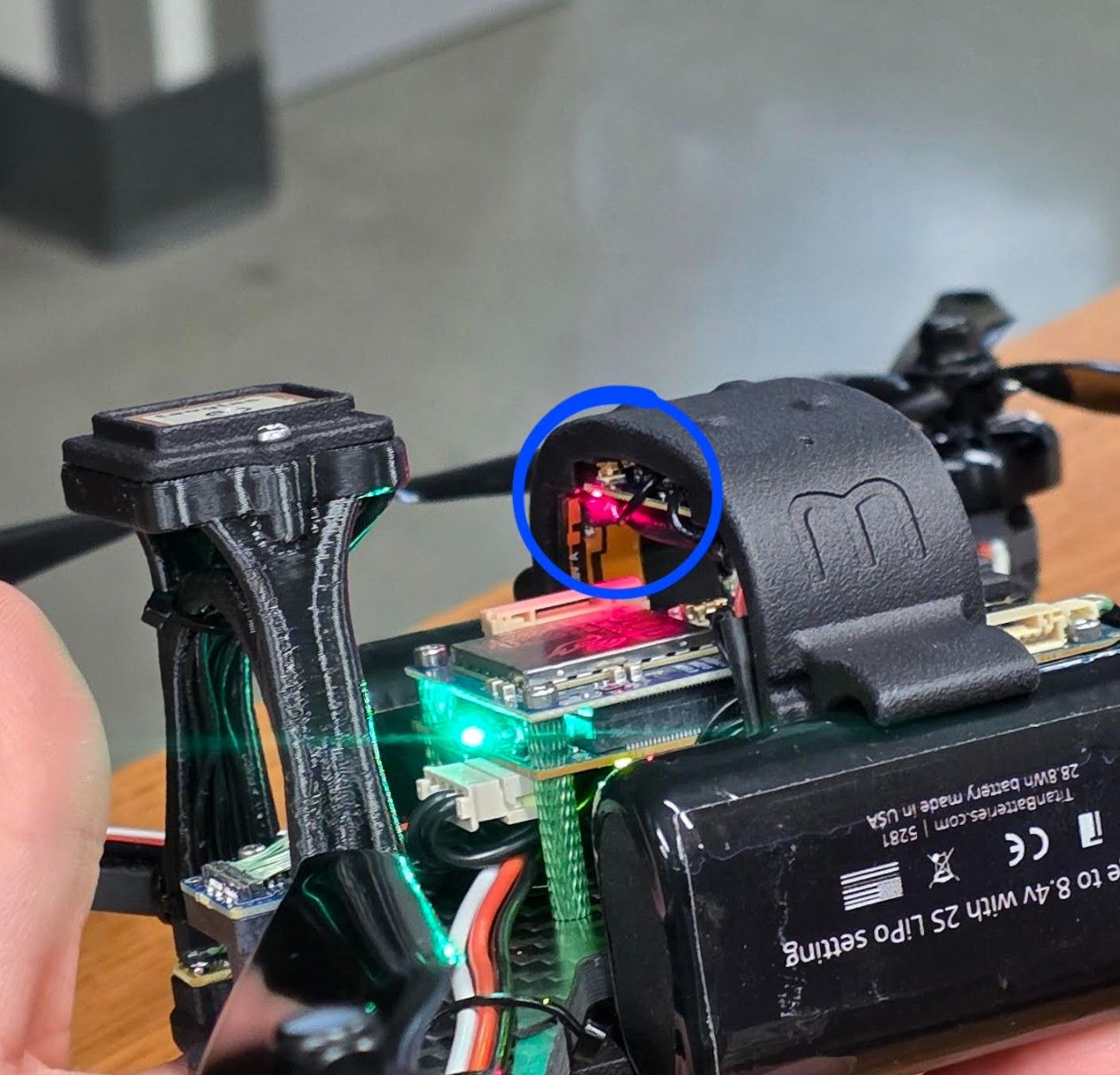
    • A red light on the top portion of the drone flashes continuously. I initially thought this indicated that the drone was not connected to the controller. However, the light continues flashing even after the Commando 8 controller is connected and the drone can be controlled successfully. What does this flashing red light indicate, and what steps should I take to diagnose or resolve it? A picture is attached below:

    7748e0e7-20c0-4d1a-b2f7-6f0d2fa0aca4-image.jpeg

    Support Request Format for Best Results
  • Login

  • Don't have an account? Register

  • Login or register to search.
  • First post
    Last post
0
  • Categories
  • Recent
  • Tags
  • Popular
  • Users
  • Groups