
EIS functionality
-
Hi! I'm noticing some difference in functionality when I switch
eis_modefromhorizon-leveltofull-follow.I built
voxl-camera-serveroff theeisbranch and followed the instructions. everything seems to be working correctly including stabilization other than the final output rotation that I am looking for.My
imu_appstohiresextrinsics are set up correctly and I want to apply this additional transform to the output:{ "parent": "hires", "child": "hires_eis", "T_child_wrt_parent": [0.066, 0.009, -0.012], "RPY_parent_to_child": [0, 0, -90] }I'm noticing that if I set
"eis_mode": "full-follow"the transform isnt applied but if i set"eis_mode": "horizon-level"it rotates the output window as expected. Here's what I see onvoxl-portalwhen I switcheis_modeand leave the extrinsics file untouched."eis_mode": "full-follow":
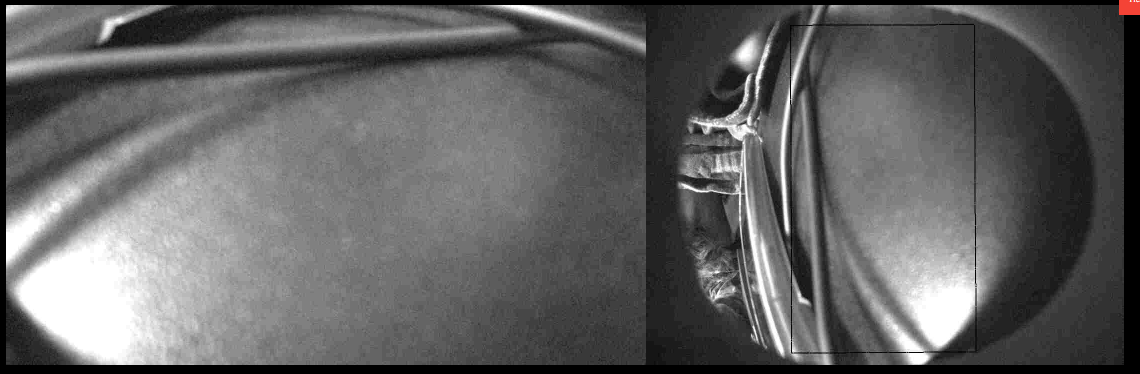
"eis_mode": "horizon-level":
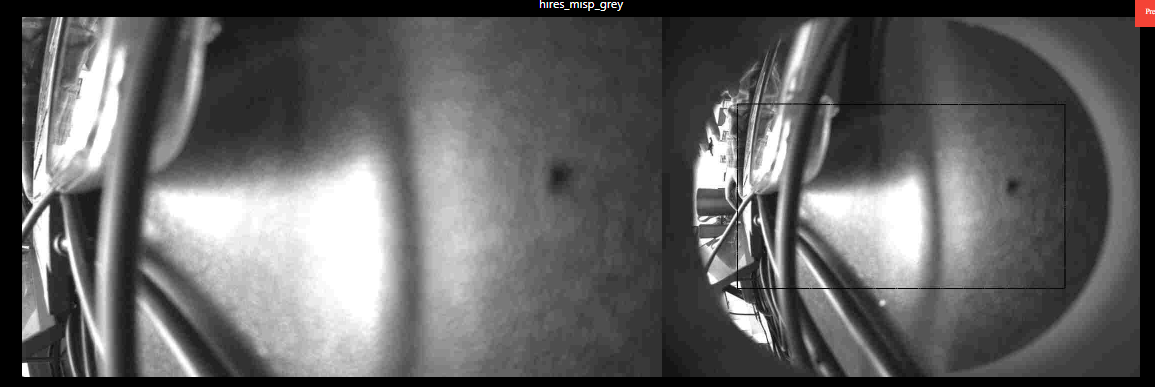
Hoping to find a way to get the output rotation working in
full-followmode. Thanks! -
Hi! I'm noticing some difference in functionality when I switch
eis_modefromhorizon-leveltofull-follow.I built
voxl-camera-serveroff theeisbranch and followed the instructions. everything seems to be working correctly including stabilization other than the final output rotation that I am looking for.My
imu_appstohiresextrinsics are set up correctly and I want to apply this additional transform to the output:{ "parent": "hires", "child": "hires_eis", "T_child_wrt_parent": [0.066, 0.009, -0.012], "RPY_parent_to_child": [0, 0, -90] }I'm noticing that if I set
"eis_mode": "full-follow"the transform isnt applied but if i set"eis_mode": "horizon-level"it rotates the output window as expected. Here's what I see onvoxl-portalwhen I switcheis_modeand leave the extrinsics file untouched."eis_mode": "full-follow":
"eis_mode": "horizon-level":
Hoping to find a way to get the output rotation working in
full-followmode. Thanks!@SKA , I thought i fixed that issue a while ago, let me double check. Are you using
voxl-camera-serverfromeisbranch or an official release from an SDK?Alex
-
@SKA , I thought i fixed that issue a while ago, let me double check. Are you using
voxl-camera-serverfromeisbranch or an official release from an SDK?Alex
@Alex-Kushleyev I'm building from the
eisbranch not the official release. Thanks!(Note: The images I included in my post are labeled backwards. first image is
"eis_mode": "horizon-level"and the second image is"eis_mode": "full-follow") -
@Alex-Kushleyev I'm building from the
eisbranch not the official release. Thanks!(Note: The images I included in my post are labeled backwards. first image is
"eis_mode": "horizon-level"and the second image is"eis_mode": "full-follow")@SKA , OK, so what you are saying is that in
full-followmode, the rotation parameter in the extrinsicshires->hires_eisfor the -90 degree rotation is not respected, correct? -
@SKA , OK, so what you are saying is that in
full-followmode, the rotation parameter in the extrinsicshires->hires_eisfor the -90 degree rotation is not respected, correct? -
@Alex-Kushleyev yes, that's correct!
@SKA ,
In your case, the issue should be solved by commenting out one line in https://gitlab.com/voxl-public/voxl-sdk/services/voxl-camera-server/-/blob/eis/src/misp.cpp :
       //TODO: FIXME
       //in roll following mode, the roll is not stabilized to the horizon, so it does not need to be flipped
       //need to resolve this in a better way because Rout is meant for another purpose
       if (!follow_roll)
           rc_matrix_right_multiply_inplace(&eis_ctx.H.m, eis_ctx.Rout.m);    //rotate the image according to desired output rotation (nominally identity)
Specifically, comment out the
ifstatement :if (!follow_roll), so that theRoutmatrix is always applied to the full transform H.The issue is that I tried to solve another use case by using this parameter (when the voxl2 / IMU is flipped upside down while camera is right side up). I just tested and it appears to be working.
I will figure out a better way of handling the upside down IMU in this case so that the output transform can be used correctly, but for now you can just comment out that
ifstatement.Can you please let me know if that fix worked for you?
Alex
-
@SKA ,
In your case, the issue should be solved by commenting out one line in https://gitlab.com/voxl-public/voxl-sdk/services/voxl-camera-server/-/blob/eis/src/misp.cpp :
       //TODO: FIXME
       //in roll following mode, the roll is not stabilized to the horizon, so it does not need to be flipped
       //need to resolve this in a better way because Rout is meant for another purpose
       if (!follow_roll)
           rc_matrix_right_multiply_inplace(&eis_ctx.H.m, eis_ctx.Rout.m);    //rotate the image according to desired output rotation (nominally identity)
Specifically, comment out the
ifstatement :if (!follow_roll), so that theRoutmatrix is always applied to the full transform H.The issue is that I tried to solve another use case by using this parameter (when the voxl2 / IMU is flipped upside down while camera is right side up). I just tested and it appears to be working.
I will figure out a better way of handling the upside down IMU in this case so that the output transform can be used correctly, but for now you can just comment out that
ifstatement.Can you please let me know if that fix worked for you?
Alex
Hi @SKA ,
I believe i fixed this issue with
full-followmode in the camera server. Now EIS has a body->imu transform, which is read from the extrinsics file and is used to properly rotate the image, instead of hi-jacking the cam->cam_eis transform.So now your cam->cam_eis transform should work. Please make sure the imu_apps->cam transform is correct, if your camera is rotated 90 degrees.
Please check the commits from Nov 10 : https://gitlab.com/voxl-public/voxl-sdk/services/voxl-camera-server/-/commits/dev
Alex
-
Hi @SKA ,
I believe i fixed this issue with
full-followmode in the camera server. Now EIS has a body->imu transform, which is read from the extrinsics file and is used to properly rotate the image, instead of hi-jacking the cam->cam_eis transform.So now your cam->cam_eis transform should work. Please make sure the imu_apps->cam transform is correct, if your camera is rotated 90 degrees.
Please check the commits from Nov 10 : https://gitlab.com/voxl-public/voxl-sdk/services/voxl-camera-server/-/commits/dev
Alex
@Alex-Kushleyev Thanks Alex! I tried testing this out, but it looks like it depends on a newer version of libmodal-pipe.
voxl2-mini (M0104):/data/voxl-suite-offline-packages$ dpkg -i --force downgrade --force-depends voxl-camera-server_2.2.16_arm64.deb
(Reading database ... 102703 files and directories currently installed.)
Preparing to unpack voxl-camera-server_2.2.16_arm64.deb ...
Unpacking voxl-camera-server (2.2.16) over (2.2.4) ...
dpkg: voxl-camera-server: dependency problems, but configuring anyway as you requested:
 voxl-camera-server depends on libmodal-pipe (>= 2.14.0); however:
  Version of libmodal-pipe on system is 2.13.2.

Setting up voxl-camera-server (2.2.16) ...
voxl2-mini (M0104):/data/voxl-suite-offline-packages$ voxl-camera-server
voxl-camera-server: symbol lookup error: voxl-camera-server: undefined symbol: pipe_validate_cpu_stats2_t
would you recommend upgrading the SDK to 1.6.0, or is there another way to get this working? I would prefer not to upgrade the SDK.
Thanks for your help!
-
@Alex-Kushleyev Thanks Alex! I tried testing this out, but it looks like it depends on a newer version of libmodal-pipe.
voxl2-mini (M0104):/data/voxl-suite-offline-packages$ dpkg -i --force downgrade --force-depends voxl-camera-server_2.2.16_arm64.deb
(Reading database ... 102703 files and directories currently installed.)
Preparing to unpack voxl-camera-server_2.2.16_arm64.deb ...
Unpacking voxl-camera-server (2.2.16) over (2.2.4) ...
dpkg: voxl-camera-server: dependency problems, but configuring anyway as you requested:
 voxl-camera-server depends on libmodal-pipe (>= 2.14.0); however:
  Version of libmodal-pipe on system is 2.13.2.

Setting up voxl-camera-server (2.2.16) ...
voxl2-mini (M0104):/data/voxl-suite-offline-packages$ voxl-camera-server
voxl-camera-server: symbol lookup error: voxl-camera-server: undefined symbol: pipe_validate_cpu_stats2_t
would you recommend upgrading the SDK to 1.6.0, or is there another way to get this working? I would prefer not to upgrade the SDK.
Thanks for your help!
@SKA, you should be able to update libmodal-pipe to latest package in the dev package repository : http://voxl-packages.modalai.com/dists/qrb5165/dev/binary-arm64//
-
@SKA, you should be able to update libmodal-pipe to latest package in the dev package repository : http://voxl-packages.modalai.com/dists/qrb5165/dev/binary-arm64//
@Alex-Kushleyev Thanks! After upgrading libmodal-pipe (which also requires a voxl-cpu-manager upgrade), I was able to install and run voxl-camera server, as well as the latest version of voxl-portal from the eis-integration branch.
I followed the instructions here, and set up eis.
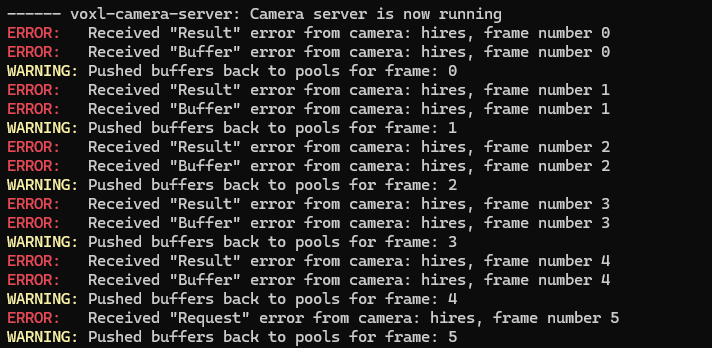
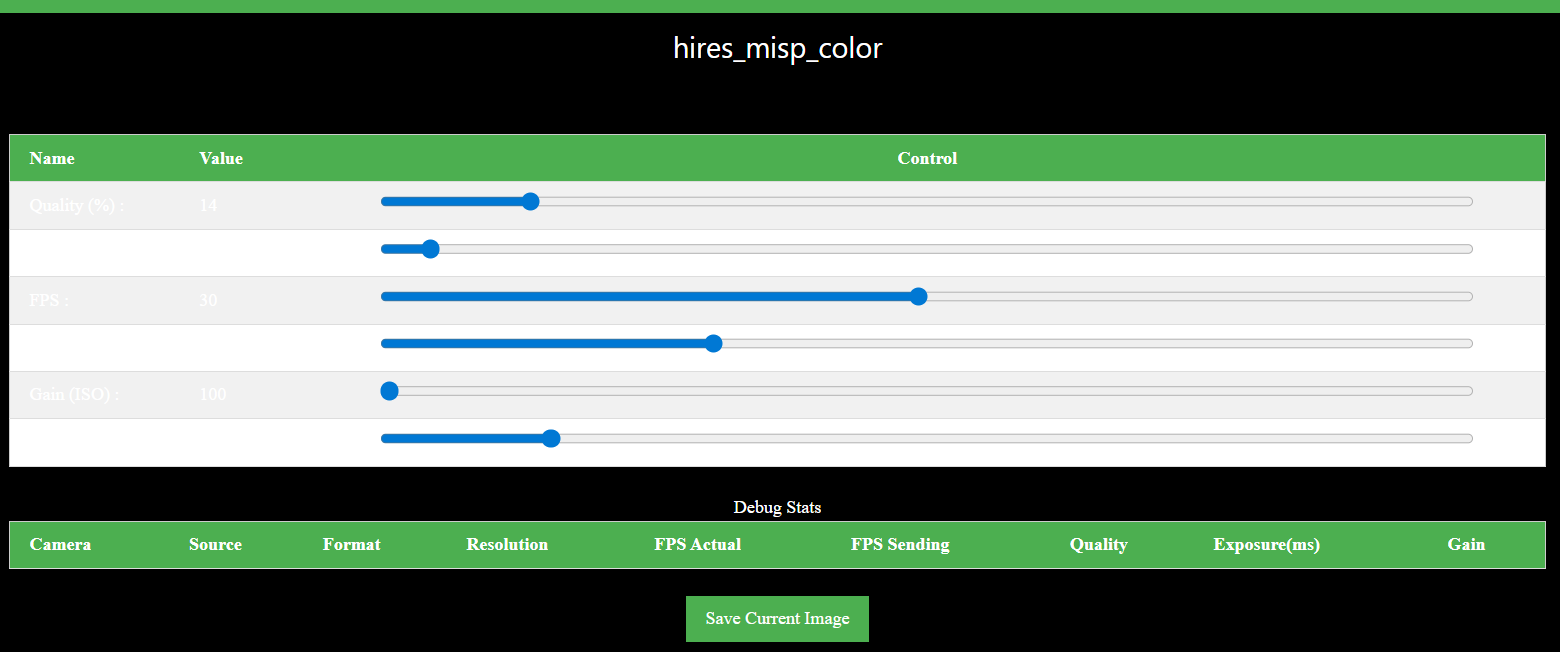
when I run voxl-camera-server, I'm seeing this output and I cannot see any camera stream on voxl-portal. Let me know if you recognize this issue and know how to fix it. Thanks!
-
@Alex-Kushleyev Thanks! After upgrading libmodal-pipe (which also requires a voxl-cpu-manager upgrade), I was able to install and run voxl-camera server, as well as the latest version of voxl-portal from the eis-integration branch.
I followed the instructions here, and set up eis.
when I run voxl-camera-server, I'm seeing this output and I cannot see any camera stream on voxl-portal. Let me know if you recognize this issue and know how to fix it. Thanks!
-
After upgrading to sdk 1.6.0 things are working well and the transform is incorporated correctly. Thanks for your help! If you know how I can get it working on sdk 1.5.0 I'd still be interested in knowing how.
@SKA , that result / buffer error (i think) is showing up because the camera pipeline selects incorrect camera mode / resolution, perhaps you missed one of the steps in EIS instructions, either using the correct camera drivers or updating the override txt file.
Also, the latest docs for EIS are here, the old .md file is probably outdated : https://docs.modalai.com/camera-video/electronic-image-stabilization/
Alex
-
@SKA , that result / buffer error (i think) is showing up because the camera pipeline selects incorrect camera mode / resolution, perhaps you missed one of the steps in EIS instructions, either using the correct camera drivers or updating the override txt file.
Also, the latest docs for EIS are here, the old .md file is probably outdated : https://docs.modalai.com/camera-video/electronic-image-stabilization/
Alex
@Alex-Kushleyev I verified that I used the correct drivers and had already updated
maxRAWSizeson/vendor/etc/camera/camxoverridesettings.txt. I just went through the updated EIS docs and I am still seeing the same errors. Let me know if there's anything else I can check! -
@Alex-Kushleyev I verified that I used the correct drivers and had already updated
maxRAWSizeson/vendor/etc/camera/camxoverridesettings.txt. I just went through the updated EIS docs and I am still seeing the same errors. Let me know if there's anything else I can check!@SKA ,
Does this happen right away after you start
voxl-camera-server?What raw "preview" resolution / fps are you requesting in camera server config?
Also, can you post output of dmesg (everything after you start voxl-camera-server)
Alex

Reading along? Create a free ModalAI Forum account to join in.
With an account you can reply, ask your own question, get an email when a ModalAI engineer answers, and mark the reply that solved it. Your place in each thread is saved between visits.
Questions about VOXL, Flight Core, ESCs and ModalAI drones are answered here by the engineers who build them.
Register Login