
cam does not seem to be alive issue
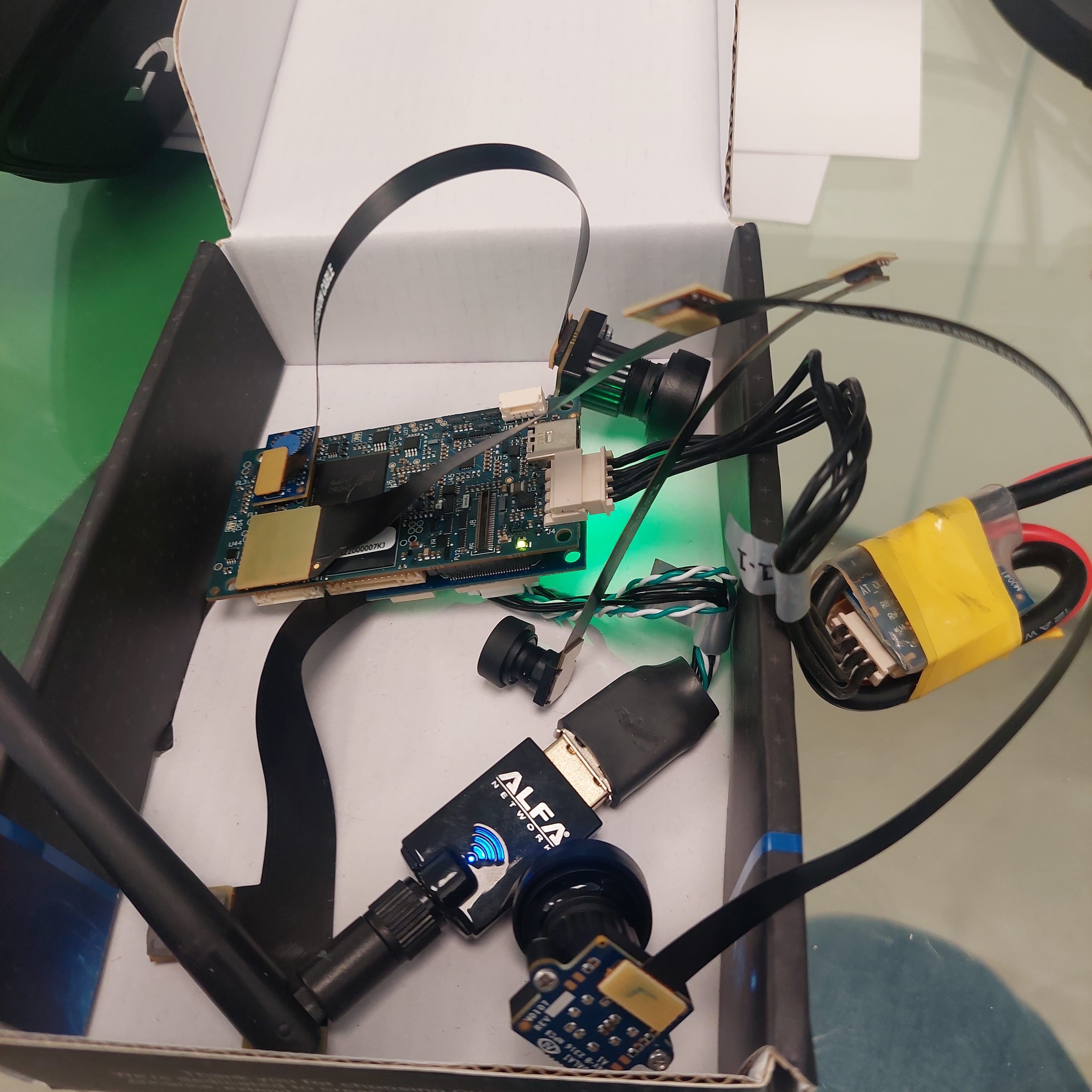
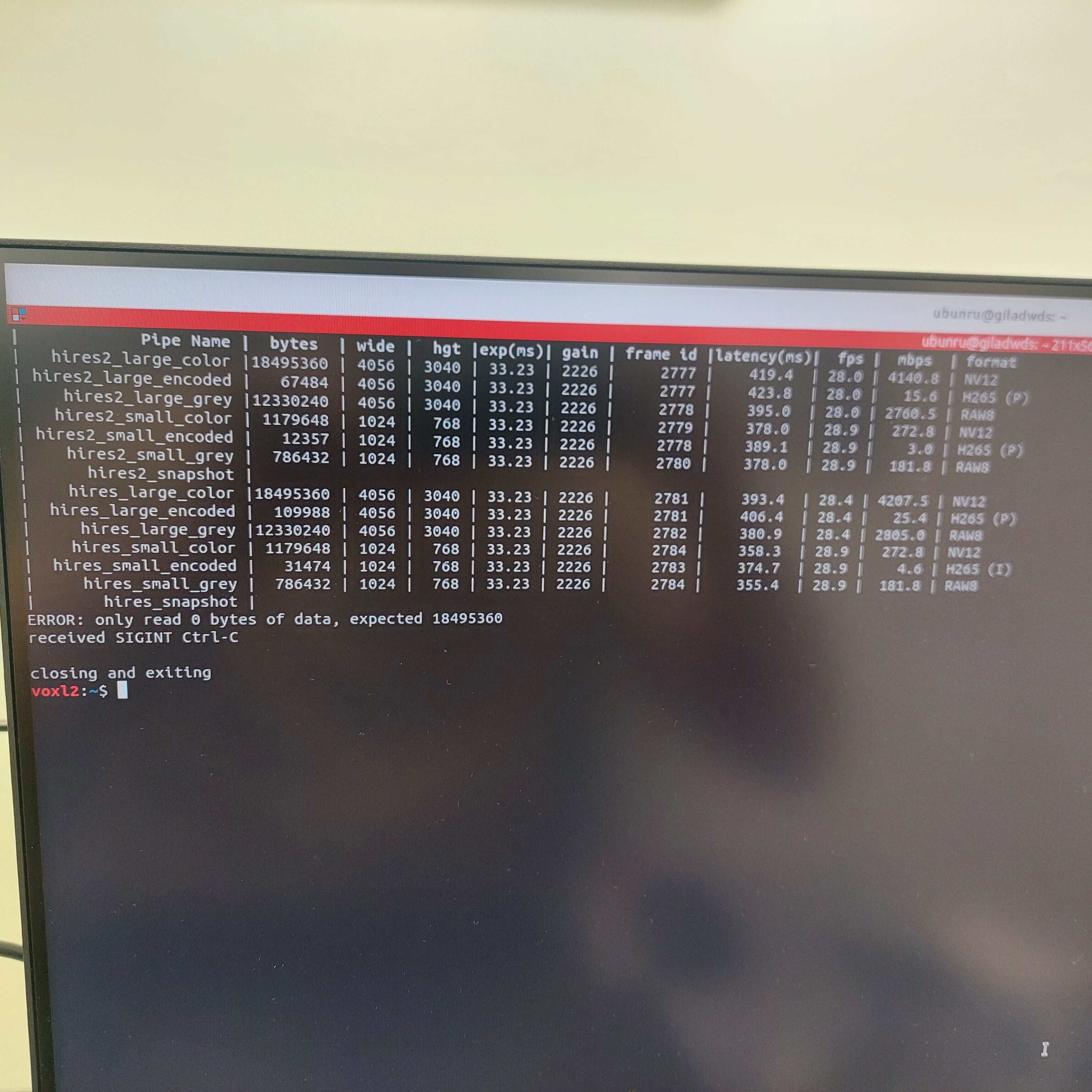
-
@giladWDS , can you please provide minimal instructions to reproduce on voxl2? I can try it from sdk install, then configure cameras, modify config to lower fps and test.
Regarding flight deck, is it voxl2 flight deck or voxl1?
Alex
Perhaps the solution will be to check if desired fps is less than 30, then use the different fps range, but I would like to reproduce first, since i am able to set the fps correctly below 30 as is.
-
@giladWDS , can you please provide minimal instructions to reproduce on voxl2? I can try it from sdk install, then configure cameras, modify config to lower fps and test.
Regarding flight deck, is it voxl2 flight deck or voxl1?
Alex
@Alex-Kushleyev
the flight-deck is a voxl2 unit (qrb chip)
with voxl-camera-server 1.8.9 on 1.1.2 SDK
other than that one imx412 is enough for the server to crash but let me know if you want the full config and/or driver list -
@Alex-Kushleyev
the flight-deck is a voxl2 unit (qrb chip)
with voxl-camera-server 1.8.9 on 1.1.2 SDK
other than that one imx412 is enough for the server to crash but let me know if you want the full config and/or driver listIs it possible for you to try the same test on the latest SDK, at least 1.3.3 or 1.3.5 ?
There have been many fixes and updates since 1.1.2 and 1.2.0.
I just tested again on our latest camera server and no issue running 5 or 10hz preview at full resolution 4056x3040.
Alex
-
Is it possible for you to try the same test on the latest SDK, at least 1.3.3 or 1.3.5 ?
There have been many fixes and updates since 1.1.2 and 1.2.0.
I just tested again on our latest camera server and no issue running 5 or 10hz preview at full resolution 4056x3040.
Alex
@Alex-Kushleyev
I will test it with the flight deck and let you know as soon as I can -
@Alex-Kushleyev
I will test it with the flight deck and let you know as soon as I can@giladWDS , I believe i was able to reproduce the issue. It seems you cannot set the fps lower than 15fps only when you have raw preview enabled and no other streams that use ISP are running. Can you please confirm that this is the case?
If you have non-raw preview or other streams enabled like small or large video, then what happens the pipeline will actually drop frames to achieve the desired fps. So it is not ideal, that is to say that the camera is still sending higher fps, but the frames are dropped. However, the overhead for receiving extra frames and dropping them at lowest level is not too big. I will investigate if we can actually set the camera to run at the desired lower fps.
I am pretty sure that i can fix it, perhaps using the fix you already found, but can you please confirm that this is your camera configuration, if possible just paste your hires camera config here. Thanks!
Alex
-
@giladWDS , I believe i was able to reproduce the issue. It seems you cannot set the fps lower than 15fps only when you have raw preview enabled and no other streams that use ISP are running. Can you please confirm that this is the case?
If you have non-raw preview or other streams enabled like small or large video, then what happens the pipeline will actually drop frames to achieve the desired fps. So it is not ideal, that is to say that the camera is still sending higher fps, but the frames are dropped. However, the overhead for receiving extra frames and dropping them at lowest level is not too big. I will investigate if we can actually set the camera to run at the desired lower fps.
I am pretty sure that i can fix it, perhaps using the fix you already found, but can you please confirm that this is your camera configuration, if possible just paste your hires camera config here. Thanks!
Alex
@Alex-Kushleyev
sorry for the delay,
this sounds about right.
I'm not sure about the 15 fps but we do use raw preview only for our application and no other stream
this is my camera conf file:cat /etc/modalai/voxl-camera-server.conf /** * voxl-camera-server Configuration File * * Each camera has configurations for up to 4 HAL3 streams: * - `preview` stream for raw unprocessed images from CV cameras * - `small_video` 720p (ish) h264/h265 compressed for fpv video streaming * - `large_video` 4k (ish) h264/h265 for onboard video recording to disk * - `snapshot` ISP-processed JPG snapshots that get saved to disk * * on QRB5165 platforms (VOXL2 and VOXL2 mini) you can only have 3 of the 4 enabled * * This file is generated from default values by voxl-configure-cameras. * Do not expect arbitrary resolutions to work, the ISP and video compression * pipelines only support very specific resolutions. * * The default video compression mode is cqp or Constant Quantization Parameter * * * */ { "version": 0.1, "cameras": [{ "type": "ov7251", "name": "stereo", "enabled": true, "camera_id": 0, "camera_id_second": 1, "independent_exposure": false, "fps": 30, "en_rotate": false, "en_rotate_second": false, "en_preview": true, "preview_width": 640, "preview_height": 480, "en_raw_preview": true, "ae_mode": "lme_msv", "ae_desired_msv": 60, "exposure_min_us": 20, "exposure_max_us": 33000, "gain_min": 54, "gain_max": 8000, "exposure_soft_min_us": 5000, "ae_filter_alpha": 0.600000023841858, "ae_ignore_fraction": 0.20000000298023224, "ae_slope": 0.05000000074505806, "ae_exposure_period": 1, "ae_gain_period": 1 }, { "type": "imx412", "name": "hires2", "enabled": true, "camera_id": 2, "fps": 3, "en_rotate": true, "en_preview": true, "preview_width": 4056, "preview_height": 3040, "en_raw_preview": false, "en_small_video": false, "small_video_width": 1024, "small_video_height": 768, "small_venc_mode": "h265", "small_venc_br_ctrl": "cqp", "small_venc_Qfixed": 30, "small_venc_Qmin": 15, "small_venc_Qmax": 40, "small_venc_nPframes": 9, "small_venc_mbps": 2, "en_large_video": false, "large_video_width": 2048, "large_video_height": 1536, "large_venc_mode": "h265", "large_venc_br_ctrl": "cqp", "large_venc_Qfixed": 38, "large_venc_Qmin": 15, "large_venc_Qmax": 50, "large_venc_nPframes": 29, "large_venc_mbps": 30, "en_snapshot": false, "en_snapshot_width": 4056, "en_snapshot_height": 3040, "ae_mode": "lme_msv", "ae_desired_msv": 65, "exposure_min_us": 20, "exposure_max_us": 33000, "gain_min": 20, "gain_max": 250, "exposure_soft_min_us": 3000, "ae_filter_alpha": 0.700000023841858, "ae_ignore_fraction": 0.20000000298023224, "ae_slope": 0.05000000074505806, "ae_exposure_period": 1, "ae_gain_period": 0.5 }, { "type": "imx412", "name": "hires", "enabled": true, "camera_id": 3, "fps": 3, "en_preview": true, "preview_width": 4056, "preview_height": 3040, "en_raw_preview": false, "en_small_video": false, "small_video_width": 1024, "small_video_height": 768, "small_venc_mode": "h265", "small_venc_br_ctrl": "cqp", "small_venc_Qfixed": 30, "small_venc_Qmin": 15, "small_venc_Qmax": 40, "small_venc_nPframes": 9, "small_venc_mbps": 2, "en_large_video": false, "large_video_width": 4056, "large_video_height": 3040, "large_venc_mode": "h265", "large_venc_br_ctrl": "cqp", "large_venc_Qfixed": 38, "large_venc_Qmin": 15, "large_venc_Qmax": 50, "large_venc_nPframes": 29, "large_venc_mbps": 30, "en_snapshot": false, "en_snapshot_width": 4056, "en_snapshot_height": 3040, "ae_mode": "lme_msv", "ae_desired_msv": 65, "exposure_min_us": 20, "exposure_max_us": 33000, "gain_min": 20, "gain_max": 250, "exposure_soft_min_us": 3000, "ae_filter_alpha": 0.700000023841858, "ae_ignore_fraction": 0.20000000298023224, "ae_slope": 0.05000000074505806, "ae_exposure_period": 1, "ae_gain_period": 0.5 }, { "type": "ov7251", "name": "tracking", "enabled": true, "camera_id": 4, "fps": 30, "en_rotate": false, "en_preview": true, "preview_width": 640, "preview_height": 480, "en_raw_preview": true, "ae_mode": "lme_msv", "ae_desired_msv": 60, "exposure_min_us": 20, "exposure_max_us": 33000, "gain_min": 54, "gain_max": 8000, "exposure_soft_min_us": 5000, "ae_filter_alpha": 0.600000023841858, "ae_ignore_fraction": 0.20000000298023224, "ae_slope": 0.05000000074505806, "ae_exposure_period": 1, "ae_gain_period": 1 }] }hope this helps

Reading along? Create a free ModalAI Forum account to join in.
With an account you can reply, ask your own question, get an email when a ModalAI engineer answers, and mark the reply that solved it. Your place in each thread is saved between visits.
Questions about VOXL, Flight Core, ESCs and ModalAI drones are answered here by the engineers who build them.
Register Login