
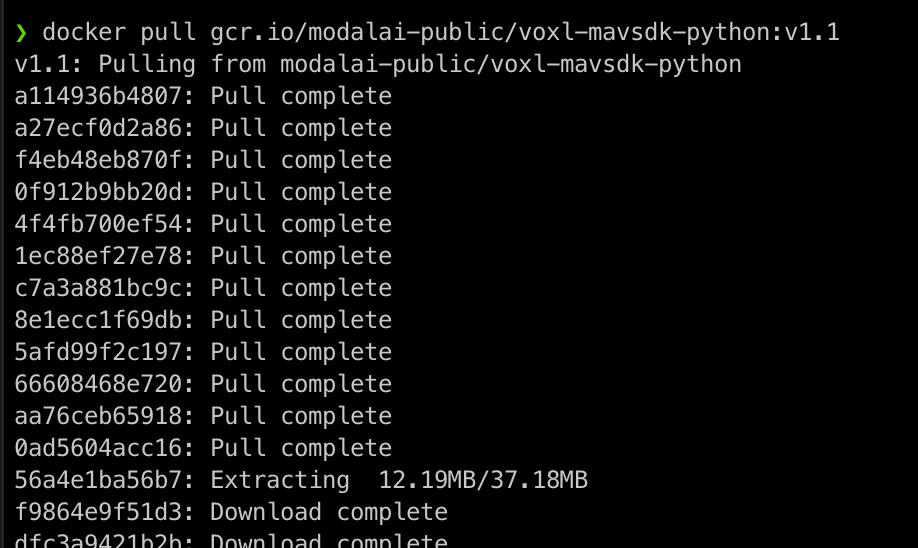
problems cloning MAVSDK Python docker from Gitlab
-
Double checking, is the VOXL on a network? E.g. can you ping something on the internet?
I'm without a VOXL just now but the image is online
-
@parbat101 There is no difference between cloning via ssh and https in regard to the code. SSH just allows you to clone via. a key passes to GitLab and therefore you don't have to manually enter your gitlab user / pass when pulling and pushing to a repo.
-
Double checking, is the VOXL on a network? E.g. can you ping something on the internet?
I'm without a VOXL just now but the image is online
@modaltb Thank you for explaining.
I couldnot connect internet on the voxl however I downloaded the files on the computer and used adb push to transfer those to VOXL.
Then, I followed the steps to execte the example program given at:
https://gitlab.com/voxl-public/voxl-docker-images/voxl-docker-mavsdk-pythonThe motors (without propellers,For Safety) did spin on the drones so I assumed the drone can fly autonomously using sample program provided in MAVSDK Python in Gitlab page mentioned above...
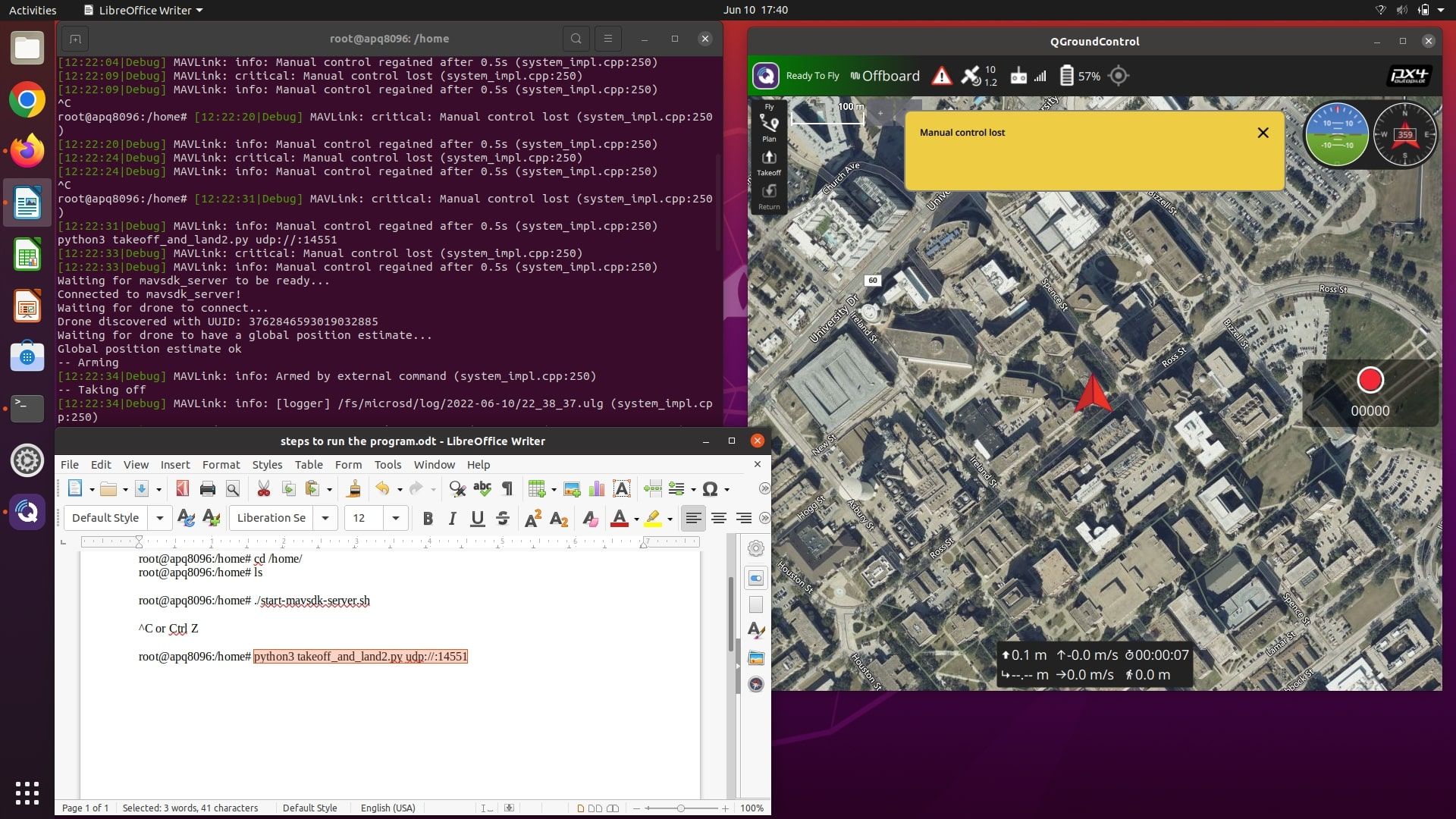
However, when I connected the QGroundControl and tried connecting the Transmitter (DX6e, recommended with m500 in the website),it says manual control lost.
Until Yesterday, I used to use the manual and position flight mode with the transmitter in the QGroundControl flawlessly but now I cannot connect the controller. "Manual Control Lost" appears on the screen.
I am trying to connect the transmitter for Manual Kill Switch Mode.
I have attached the picture of the problem below. Please let me know what could be the problem. Thank You.
-
@parbat101 There is no difference between cloning via ssh and https in regard to the code. SSH just allows you to clone via. a key passes to GitLab and therefore you don't have to manually enter your gitlab user / pass when pulling and pushing to a repo.
-
@parbat101 Someone else may answer with a better idea why you're seeing your issue but checkout this video if you haven't to see this program executed correctly: https://www.youtube.com/watch?v=c5xz5IDccr0
-
@parbat101 another example: https://www.youtube.com/watch?v=V3vVs8fEOZs
-
@parbat101 another example: https://www.youtube.com/watch?v=V3vVs8fEOZs
-
@parbat101 Someone else may answer with a better idea why you're seeing your issue but checkout this video if you haven't to see this program executed correctly: https://www.youtube.com/watch?v=c5xz5IDccr0
@tom The videos were super helpful and the drone worked as shown in the video.
To test other flight patterns, I want to edit the test file takeoff_and_land2.py file which I think is inside the docker images.
Can you please suggest me the best way to do it? -
Thank you everyone for helping me. After I was able to solve the internet problem in the VOXL, everything was solved. All the problems I had in the threads above were mostly because of not having internet in the VOXL. It was hard to connect to University's wifi and Mobile hotspot did not work few times in the beginning. Yesterday, I was able to connect VOXL and Laptop to my mobile hotspot and everything was much easier.
I will keep working on the m500 drone and keep asking more questions in the forum as I progress. -
@parbat101 Since it is included in that image, one (bad) option is to modify the script and then re-build the Docker image and it will pull in the modified script.
The better solution that I would recommend is create a new script i.e
my-script.pyand then mount it inside the Docker image on run time using something like this:docker run -it --rm --privileged --net=host -v $(pwd)/my-script.py:/path/to/my-script.py gcr.io/modalai-public/voxl-mavsdk-python:v1.1 /bin/bashwhere you mount the script from your host os inside of the Docker container. You can read more about docker + mounting here: https://docs.docker.com/storage/bind-mounts/
This would allow you to modify the script on your host os, then run the above command to pull it into the docker container on run-time. Keep in mind if you modify the script inside of the docker container and then exit the container, the edits will be lost. So make sure you edit the script outside of the container and then re-run the above command to pull in the updated script.
Another note,
/path/to/my-script.pywill denote the path at which you would like to have the script live inside of the docker container, so you will need to modify that to your liking.


Reading along? Create a free ModalAI Forum account to join in.
With an account you can reply, ask your own question, get an email when a ModalAI engineer answers, and mark the reply that solved it. Your place in each thread is saved between visits.
Questions about VOXL, Flight Core, ESCs and ModalAI drones are answered here by the engineers who build them.
Register Login