Skip to content
  • Categories
  • Recent
  • Tags
  • Popular
  • Users
  • Groups
Collapse
Brand Logo

ModalAI Forum

  1. ModalAI Support Forum
  2. VOXL Compute & Autopilot
  3. VOXL 2
  4. Unbrick VOXL2 instruction help

Unbrick VOXL2 instruction help

Scheduled Pinned Locked Moved VOXL 2
2 Posts 2 Posters 764 Views
  • Oldest to Newest
  • Newest to Oldest
  • Most Votes
Reply
  • Reply as topic
Log in to reply
This topic has been deleted. Only users with topic management privileges can see it.
  • E Offline
    E Offline
    Engineer123
    wrote on last edited by
    #1

    I am following these steps through a linux VM

    Link Preview Image
    VOXL 2 Unbricking

    ModalAI technical documentation for VOXL and VOXL 2 Companion Computers for PX4 and ArduPilot Obstacle Avoidance and GPS-denied navigation, assembled in the USA

    favicon

    ModalAI Technical Docs (docs.modalai.com)

    and I am at the step that tells me to download a qdl image but I cannot find it. I tried to use the latest flat build image but it just hangs up and does nothing. Can someone assist with helping me find the image and process?
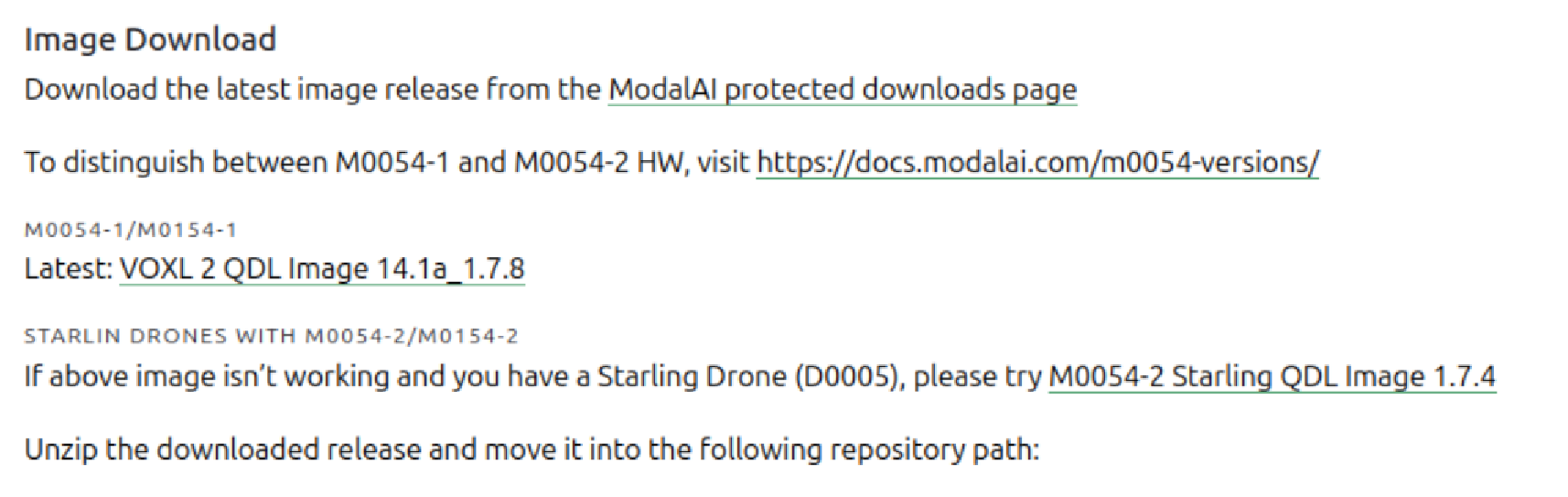
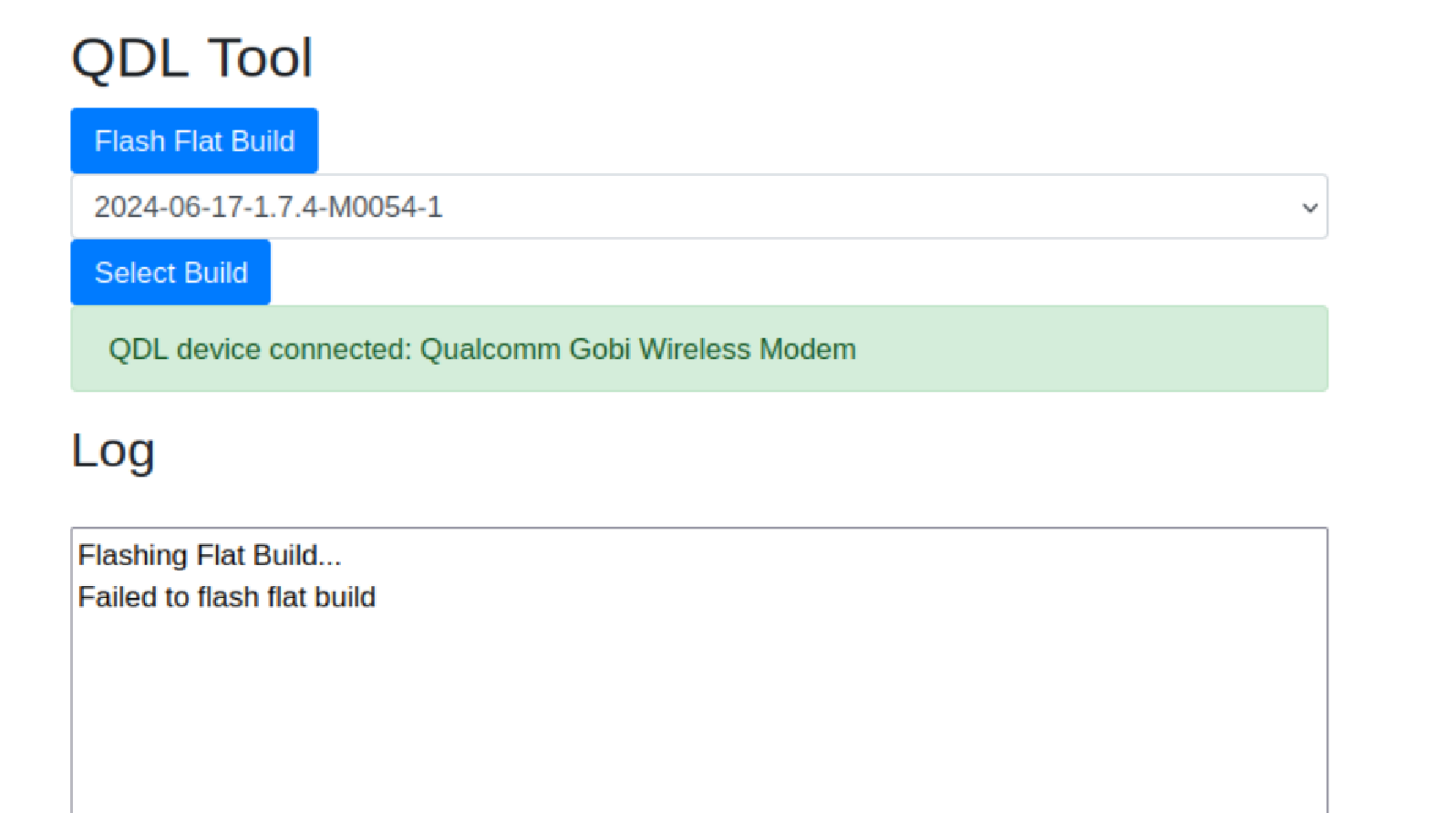
    image (13).png
    image (14).png

    Z 1 Reply Last reply
    0
    • E Engineer123

      I am following these steps through a linux VM

      Link Preview Image
      VOXL 2 Unbricking

      ModalAI technical documentation for VOXL and VOXL 2 Companion Computers for PX4 and ArduPilot Obstacle Avoidance and GPS-denied navigation, assembled in the USA

      favicon

      ModalAI Technical Docs (docs.modalai.com)

      and I am at the step that tells me to download a qdl image but I cannot find it. I tried to use the latest flat build image but it just hangs up and does nothing. Can someone assist with helping me find the image and process?

      image (13).png
      image (14).png

      Z Offline
      Z Offline
      ZuraNeb
      Contributor
      wrote last edited by
      #2

      @Engineer123

      You can download all the necessary flat build files from our page: [modalai.filecloudonline.com](link url). Go into flat builds folder and download the m0054(154-1) flat build file

      With regards to actually flashing the flat build, and using modal-qdl repo:

      1. Make sure to put the flat build file properly in a correct folder as mentioned by the doc (./qdl/qfil_app/modalai). Make sure the file is unzipped (it should be m0054(154-1)/ all the files, NOT m0054(154-1)/m0054(154-1)/....)
      2. Some users have seen a higher qdl success rate when they ran install_dependencies.sh and run.sh with sudo commands. So sudo might work better
      3. Confirm that the voxl is in edl mode
      1 Reply Last reply
      0

      Hello! It looks like you're interested in this conversation, but you don't have an account yet.

      Getting fed up of having to scroll through the same posts each visit? When you register for an account, you'll always come back to exactly where you were before, and choose to be notified of new replies (either via email, or push notification). You'll also be able to save bookmarks and upvote posts to show your appreciation to other community members.

      With your input, this post could be even better 💗

      Register Login
      Reply
      • Reply as topic
      Log in to reply
      • Oldest to Newest
      • Newest to Oldest
      • Most Votes


      ModalAI
      Categories Recent Tags ModalAI.com Docs
      © 2026 ModalAI® · Accelerating autonomy for smaller, smarter, safer drones · Powered by NodeBB
      • Login

      • Login or register to search.
      • First post
        Last post
      0
      • Categories
      • Recent
      • Tags
      • Popular
      • Users
      • Groups