
(VOXL2 PX4 ROS2) px4_msgs Unrecognized In Program
-
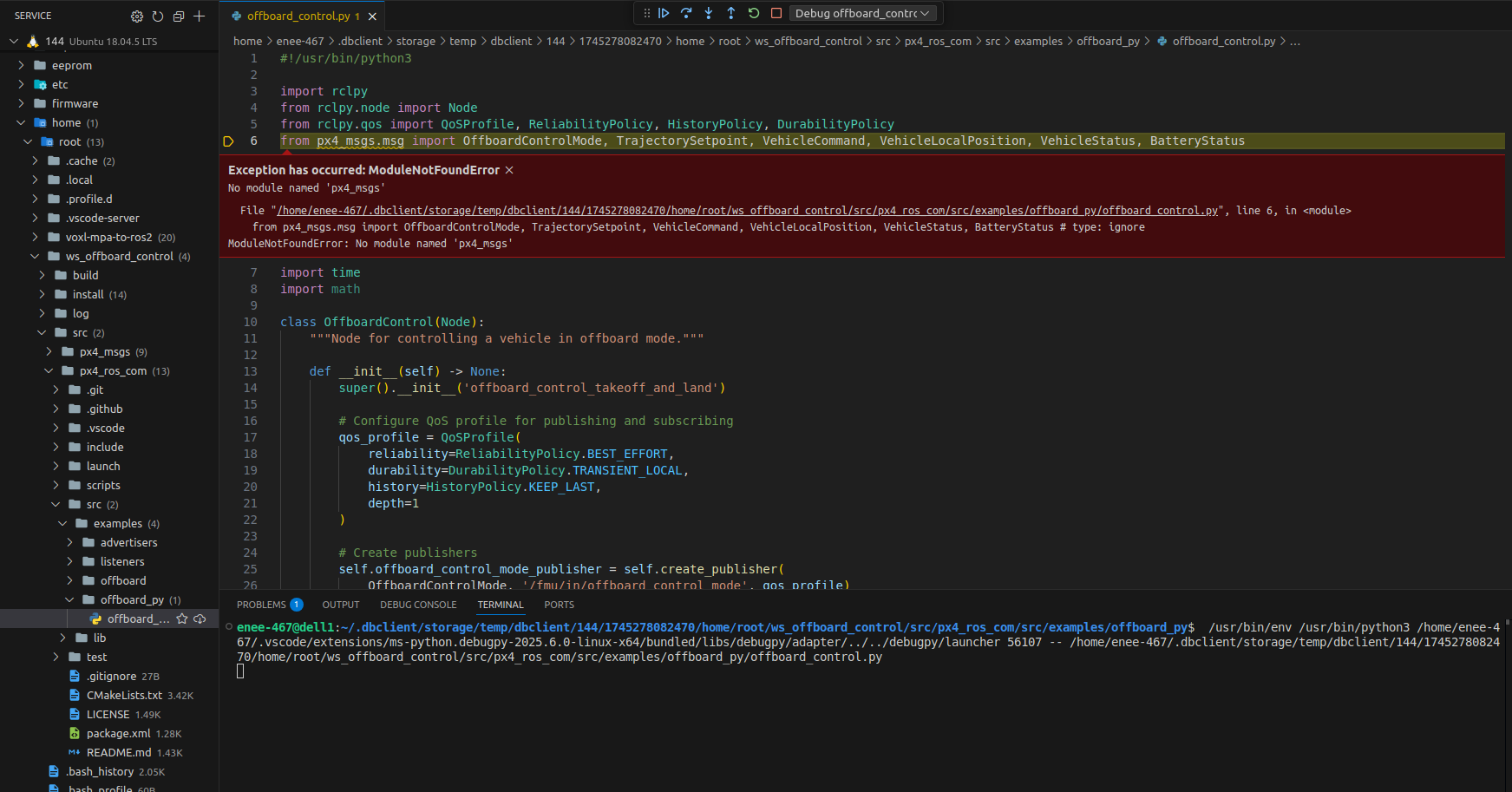
Hello. I'm attempting to use various PX4 messages in a program I am working on, but for some reason the px4_msgs package is not recognized at all. I'm not sure if it is a path issue or if I downloaded it wrong somehow, but I tried sourcing the files and that hasn't worked. Ignoring the type also hasn't worked for me. Is there any easy fix for this that I'm missing? I am urgently seeking a fix for this. Pictured below is the error that comes up:
-
@GlennTee have you sourced the right directories? If you run
source /opt/ros/foxy/mpa_to_ros/install/setup.bashthat should tell your package manager that the px4 messages type exists. I also notice you are running this on your local machine - have you install the necessary packages there? If you instantiate the voxl-cross or qrb5165 emulator image and then use vscode inside the docker then you should be able to see the px4 messages just fine.LMK if that helps!
Zach -
@GlennTee have you sourced the right directories? If you run
source /opt/ros/foxy/mpa_to_ros/install/setup.bashthat should tell your package manager that the px4 messages type exists. I also notice you are running this on your local machine - have you install the necessary packages there? If you instantiate the voxl-cross or qrb5165 emulator image and then use vscode inside the docker then you should be able to see the px4 messages just fine.LMK if that helps!
Zach@Zachary-Lowell-0 I tried "source /opt/ros/foxy/setup.bash" and "source install/local_setup.bash," but this was for trying to run my program. I just tried running "source /opt/ros/foxy/mpa_to_ros/install/setup.bash" and this is what I got:

I'm using remote ssh in order to access the files on the drone. -
Did you ever install voxl-ros2-foxy?
-
@Zachary-Lowell-0 I tried "source /opt/ros/foxy/setup.bash" and "source install/local_setup.bash," but this was for trying to run my program. I just tried running "source /opt/ros/foxy/mpa_to_ros/install/setup.bash" and this is what I got:
I'm using remote ssh in order to access the files on the drone.@Zachary-Lowell-0 Yes I installed voxl-ros2-foxy. This time I just tried "source /opt/ros/foxy/mpa_to_ros2/install/setup.bash" and that was accepted. However, looking now px4_msgs is still not recognized within my program.


Reading along? Create a free ModalAI Forum account to join in.
With an account you can reply, ask your own question, get an email when a ModalAI engineer answers, and mark the reply that solved it. Your place in each thread is saved between visits.
Questions about VOXL, Flight Core, ESCs and ModalAI drones are answered here by the engineers who build them.
Register Login