Skip to content
  • Categories
  • Recent
  • Tags
  • Popular
  • Users
  • Groups
Collapse
Brand Logo

ModalAI Forum

L

LuisRzdearbulo 0

@LuisRzdearbulo 0
Unfollow Follow
About
Posts
7
Topics
3
Shares
0
Groups
0
Followers
0
Following
0

Posts

Recent Best Controversial

  • Starling 2 - VOXL2 IMU Clock Line Failure after Heatsink Maintenance
    L LuisRzdearbulo 0

    Hi @alex-kushleyev ,

    Thank you for the clear guidance and the two options.

    We have already applied Option 1 for the Apps Proc IMU:

    Rebuilt and installed voxl-imu-server with #define EN_RTC disabled
    voxl-inspect-imu imu_apps now reports healthy accel/gyro data (~9.8 m/s² at rest)
    No more “clock line / PCB damage” warnings on that path
    However, PX4 flight IMU is still down:

    px4-listener sensor_accel / sensor_gyro publish no samples
    pre_flight_checks_pass: false
    Platform: Starling 2 / VOXL2 M0054, system-image 1.8.06, voxl-px4 1.14.0-2.0.133
    We are blocked on rebuilding voxl-px4 / SLPI because we do not have access to the Hexagon SDK (asset 184) on our side, and we cannot redistribute it.

    Could you please help with one of the following?

    Provide a prebuilt voxl-px4 .deb (compatible with our 1.8.06 / 2.0.133 line, or current recommended) with EN_RTC disabled in the SLPI ICM42688P driver, or
    Confirm the exact Hexagon SDK package / process we should use if we must build it ourselves, or
    If software is not feasible, please advise on the fastest path for VOXL2 board replacement / RMA for this commercial pilot.
    Happy to share logs, voxl-version, and package list if useful.

    Thanks again for your support,
    Luis

    Ask your questions right here!

  • Starling 2 - VOXL2 IMU Clock Line Failure after Heatsink Maintenance
    L LuisRzdearbulo 0

    Hi @Alex-Kushleyev,

    I wanted to follow up on this as we are currently in a critical phase of our commercial pilot deployment, and having the Starling 2 grounded is severely impacting our timeline.

    Given the voxl-imu-server logs and the pictures provided, is there any specific software workaround, service configuration, or hardware adjustment we can try to restore the IMU functionality?

    If you determine that the board requires factory repair or replacement, please let us know how we can expedite the RMA process to get operational again as soon as possible.

    Thank you for your support,
    Luis

    Ask your questions right here!

  • Starling 2 - VOXL2 IMU Clock Line Failure after Heatsink Maintenance
    L LuisRzdearbulo 0

    Hi @Alex-Kushleyev ,

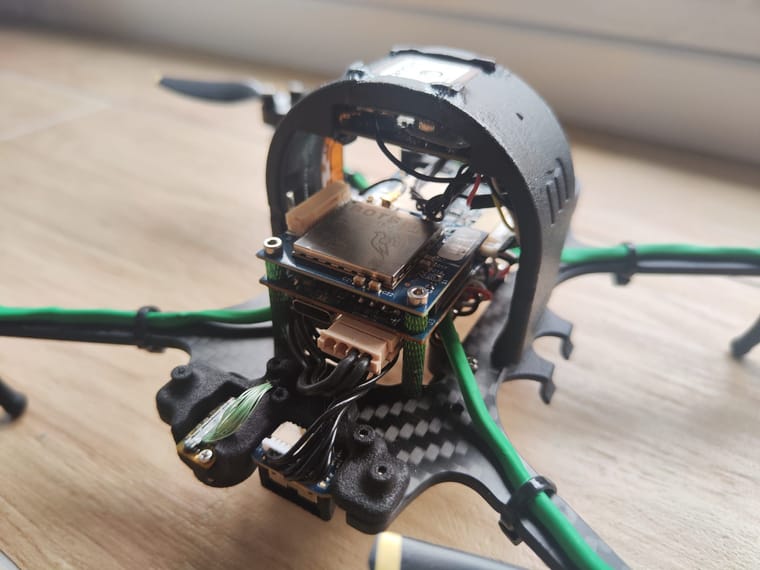
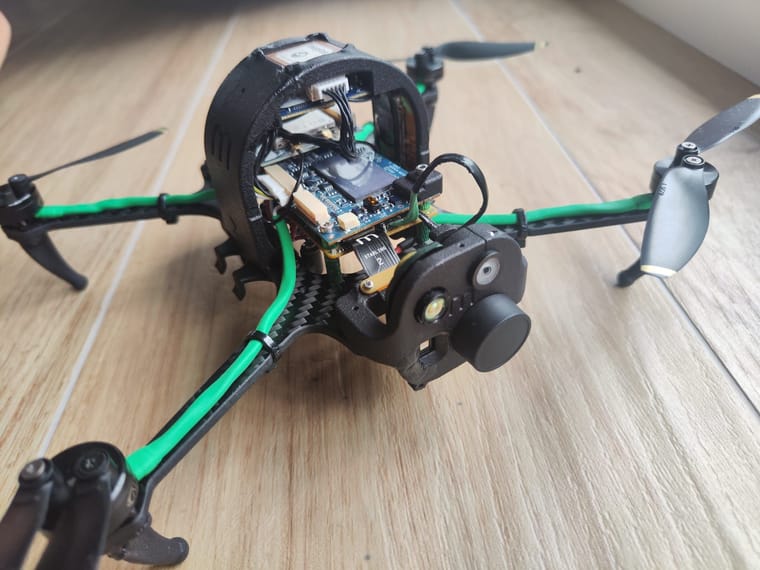
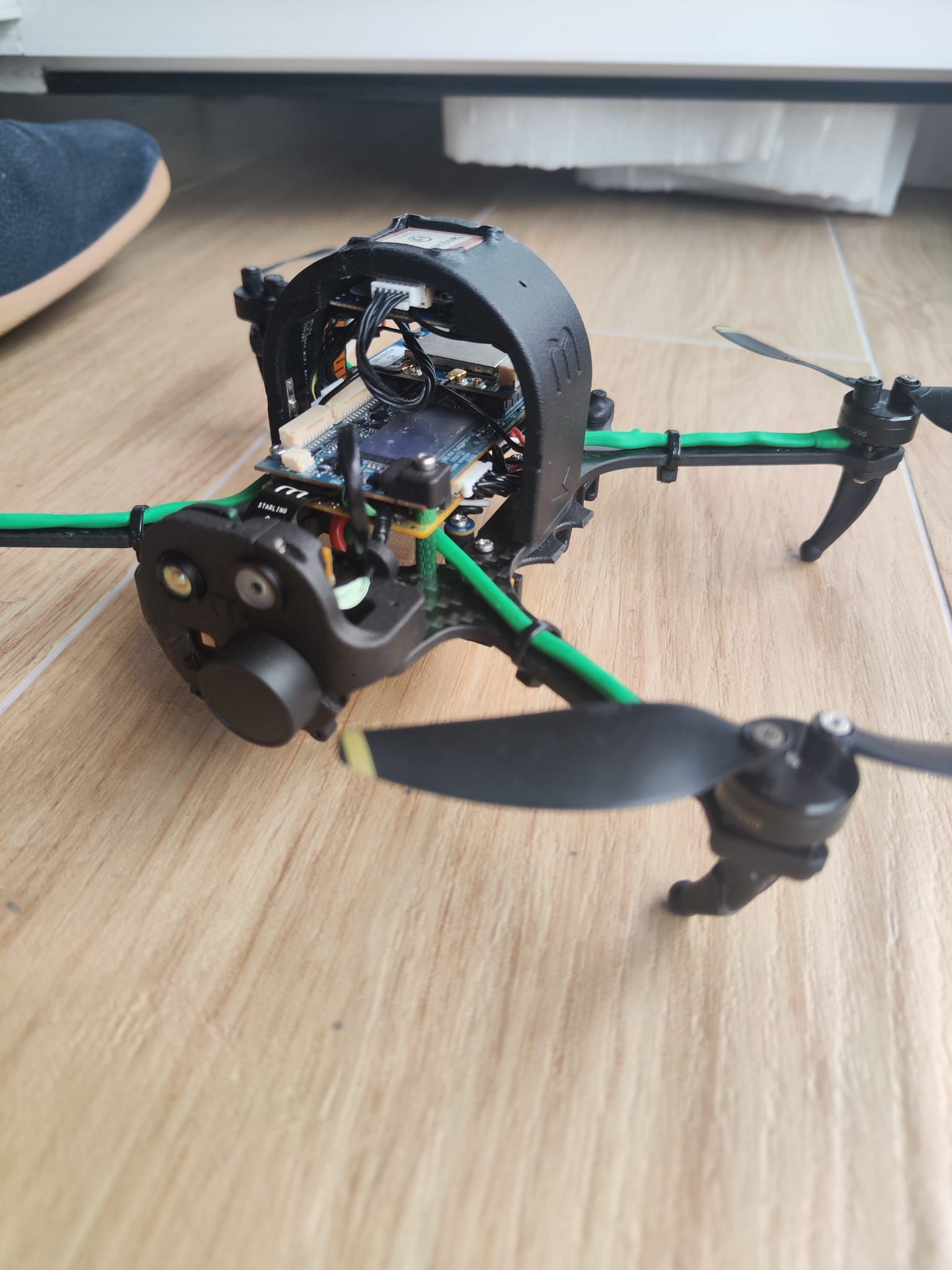
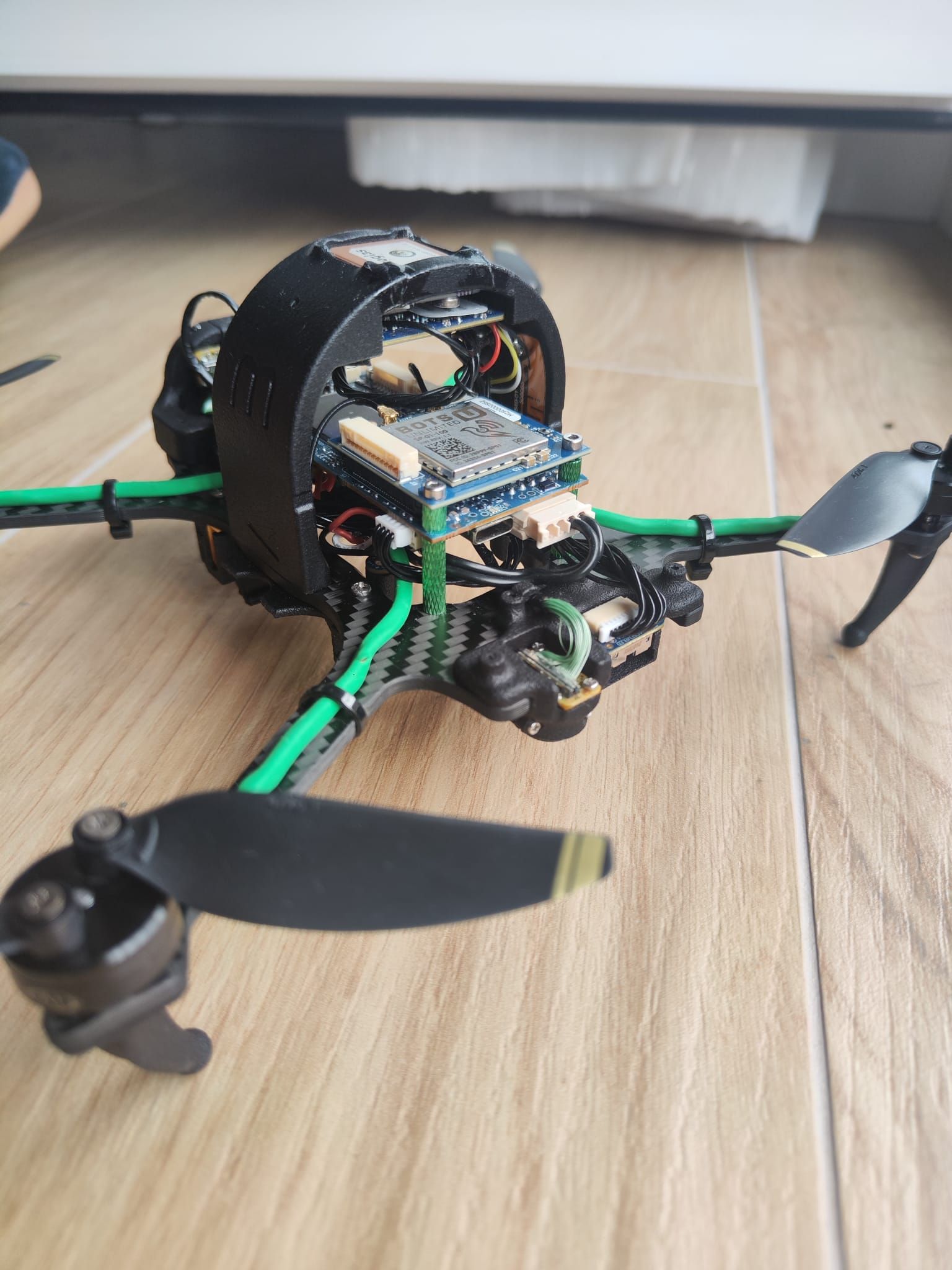
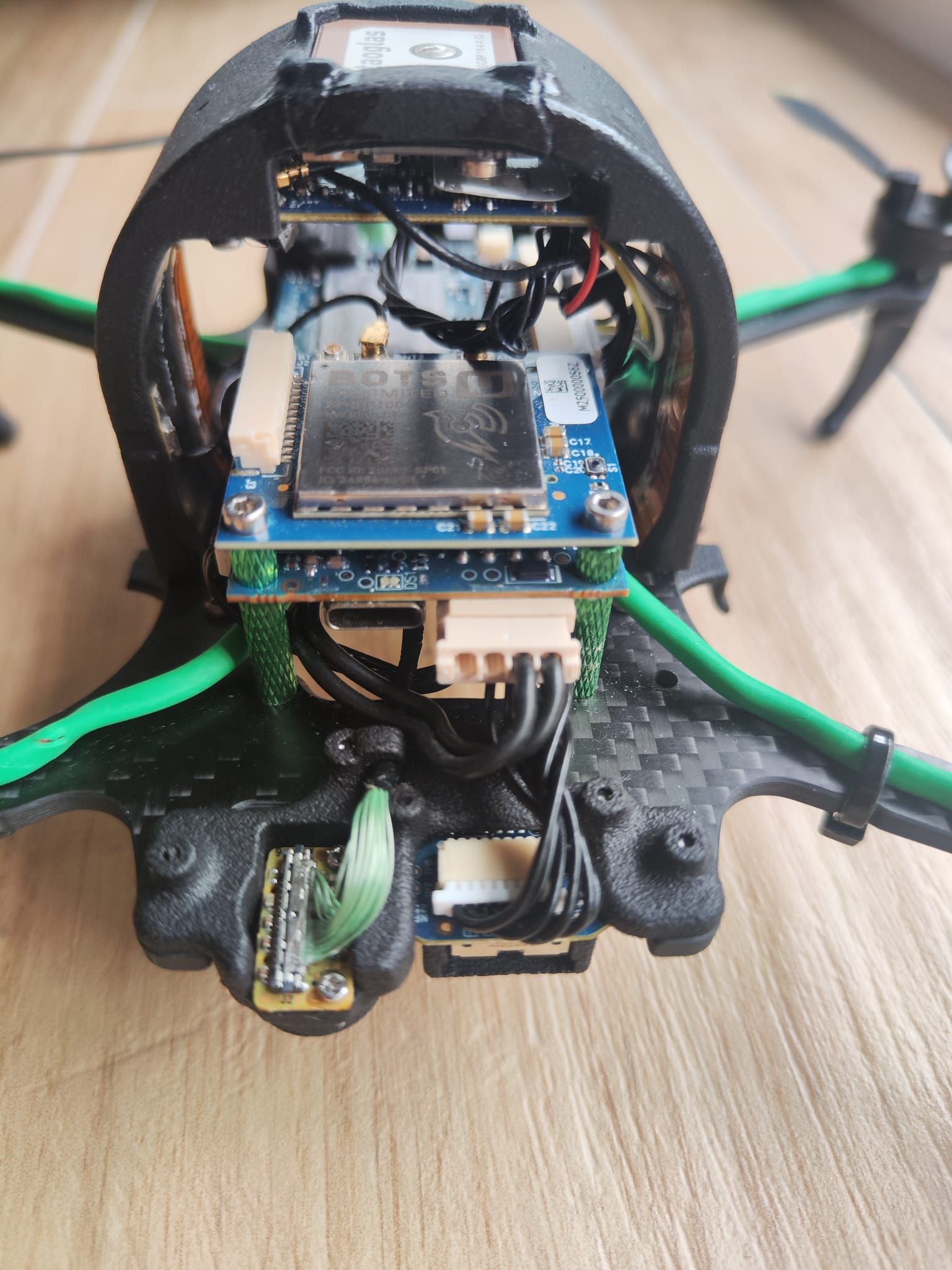
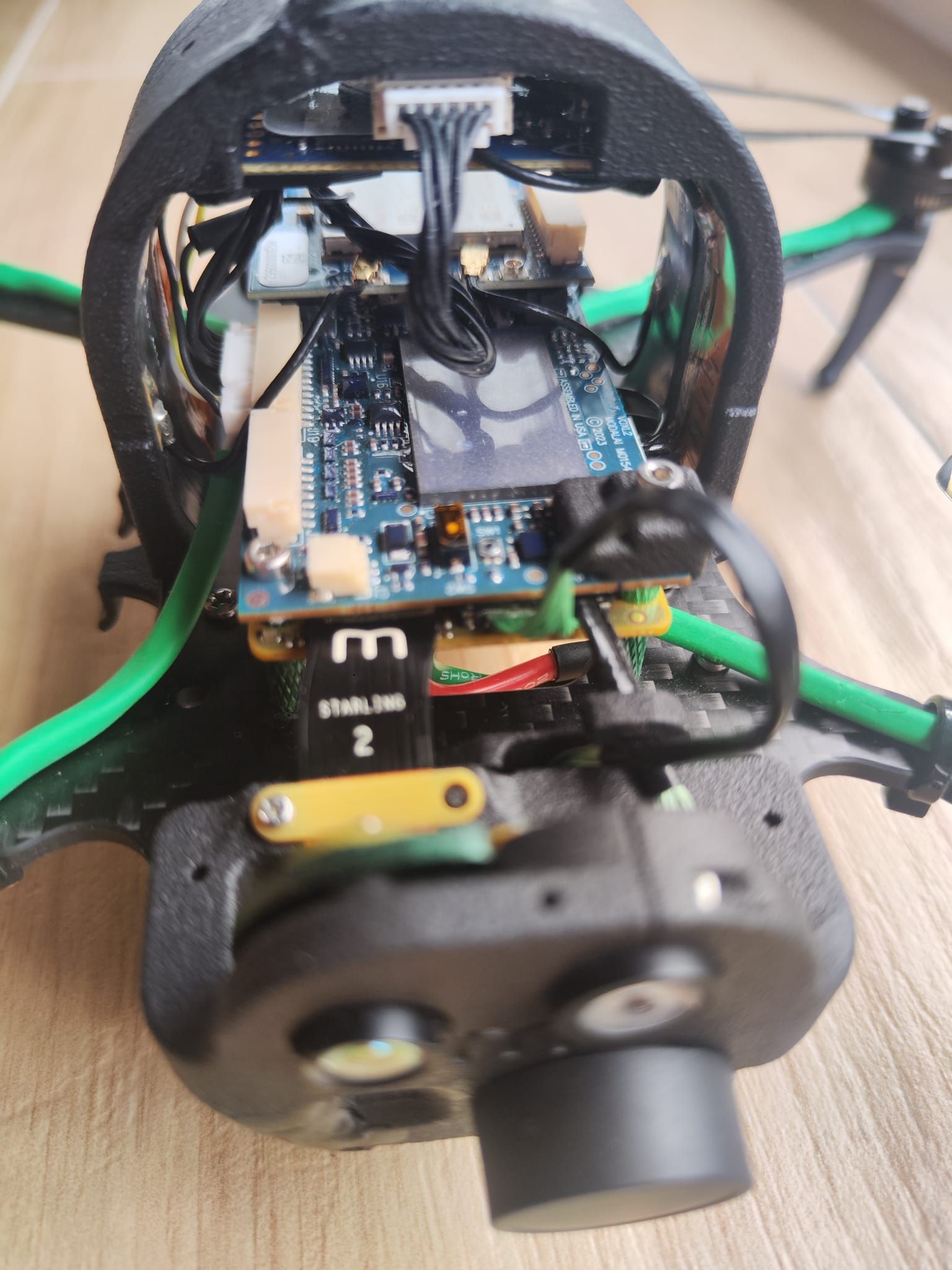
    My apologies for the confusion. To be precise: we didn't add any third-party or custom heatsink. However, to replace the damaged 4K and ToF camera flex cables, we did have to unscrew the VOXL 2 board from the frame to access the connectors safely.

    Once the new cables were plugged in and the board was screwed back into place, the ICM42688 PCB damage / clock line disconnected error appeared.

    I have attached the pictures of the current assembly inside our Starling 2 so you can verify that the M0054 board, the integrated cooling plate, and all camera flex cables are correctly in place and undamaged from the outside.

    Given the log and the pictures, what do you propose we do to get the drone operational again?

    Regards,
    Luis

    Image 2026-06-30 at 09.24.19 (1).jpeg Image 2026-06-30 at 09.24.19.jpeg Image 2026-06-30 at 09.24.18 (2).jpeg Image 2026-06-30 at 09.24.18 (1).jpeg Image 2026-06-30 at 09.24.18.jpeg Image 2026-06-30 at 09.24.17.jpeg

    Ask your questions right here!

  • Starling 2 - VOXL2 IMU Clock Line Failure after Heatsink Maintenance
    L LuisRzdearbulo 0

    Hello everyone,
    We are running a Starling 2 (SDK 1.8.06) for a commercial pilot deployment. After performing a careful sensor maintenance and mounting the official heatsink back on the VOXL2 (M0054), PX4 is completely blocked and unable to pass pre-flight checks.

    The voxl-health-check reports sensor_accel and sensor_gyro as 0, 0, 0 (result: False). Checking journalctl -u voxl-imu-server, we are getting the exact hardware fault described in your official forums:

    trying ICM42688 on bus 3 ERROR in test_basic_read, read the same values twice WARNING initializing 42688, clock line may be disconnected, trying to turn it off 42688 IMU works without clock line, this indicates PCB damage

    We have already tried loosening the heatsink screws carefully to release any potential mechanical PCB stress, performing cold boots, and restarting the services, but the error persists. The clock line buffer seems permanently damaged, rendering the autopilot blind.

    What can we do?

    Thank you for your swift support,

    Ask your questions right here!

  • Missing Simulation Image / Simulation Environment
    L LuisRzdearbulo 0

    @Eric-Katzfey I’m looking for the voxl-emulator Docker image referenced in the documentation:

    VOXL Emulator Documentation: https://docs.modalai.com/voxl-emulator/#install-the-voxl-emulator-docker-image

    However, in the Development Sources / Developer Portal there doesn’t seem to be any Docker image available for voxl-emulator.

    Could you please confirm if the image is still available, or if there is an updated download location for it?

    Ask your questions right here!

  • Missing Simulation Image / Simulation Environment
    L LuisRzdearbulo 0

    Hi everyone,

    In the documentation, it mentions that there is a prebuilt simulation image/environment available for running simulated tests with the VOXL platform. However, we have not been able to find the image or download link anymore.

    Could you please provide:

    • The current simulation image list item
    • The recommended simulation environment
    • Or updated instructions/repos for running simulations

    If the original image is deprecated, any updated alternative would be greatly appreciated.

    Thanks in advance!

    Ask your questions right here!

  • Loss of VIO Stability When Gaining Altitude — Manual Control Becomes Impossible
    L LuisRzdearbulo 0

    Hi everyone,
    We are experiencing a critical issue with VIO stability on a VOXL2-based indoor drone platform.

    Problem

    When the drone starts gaining altitude, the VIO becomes unstable and the drone quickly becomes impossible to control manually. During hover close to the ground, the drone is relatively stable, but once altitude increases:

    • Position estimation starts drifting
    • list itemYaw estimation becomes unstable
    • list itemHeight estimation errors appear
    • list itemManual control becomes very difficult or impossible
    • list itemPX4 eventually reports preflight or estimator failures

    Current Setup
    Hardware:
    VOXL2
    Starling 2 platform
    Indoor environment
    No GPS
    Manual flight mode
    QVIO enabled

    Environment conditions:

    Metallic industrial environment
    Low texture surfaces
    Variable lighting conditions
    Errors observed

    We frequently see:

    Preflight Fail: height estimate not stable
    Preflight Fail: Yaw estimate error
    Preflight Fail: Attitude failure (pitch)
    

    Additional Notes
    We are NOT using QGroundControl during flight
    The issue appears mainly when ascending
    Near the ground the drone behaves much better
    The instability increases progressively with altitude
    It feels like VIO loses enough visual references when moving away from the floor

    Questions
    Is this a known limitation of QVIO / tracking camera placement?
    Could this be related to insufficient floor texture?
    Are there recommended tuning parameters for altitude-related instability?
    Should we reduce dependency on QVIO and fuse additional sensors?
    Would adding downward lighting or a ToF sensor significantly improve stability?
    Is there a recommended EKF2 configuration for industrial indoor environments?

    Ask your questions right here!
  • Login

  • Login or register to search.
  • First post
    Last post
0
  • Categories
  • Recent
  • Tags
  • Popular
  • Users
  • Groups