
Flight Core not passing RC input PWM commands
-
Hi,
Here's our setup:
Flight Core with PX4 (v1.11.3).
ESC: Castle 35A ESCs (https://www.castlecreations.com/en/multirotor-35-quadpack-010-0125-00)
Transmitter: FrSky Taranis Q X7
Motors: KDE Direct 3510XFWithin QGC we are able to see that the PWM signals from the RC transmitter come in correctly and update correctly as seen here:
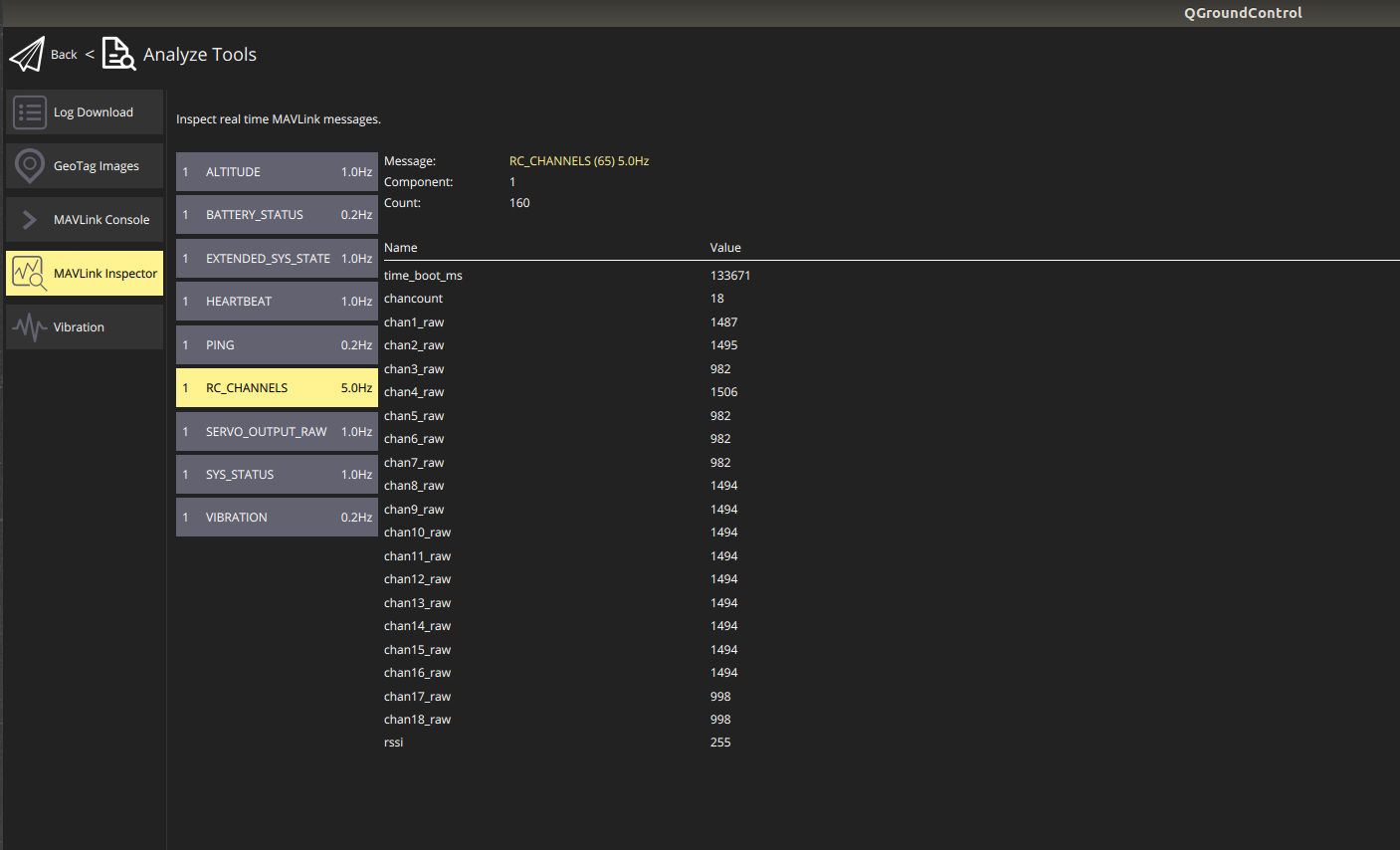
The PWM outputs don't change regardless of the RC input values. However, when I arm (PWM_MIN set to 1200) the motors spin and we see this:
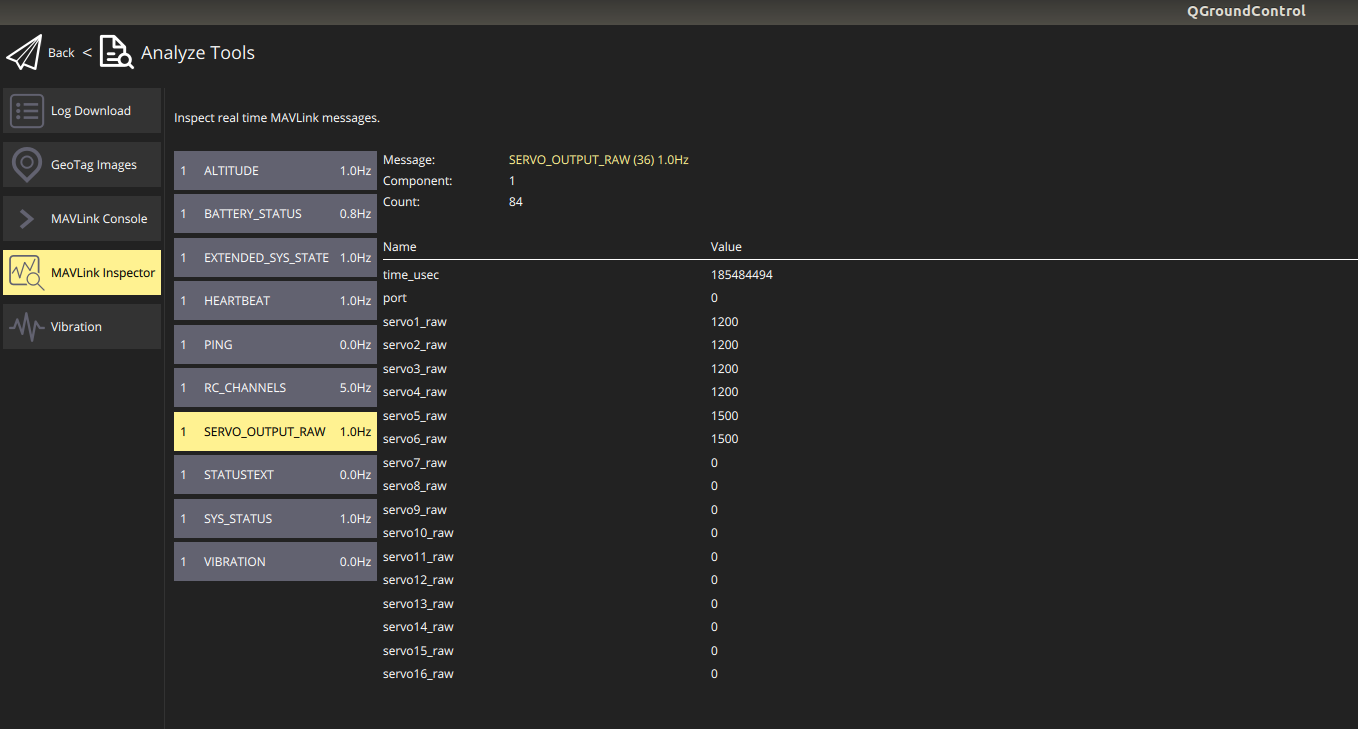
So we know that flight core is capable of sending the PWM signals through the ESCs and to the motors, but it just won't do anything with the signals sent from the RC transmitter. Any thoughts?
Thanks!
-
Hi @schamberlin ,
There's a mixer and output module involved that handles translating the RC in to the output values.
We've been able to configure "Aux Passthrough" on channels 5 and 6 only,, but this is mixer specific, see here: https://docs.px4.io/v1.9.0/en/airframes/airframe_reference.html#quadrotor-x
FlightCore doesn't have the PX4IO microcontroller like a Pixhawk, so we don't have all the extra AUX*.
see here how to set the params: https://docs.modalai.com/voxl-m500-gimbal-user-guide/#aux-passthrough-rc-channel
Please hit me back with more questions as they come up!
-
Hi @schamberlin ,
There's a mixer and output module involved that handles translating the RC in to the output values.
We've been able to configure "Aux Passthrough" on channels 5 and 6 only,, but this is mixer specific, see here: https://docs.px4.io/v1.9.0/en/airframes/airframe_reference.html#quadrotor-x
FlightCore doesn't have the PX4IO microcontroller like a Pixhawk, so we don't have all the extra AUX*.
see here how to set the params: https://docs.modalai.com/voxl-m500-gimbal-user-guide/#aux-passthrough-rc-channel
Please hit me back with more questions as they come up!
@modaltb hi sir
in if1000 hexacopter how to use RC passthrough in servo 7 and servo 8 -
This isn't something we've validated unfortunately, others I believe have done this by modifying the PX4 FW. What is the use case?
-
This sounds similar to the R/C passthrough instructions for the gimbal found here



Reading along? Create a free ModalAI Forum account to join in.
With an account you can reply, ask your own question, get an email when a ModalAI engineer answers, and mark the reply that solved it. Your place in each thread is saved between visits.
Questions about VOXL, Flight Core, ESCs and ModalAI drones are answered here by the engineers who build them.
Register Login