
Holybro VL53L1X Lidar Support?
-
Hi i have been following along on this forum post about connecting an external rangefinder to VOXL 2's J19 QUP3 i2c connector for altitude/landing purposes. I have the Holybro version of this VL53L1X sensor. Supported in PX4. I am wondering if anyone else has tried to make this work directly with PX4 through the DSP.
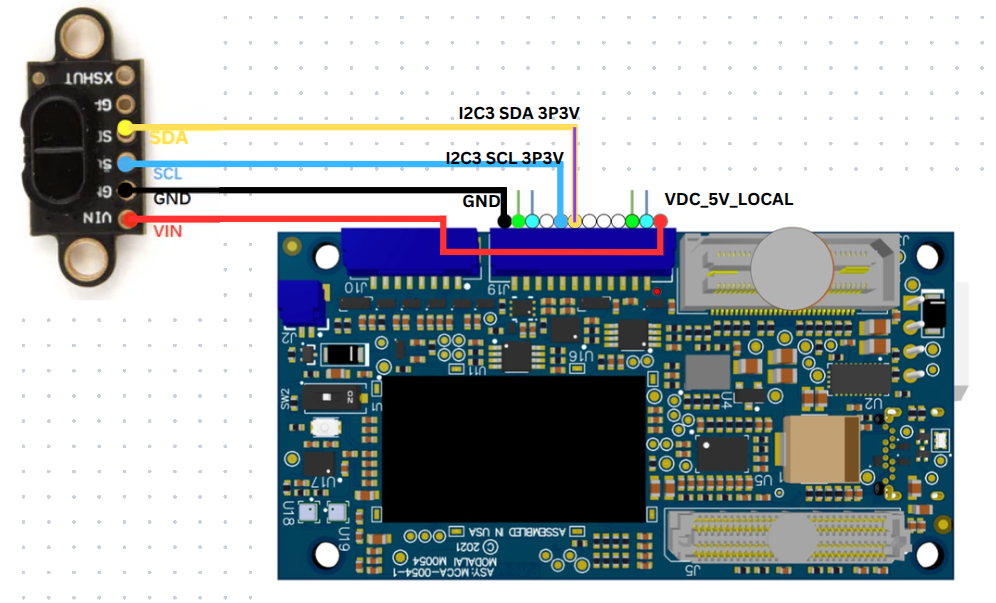
I had tried editing the parameters for EKF2_HGT, and EKF2_RNG_CTL. As well as adding SENS_EN_VL53L1X 1 to the startup script. when I manually configure SENS_EN_VL53L1X 1 in QGC with the mavlink console (parameter is normally hidden) it works to enable it. However when I try to use SENS_EN_VL53L1X 1 in the voxl-px4.conf in EXTRA_STEPS=() file and restart voxl-px4 then QGC is no longer able to connect to voxl 2's px4 instance. Either way the distance sensor data is not being published or working correctly. I have triple checked my wiring to be as follows:
I also noticed for DISTANCE_SENSOR=NONE a comment states: "Options include: [NONE, LIGHTWARE_SF000] " is there a plan to include more options here or is this being replaced by the voxl-rangefinder-server.
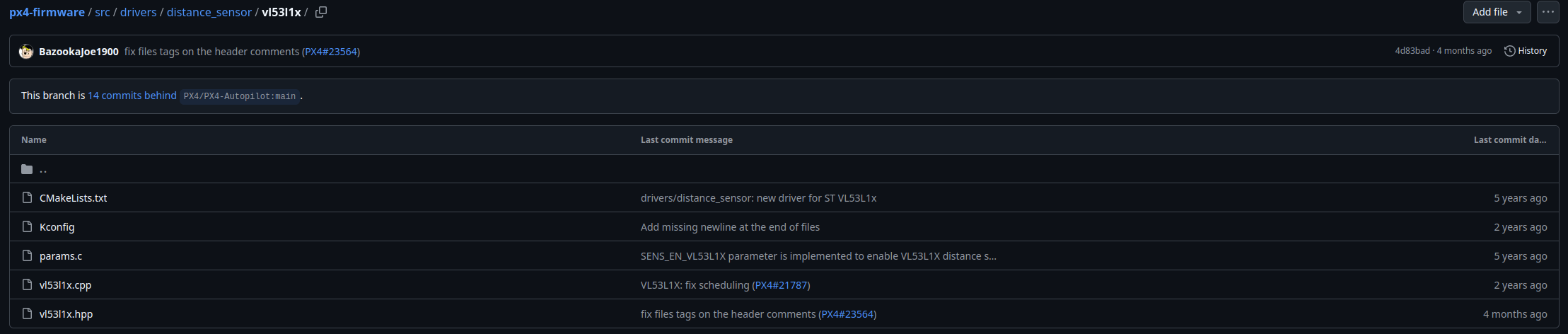
It appears ModalAi's forked PX4 does include the drivers for this as shown:
-
Hi i have been following along on this forum post about connecting an external rangefinder to VOXL 2's J19 QUP3 i2c connector for altitude/landing purposes. I have the Holybro version of this VL53L1X sensor. Supported in PX4. I am wondering if anyone else has tried to make this work directly with PX4 through the DSP.
I had tried editing the parameters for EKF2_HGT, and EKF2_RNG_CTL. As well as adding SENS_EN_VL53L1X 1 to the startup script. when I manually configure SENS_EN_VL53L1X 1 in QGC with the mavlink console (parameter is normally hidden) it works to enable it. However when I try to use SENS_EN_VL53L1X 1 in the voxl-px4.conf in EXTRA_STEPS=() file and restart voxl-px4 then QGC is no longer able to connect to voxl 2's px4 instance. Either way the distance sensor data is not being published or working correctly. I have triple checked my wiring to be as follows:
I also noticed for DISTANCE_SENSOR=NONE a comment states: "Options include: [NONE, LIGHTWARE_SF000] " is there a plan to include more options here or is this being replaced by the voxl-rangefinder-server.
It appears ModalAi's forked PX4 does include the drivers for this as shown:
@Gary-Holmgren Figured it out, I hope this helps others with a similar setup.
I didn't notice before but in the usr/bin/voxl-px4-start script there is a comment:
# qshell vl53l1x start -X -b 4Which you can make or replace to change the DISTANCE_SENSOR condition to:
if [ "$DISTANCE_SENSOR" == "VL53L1X" ]; then
	# Make sure to set the parameter SENS_EN_VL53L1X to 1
	qshell vl53l1x start -X -b 4
	# qshell lightware_laser_serial start -d 7
Then you can change the voxl-px4-conf to:
DISTANCE_SENSOR=VL53L1XAfter setting the relevant distance sensor / EKF2 params in QGC you should be able to restart voxl-px4 and the distance sensor will appear!
-
G Gary Holmgren referenced this topic on
Reading along? Create a free ModalAI Forum account to join in.
With an account you can reply, ask your own question, get an email when a ModalAI engineer answers, and mark the reply that solved it. Your place in each thread is saved between visits.
Questions about VOXL, Flight Core, ESCs and ModalAI drones are answered here by the engineers who build them.
Register Login