
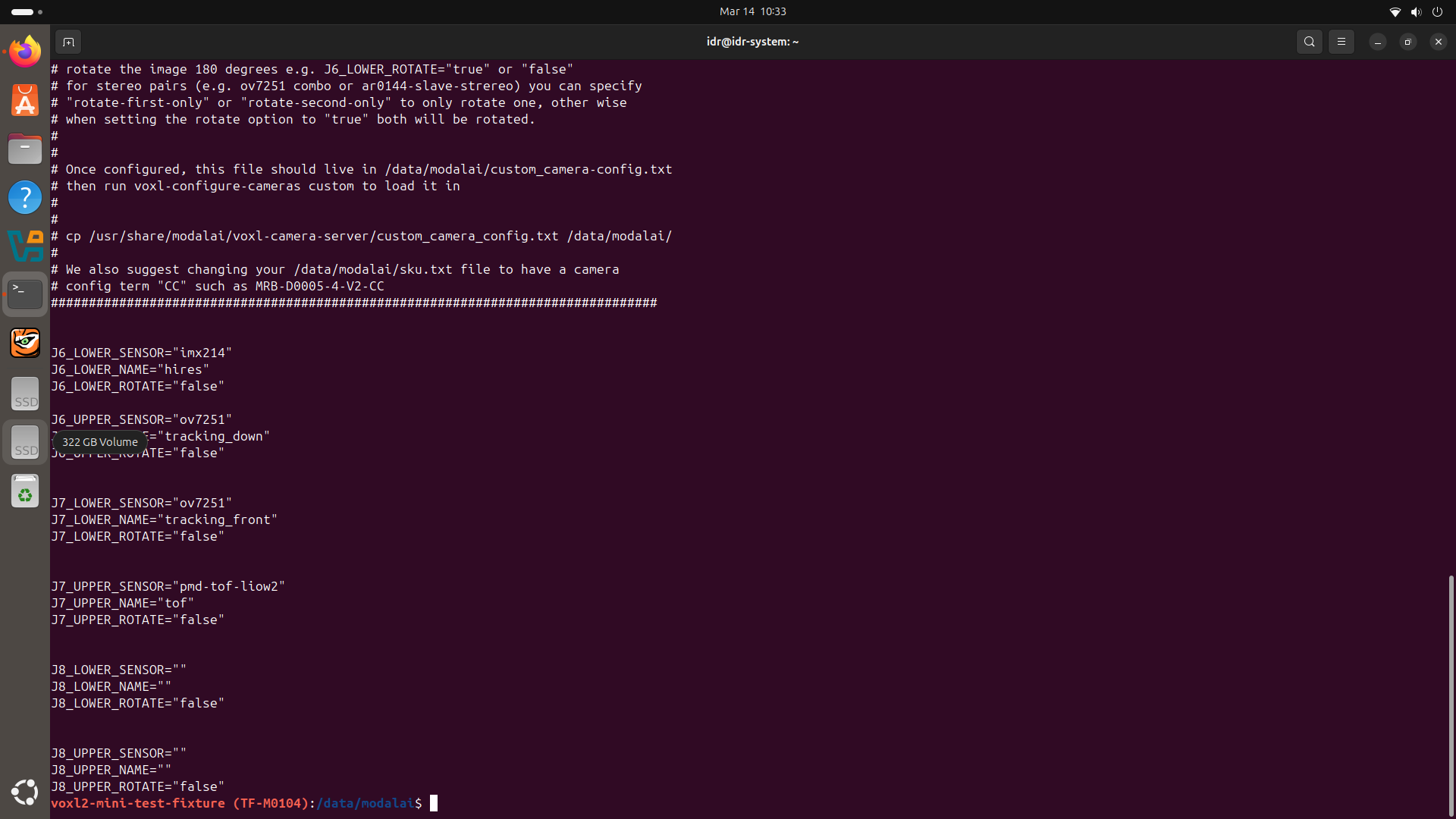
@Alex-Kushleyev I am using second one i.e. TOF V2 and defined it in custom_camera_config.txt file as given below:
P
Piyush Singh
@Piyush Singh
Posts
-
VOXL2 Mini – Royale createDevice failed when starting ToF camera -
VOXL2 Mini – Royale createDevice failed when starting ToF cameraHi ModalAI team,
I am working with a VOXL2 Mini test fixture (TF-M0104) and encountering an issue when starting the ToF camera.
The
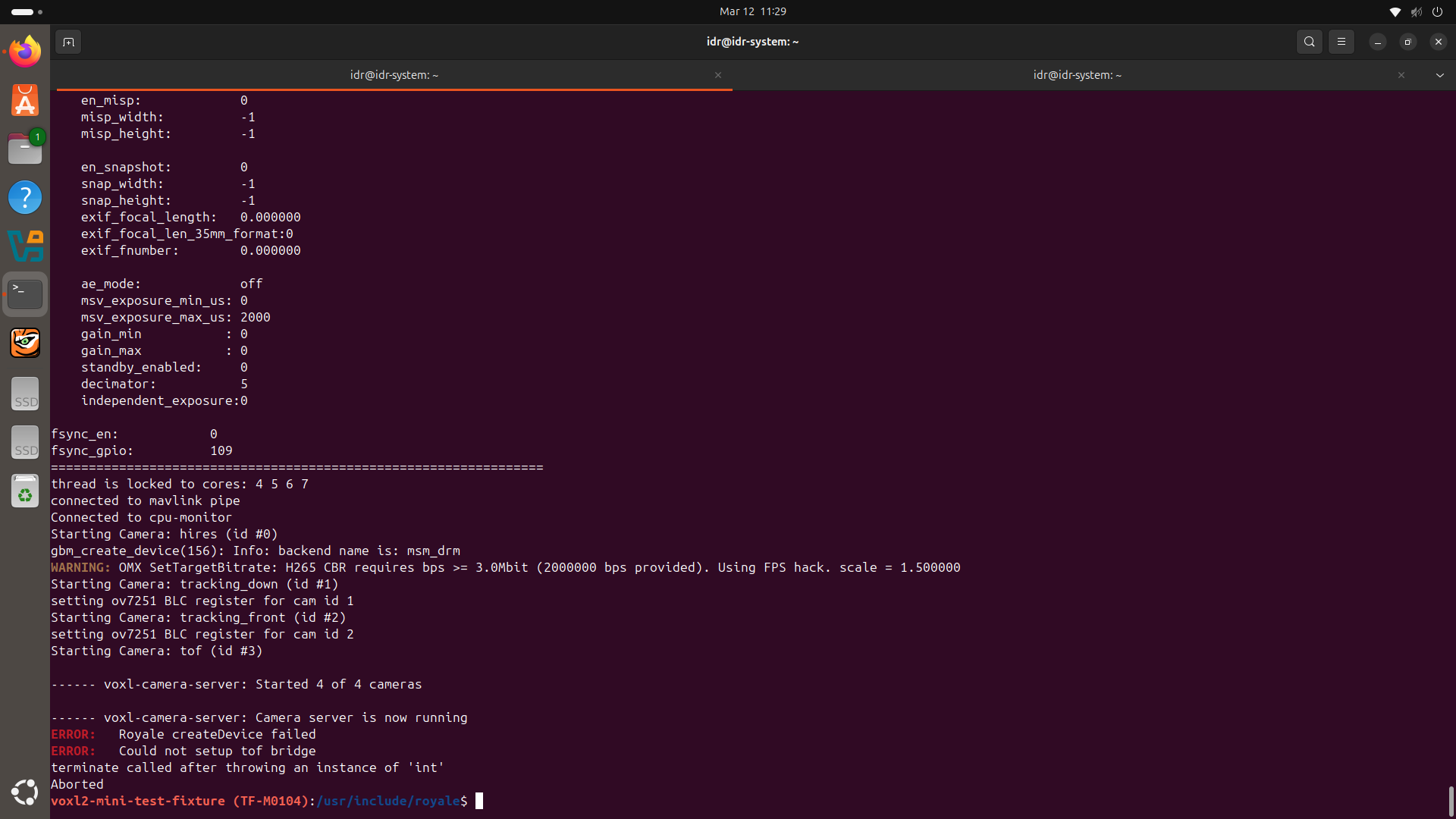
voxl-camera-serverstarts successfully and all cameras initialize, but it crashes when the ToF bridge attempts to initialize the Royale device.Additional details:
- Platform: VOXL2 Mini (TF-M0104)
- Camera server starts all 4 cameras
- The crash occurs right after the ToF bridge initialization.
Could you please advise what might cause
Royale createDeviceto fail in this situation?I have attached a screenshot of the full terminal output for reference.
Thanks in advance for your help.
-
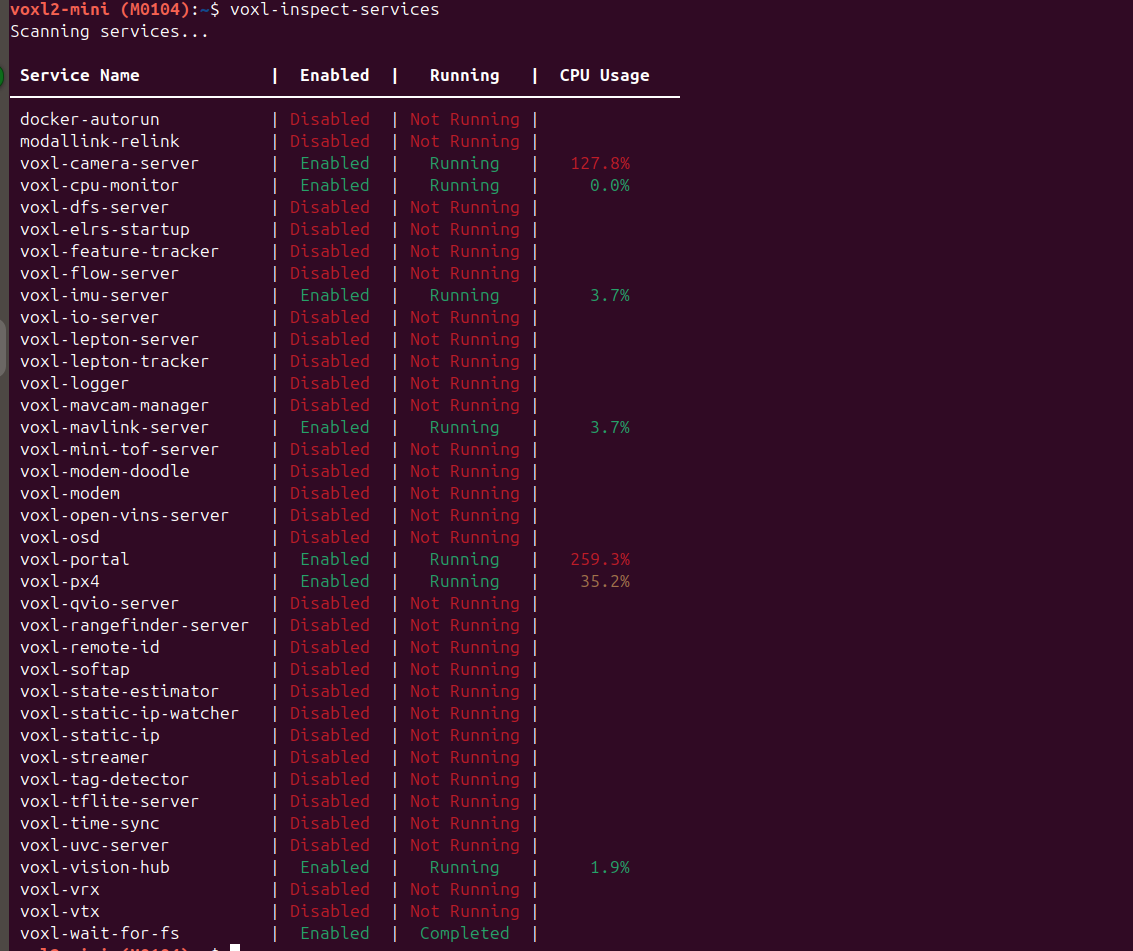
hires camera not detected@Piyush-Singh Also take a look at CPU usage of voxl-portal and voxl-camera-server
-
hires camera not detected@Alex-Kushleyev ,Thanks for the response.
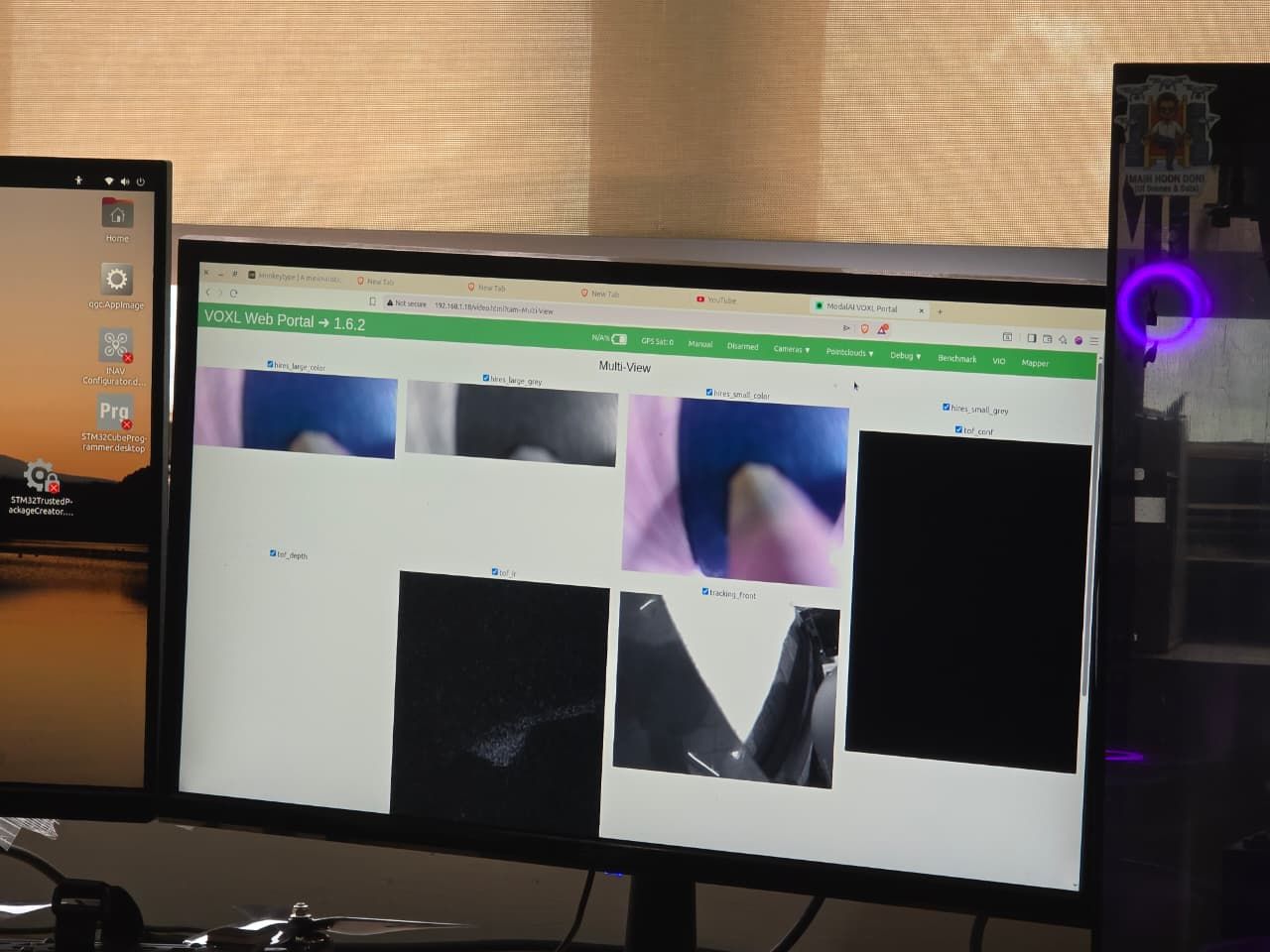
For testing, I am running multiple camera streams simultaneously and go to web portal to see the streaming:
HiRes (IMX214): 30 FPS
Small video: 1024×768 (H.265)
Large video: 4208×3120 (H.265)
Snapshots enabled
PMD ToF (M0169): 10 FPS, decimator 5, exposure_max_us: 6000
Tracking front (OV7251): 30 FPS, preview + raw preview enabled, preview_width and preview_height 640 and 480 respectively.
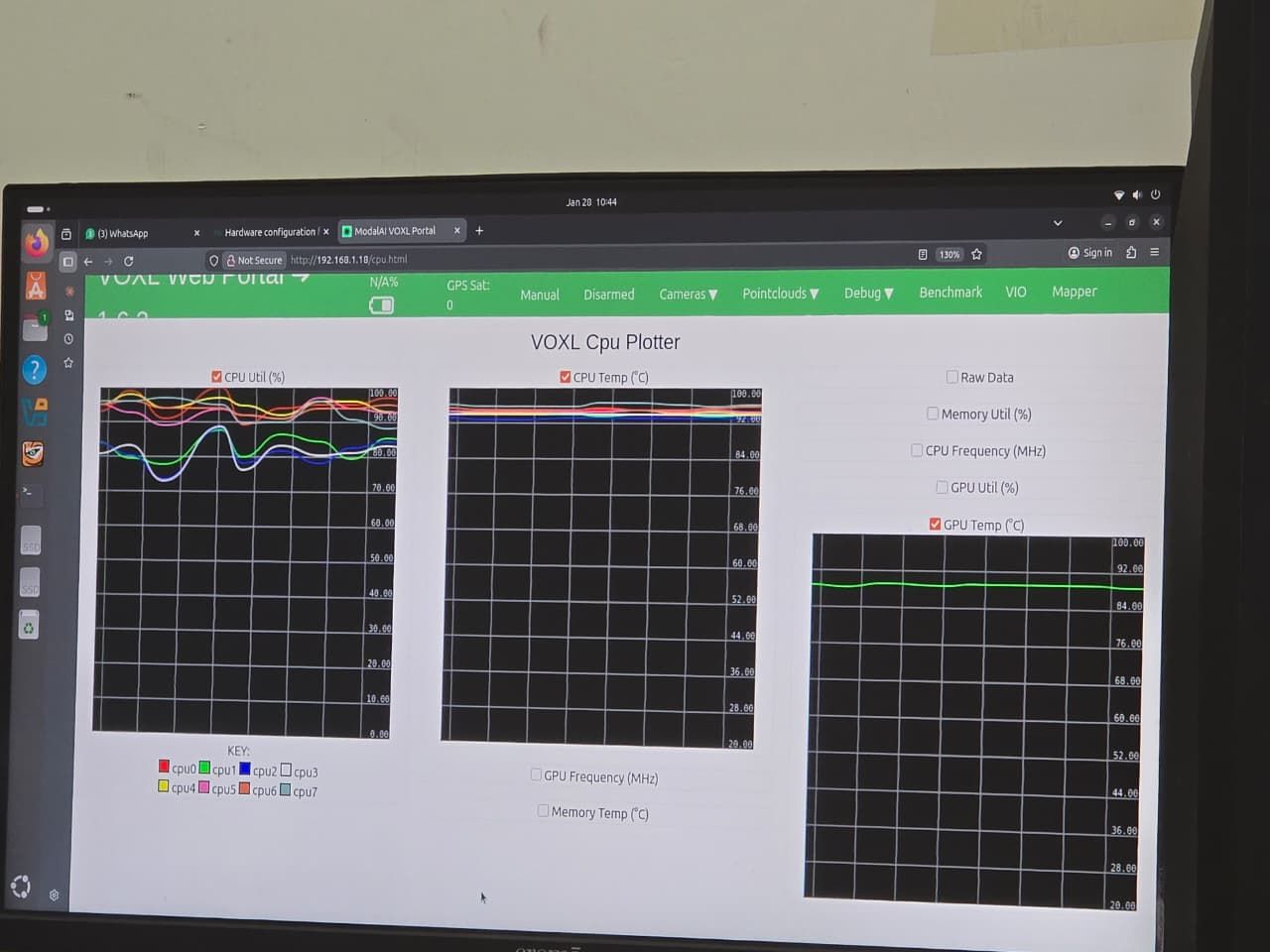
With this configuration, CPU/GPU temperatures rise quickly and go beyond 80 °C. After running for some time, the ToF camera stops working, and the HiRes feed becomes unstable with significant latency and frame delays, as shown in the attached screenshots.
-
hires camera not detected@Alex-Kushleyev Thanks for the reply.
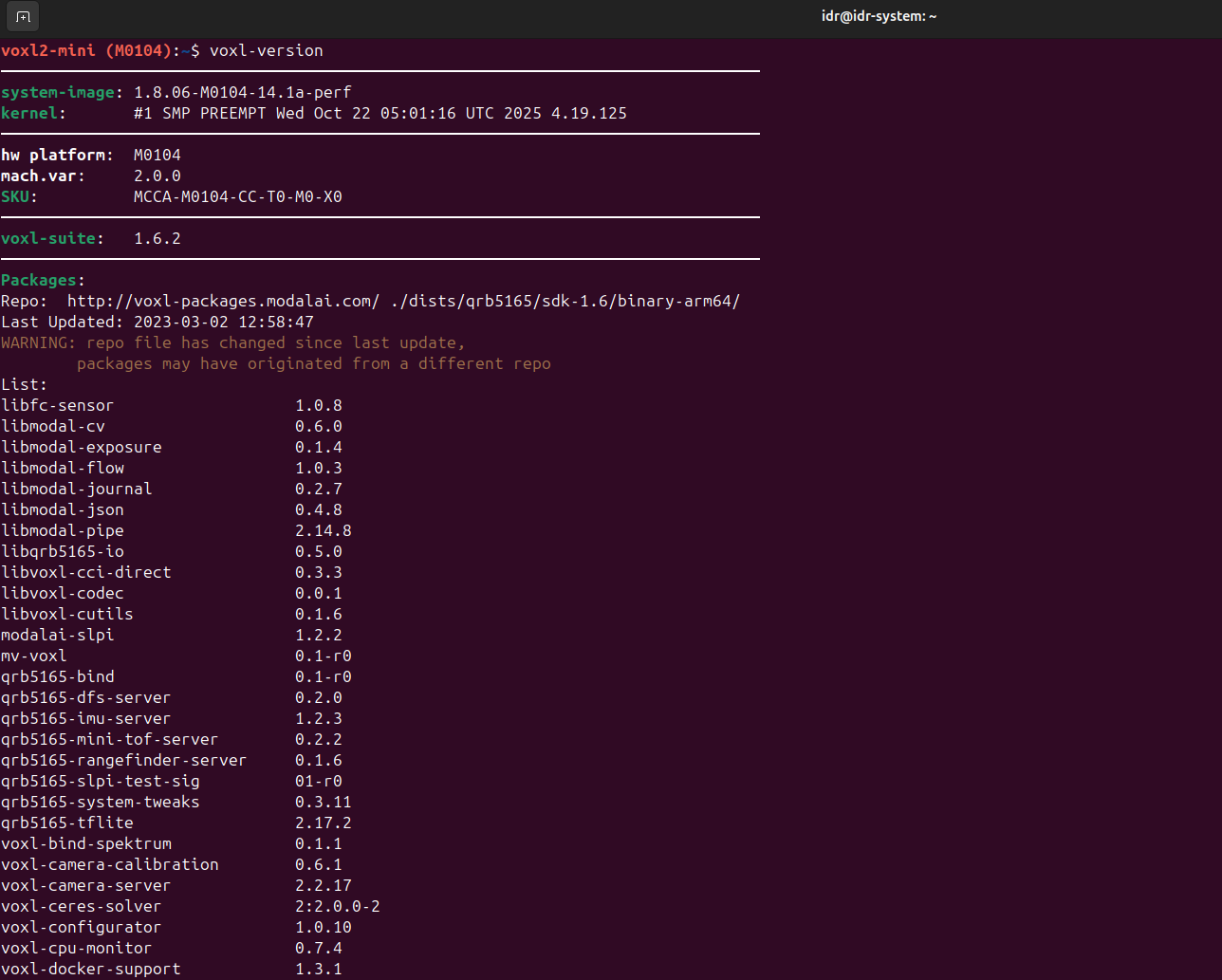
I tested the HiRes camera with the 2.0.0 kernel variant as suggested. With this version, the HiRes camera is detected correctly, so that part seems to work as expected. However, I’m observing that the system temperature rises very quickly and crosses 80 °C+ during operation. -
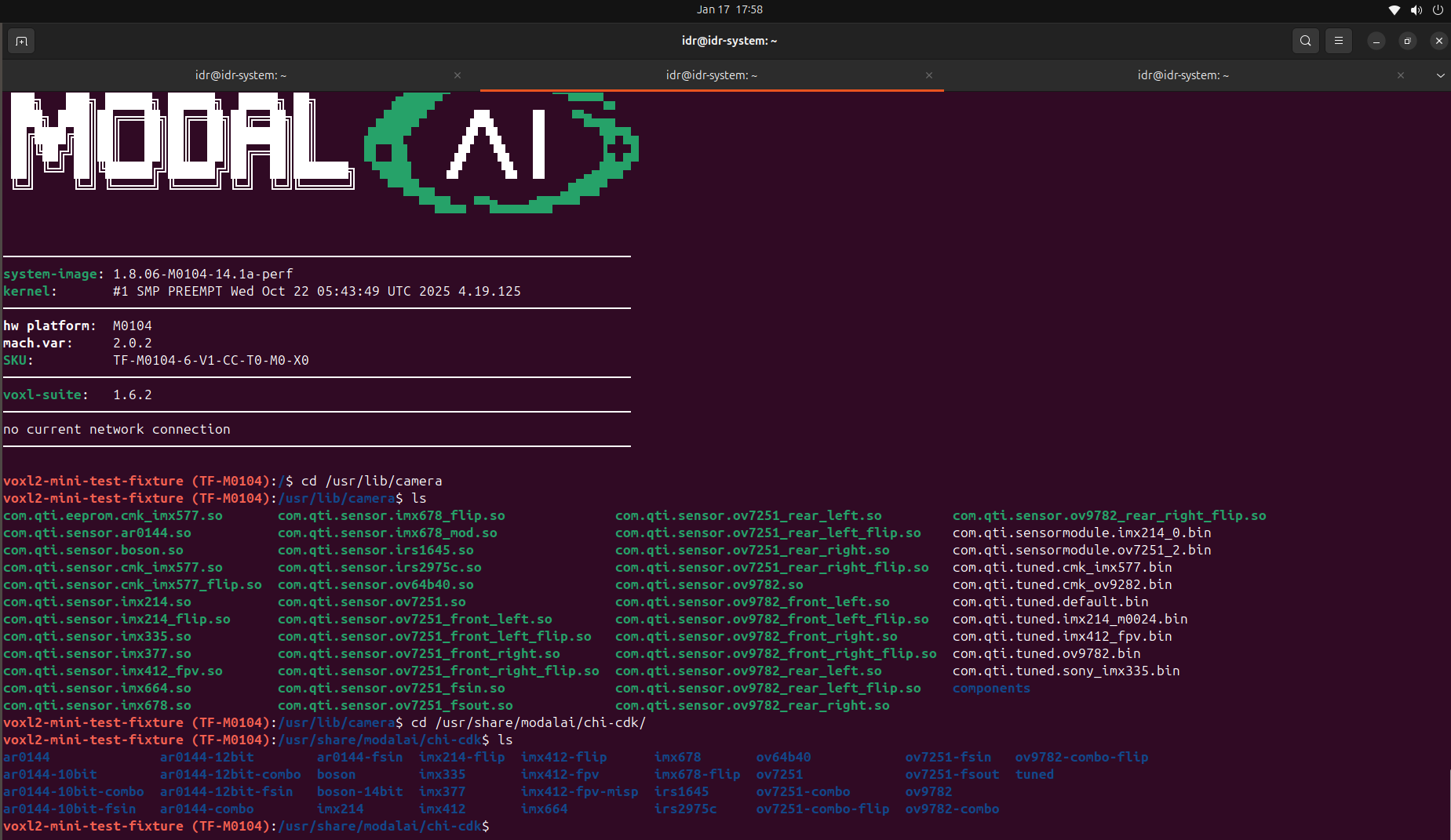
hires camera not detectedHii, Please take a look:
-
hires camera not detectedHii Modalai Team,
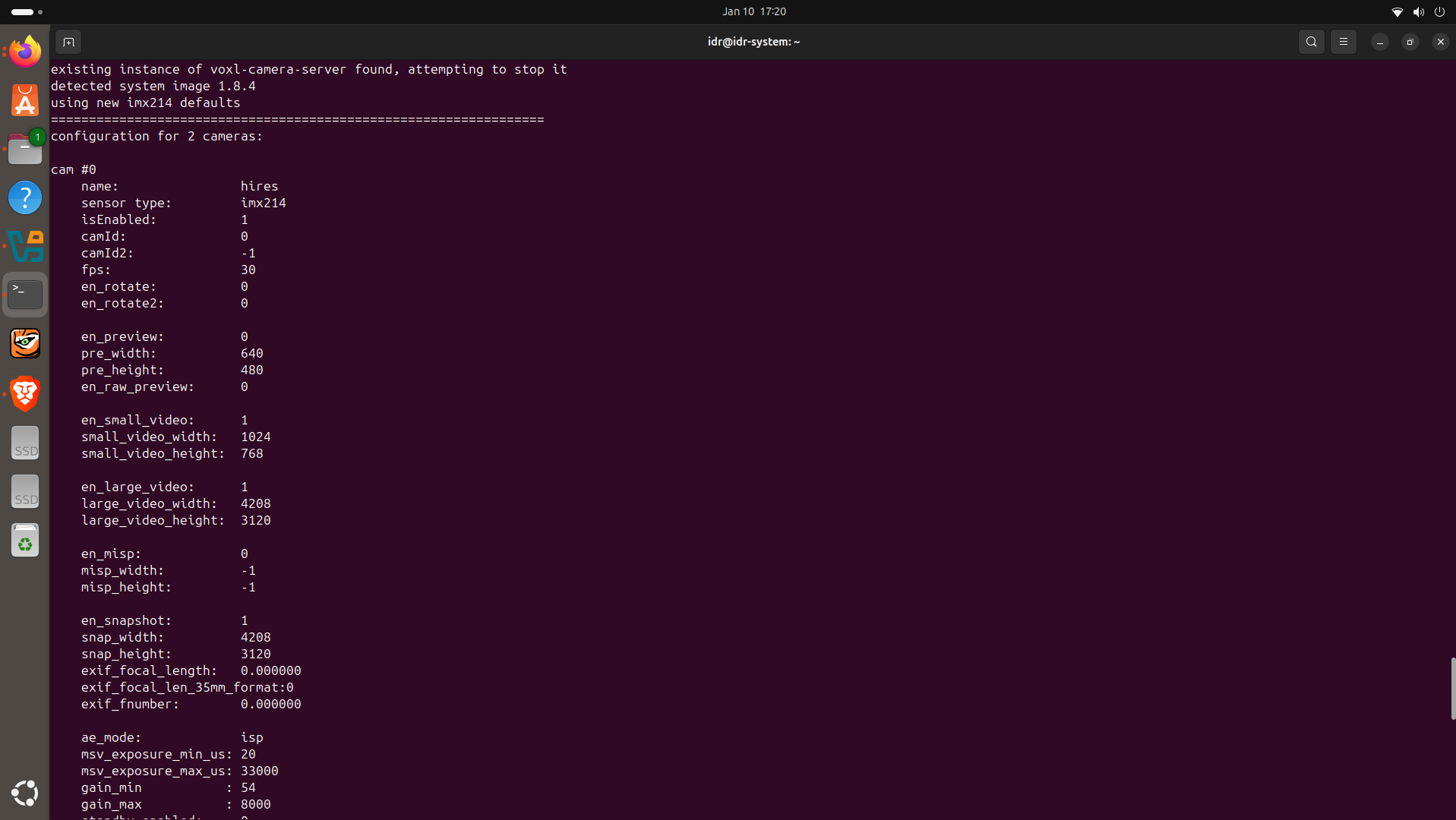
Please help me , hires camera is not detected by camera server. I have connected hires to J6 L (using M0084) and Tracking to J7 L(M0135) .Camera server detects only tracking camera but not hires.
 /home/idr/Downloads/WhatsApp Image 2026-01-10 at 5.13.53 PM.jpeg
 /home/idr/Pictures/Screenshots/Screenshot from 2026-01-10 17-21-10.png
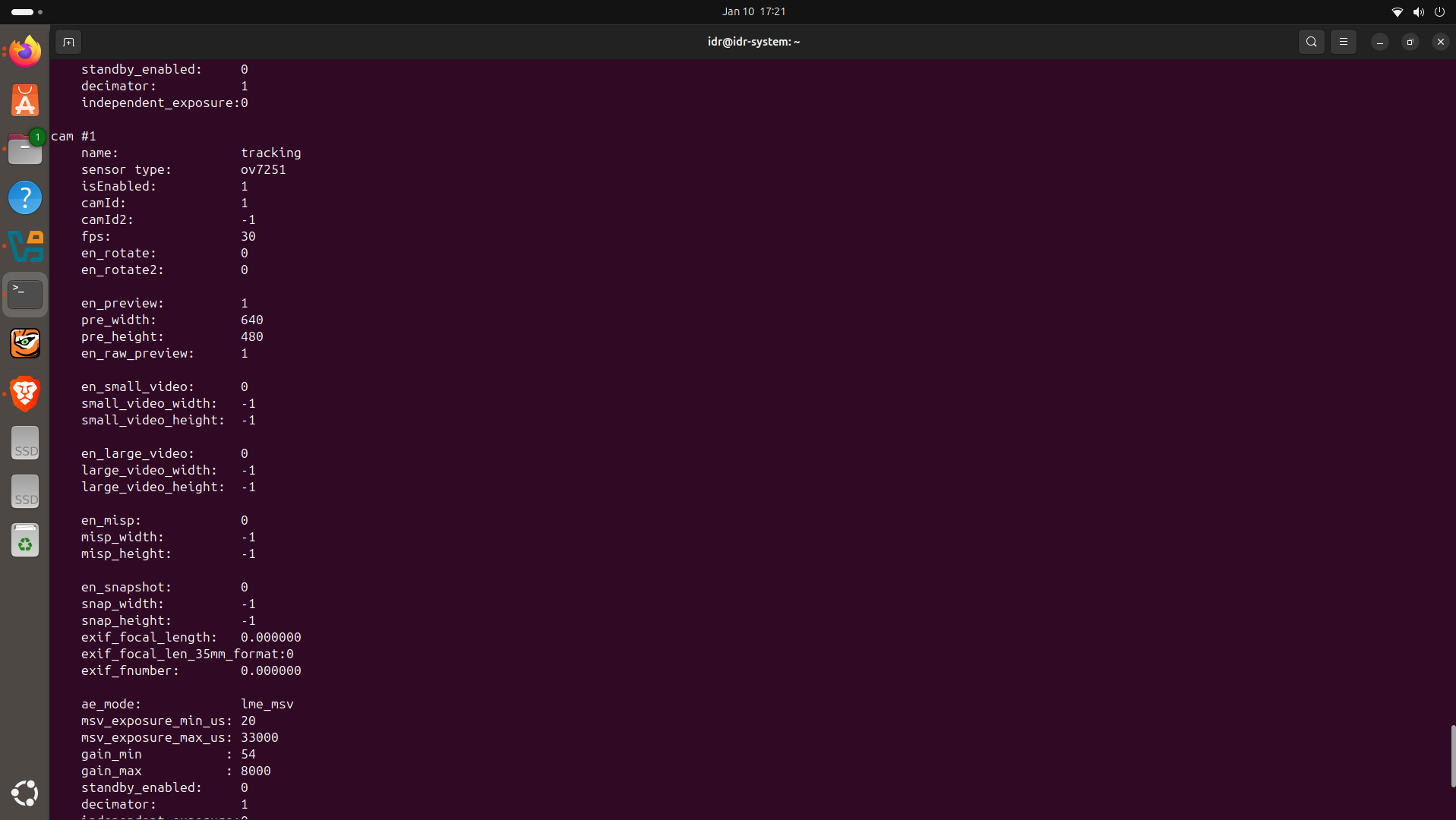 /home/idr/Pictures/Screenshots/Screenshot from 2026-01-10 17-21-32.png
 /home/idr/Pictures/Screenshots/Screenshot from 2026-01-10 17-21-48.png
 -
Only 2 out of 4 cameras are detectedHello ModalAI Team,
I am working on an indoor drone using VOXL2 Mini, and I would appreciate your guidance regarding a camera detection issue with a multi-sensor setup.
Goal
My goal is to build an indoor drone, primarily relying on visual sensing rather than GPS.
Camera Modules Used
- M0169 – PMD ToF
- M0014 – Tracking Camera
- M0024 – High-Resolution Camera
Hardware Connections
- J6 → M0084
- JU: PMD-ToF (external 5V power supplied to M0169)
- JL: High-Resolution Camera
- J7 → M0135
- JU: Tracking Camera
- JL: Tracking Camera
Observed Issue
When using a custom camera configuration file, "voxl-camera-server" detects only 2 out of 4 cameras:
- Detected: High-Resolution + Tracking (Down)
- Not detected: PMD-ToF + Tracking (Second unit)
Debug Information
While debugging, I consistently get the following error:
ToF resolution not supported (224 × 1557)
And Tracking front is not detected.To address this, I manually modified "/etc/modalai/voxl-camera-server.conf":
- "preview_width": 240
- "preview_height": 180
After restarting "voxl-camera-server", the error still persists(Resolution error), and only 2 cameras are detected.
My Questions
- From an indoor drone perspective, is my approach of using 4 camera sensors (ToF + dual tracking + high-resolution) correct, or would you recommend a different sensor combination?
- Why are only 2 cameras detected despite all 4 being connected correctly?
- Why does the ToF camera still report an unsupported resolution (224 × 1557) even after manually setting the preview resolution?
- Is there any additional configuration required for PMD-ToF when used alongside multiple cameras on VOXL2 Mini?
Any guidance, recommended configuration, or known limitations would be very helpful.
-
VOXL2 Mini Not Detected via ADB/Fastboot – QDL Mode Behavior and Flashing Issues@ZuraNeb Please provide the correct link.
-
VOXL2 Mini Not Detected via ADB/Fastboot – QDL Mode Behavior and Flashing IssuesHello Modal AI Team,
I am facing an issue with my VOXL2 Mini and would appreciate your assistance. Below are my detailed observations and the steps I’ve taken so far:
Observation 1: ADB and Fastboot Detection Failure
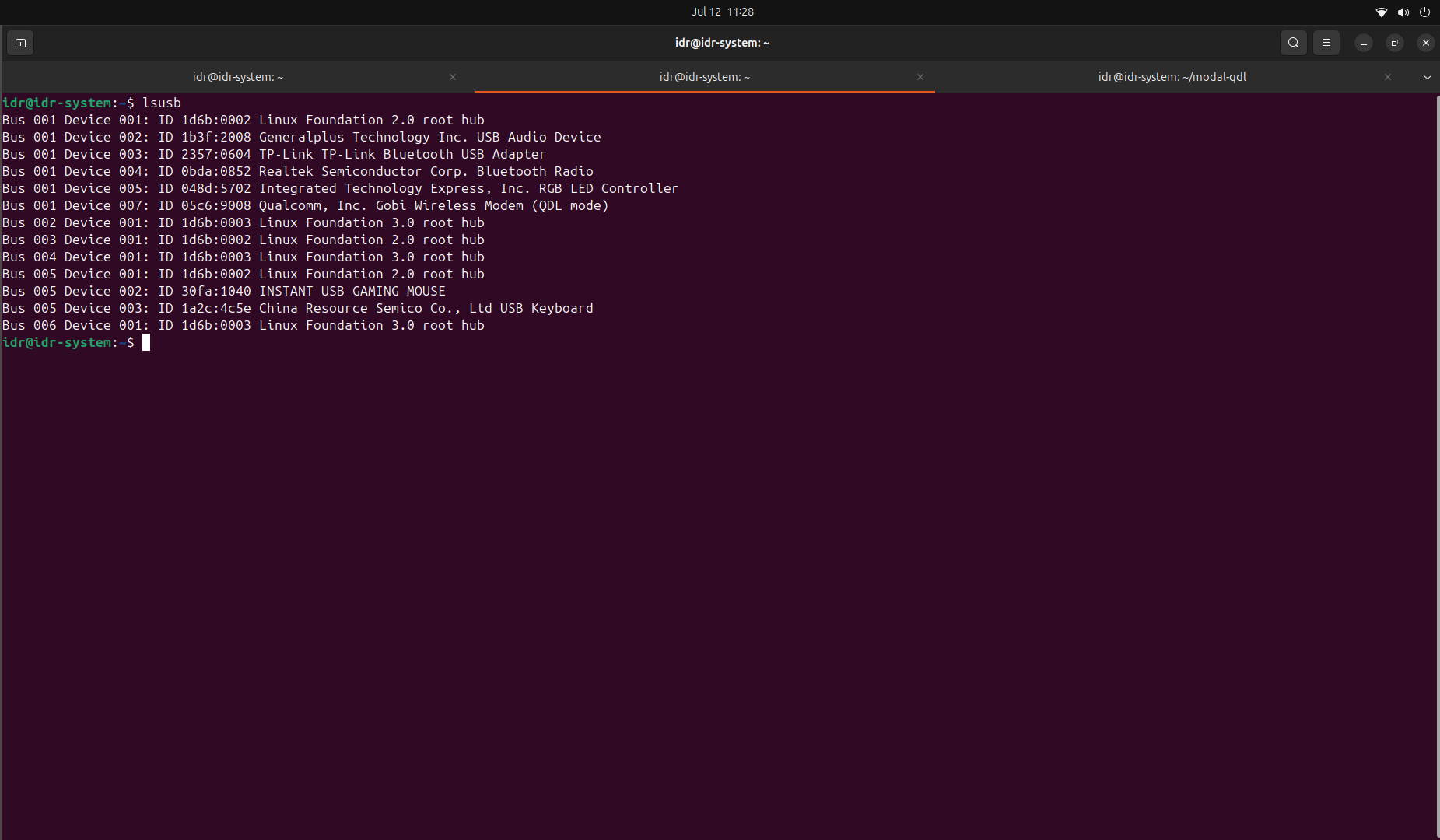
- Initially, when the VOXL2 Mini is powered with SW2 in the OFF position, the device does not appear when running
adb devicesoradb shell. - It is also not detected in
lsusb. - When I turn ON the SW2 switch, the device shows up in QDL mode in the
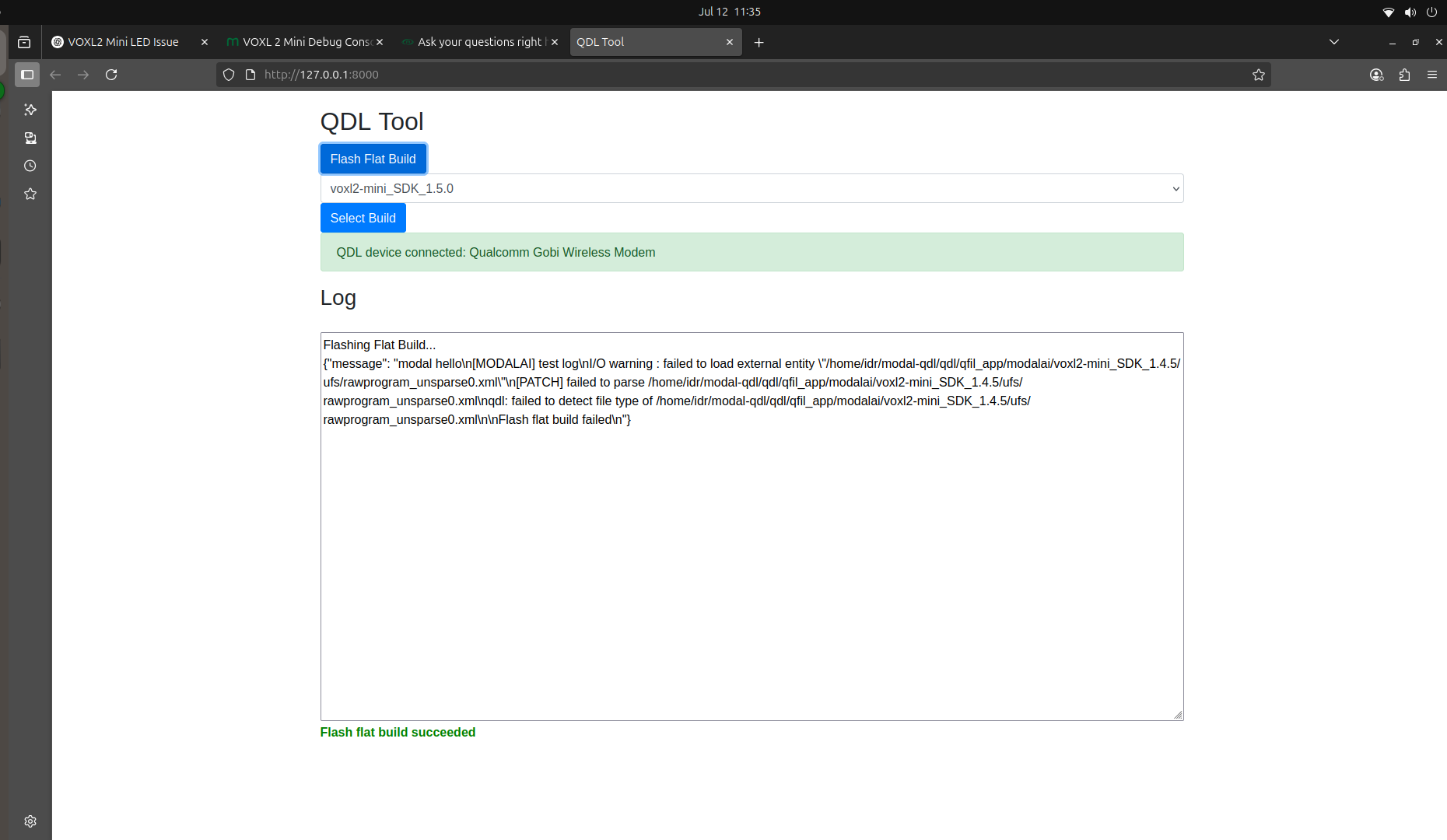
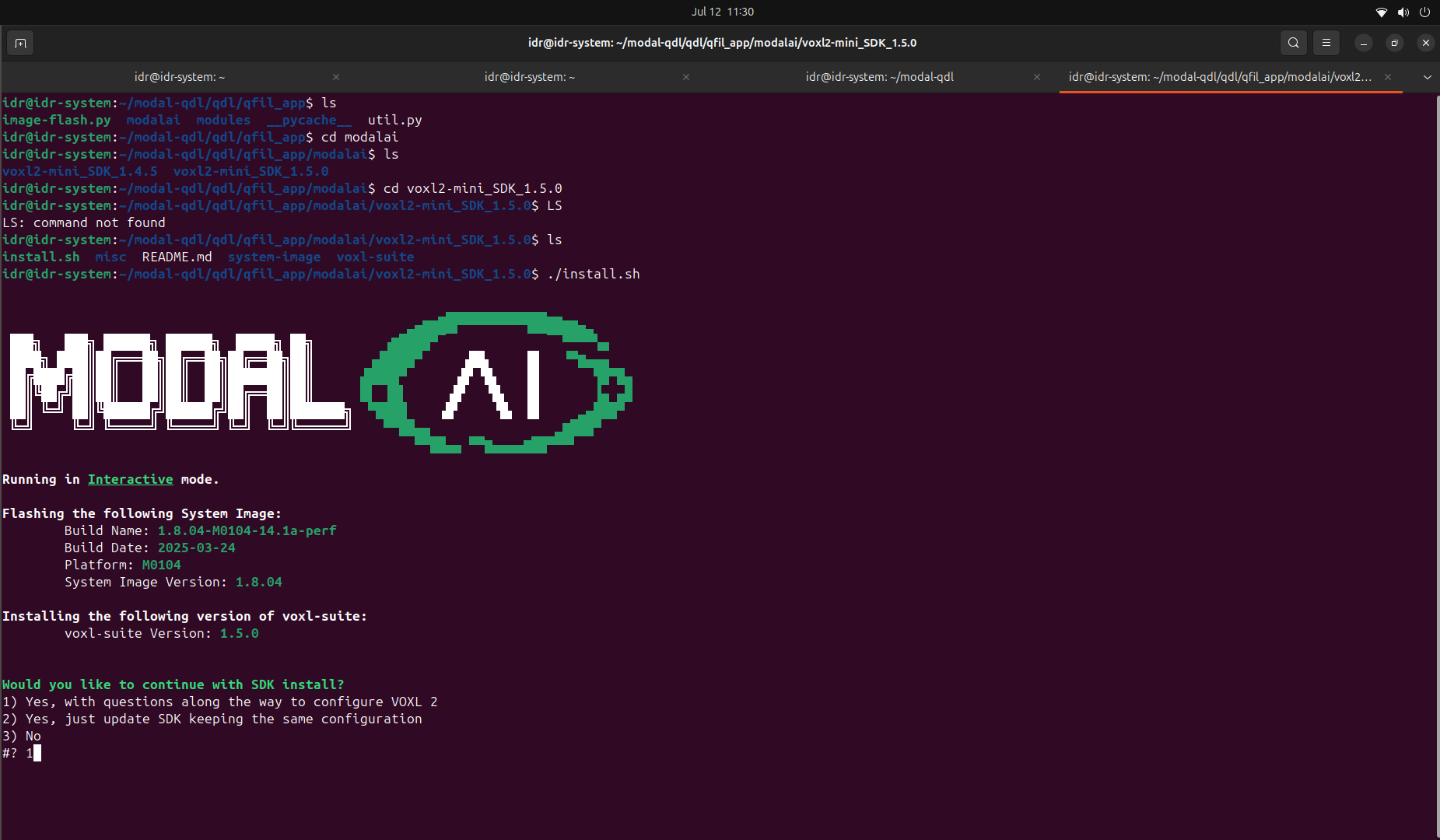
lsusboutput. - At this point, I attempted to reflash the image using the Flash Flat Build method, but the process failed (see attached screenshots).
- I also tried using the
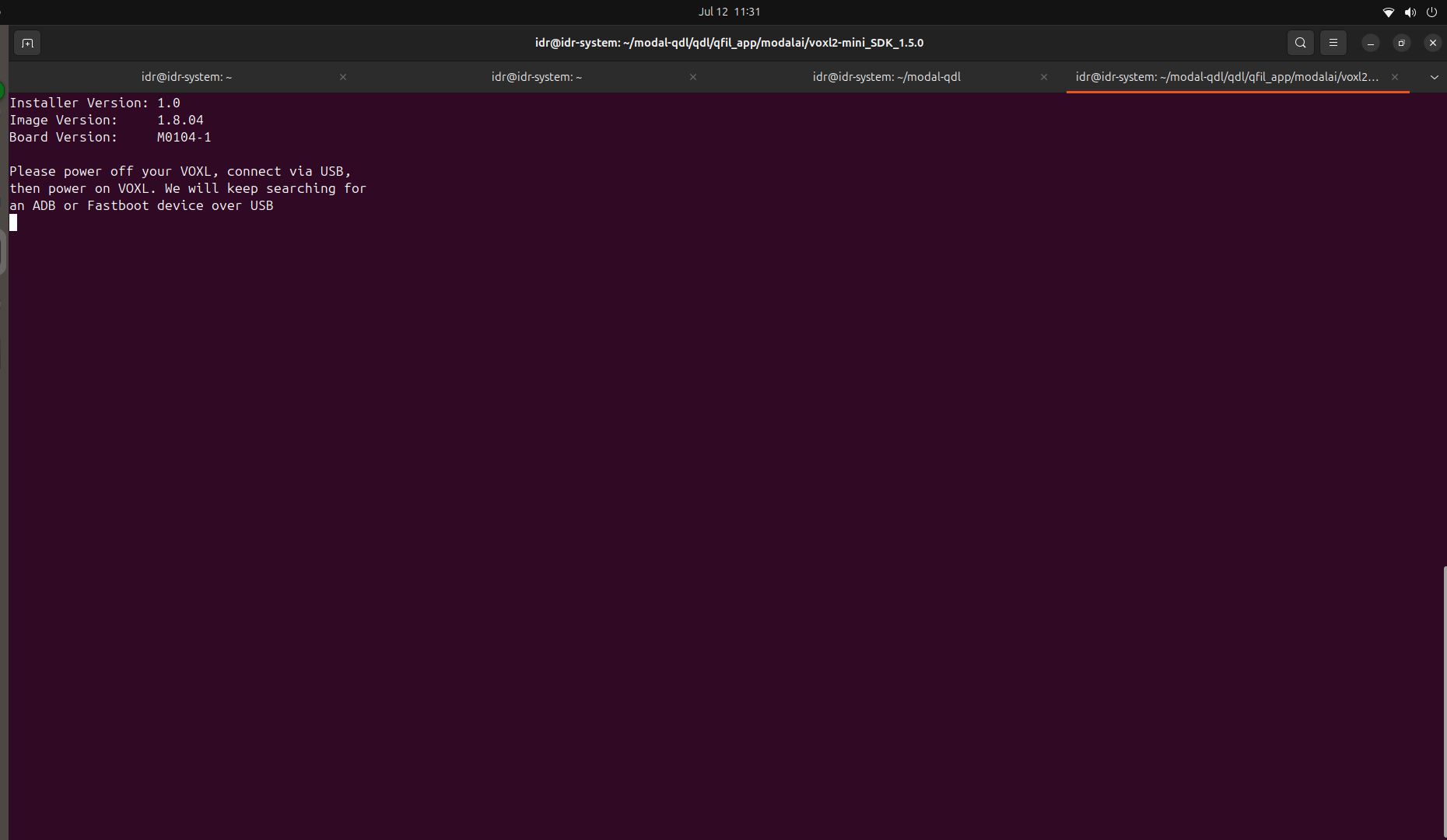
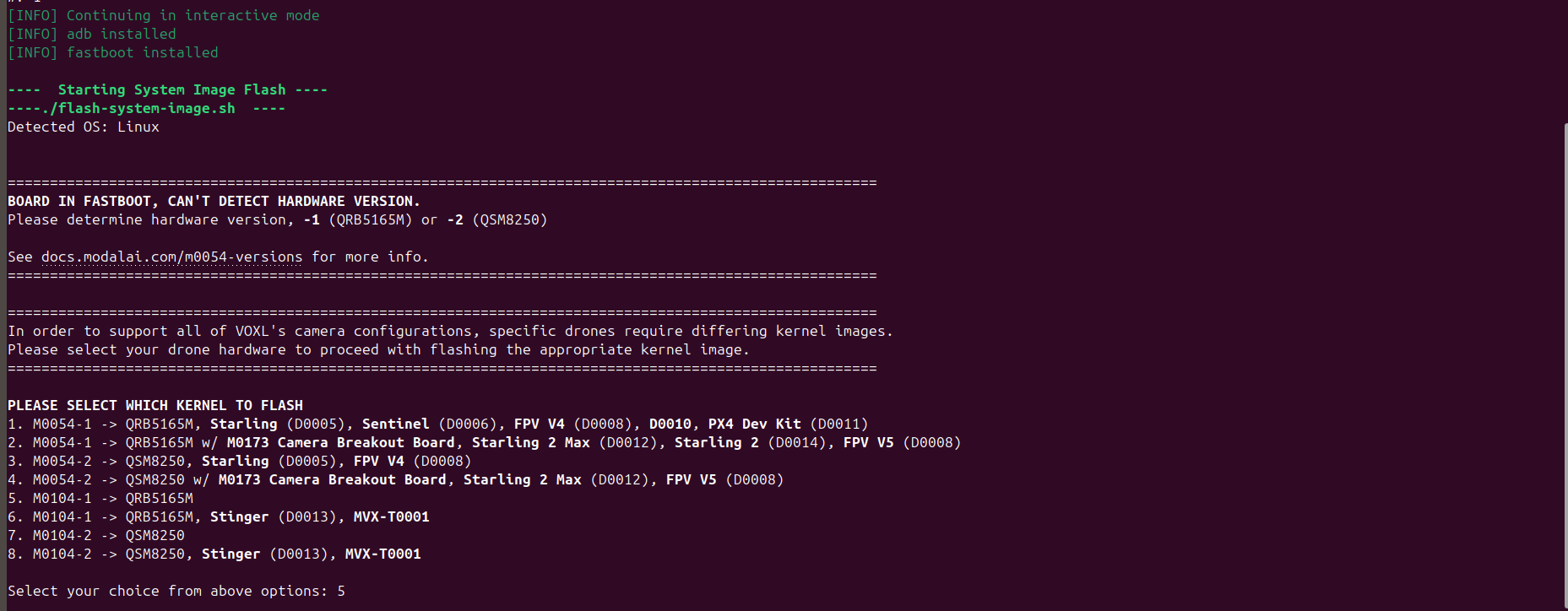
install.shscript to flash the image, but it couldn’t detect the VOXL2 Mini—neither throughadbnorfastboot.
Observation 2: Delayed QDL Mode Detection
When SW2 is OFF and the board is powered:
- Only the D1 LED turns on initially.
- Nothing is detected in
lsusb. - However, after 7–8 minutes, the DS2 LED turns on, and now the device appears in QDL mode in lsusb—even though SW2 remains OFF.
Additional Info:
Screenshots of the QDL detection and flash errors are attached for your reference.
I would like help understanding:
- Why ADB/Fastboot modes are not accessible.
- Why the board defaults or switches to QDL mode after some delay even when SW2 is OFF.
- How to properly recover or reflash the VOXL2 Mini in this state.
- Initially, when the VOXL2 Mini is powered with SW2 in the OFF position, the device does not appear when running