
Position Flight is not available after firmware update
-
We updated our VOXL CAM to a newer system image and suite, during the updating we did a clean wipe, removing everything. Now after this clean flash our position lock does not work anymore.
In VOXL we configured the following:
VOXL-configure-mpa / ...exentrics / ... vision-px4 / ... cameras.
Everything as a standard VOXL CAM v1/ seeker.
But still it doesn't work.If we look at voxl-inspect-qvio, its says OKAY. And if we walk around it will also work just fine. I notice that over time the values get weird and will reset itself.
If we look at the mavlink message Odometry they are not very normal. They are staying at around 0, x and y are just 0 and doesn't change when walking around. And the others do all kind of crazy things, so I think that is why it also won't go into Pos Lock.
EKF2_Aid_mask is 280, of course!Is there something we are missing? Do we need to perform some calibrations? The VOXL-inspect-QVIO isn't asking for it.
-
Which system image & suite did you upgrade to?
Can you further elaborate what you mean in Mavlink what the other coordinates doing crazy things?Which camera config do you have? TOF or Hires?
For configuring mpa try:voxl-configure-mpa -p -f seeker -b blue -c 3 --fc yesAbove is for the config with Hires, Stereo & Tracking
A powercylce is needed after thisvoxl-configure-mpa -p -f seeker -b blue -c 7 --fc yesAbove is for TOF, Stereo & Tracking
A powercycle is needed after thisWould also configure the cameras
voxl-configure-camerasIn Mavlink, inspecting the local_position_ned, if the x & y are zeroed out then that means that vio didn't start up properly. Most likely one of the pipes didn't initiate or crashed. A powercycle usually fixes this, otherwise you may want to try rebooting voxl-vision-px4
systemctl restart voxl-vision-px4 -
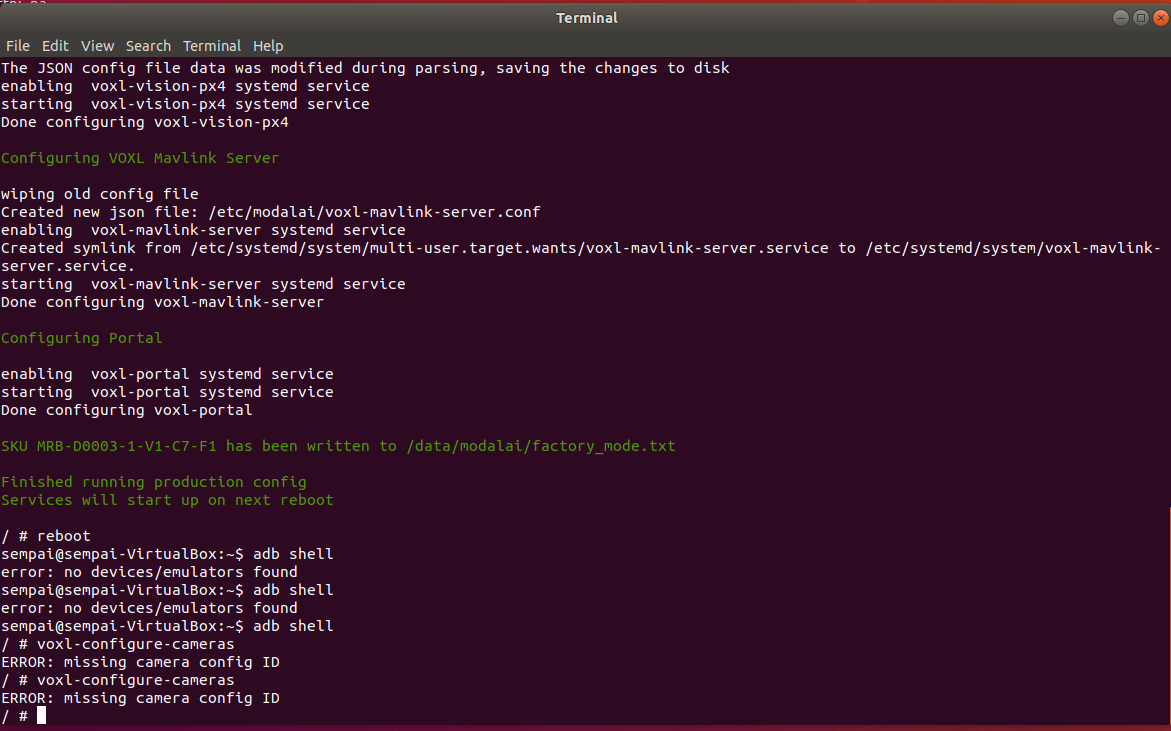
We have the VOXL CAM version with Hires, Stereo & Tracking.
We have uploaded 3.8.0 image with the 0.7 suite.But this is now the error that I get after doing the following:
voxl-configure-mpa -p -f seeker -b blue -c 7 --fc yes
reboot
voxl-configure-cameras -
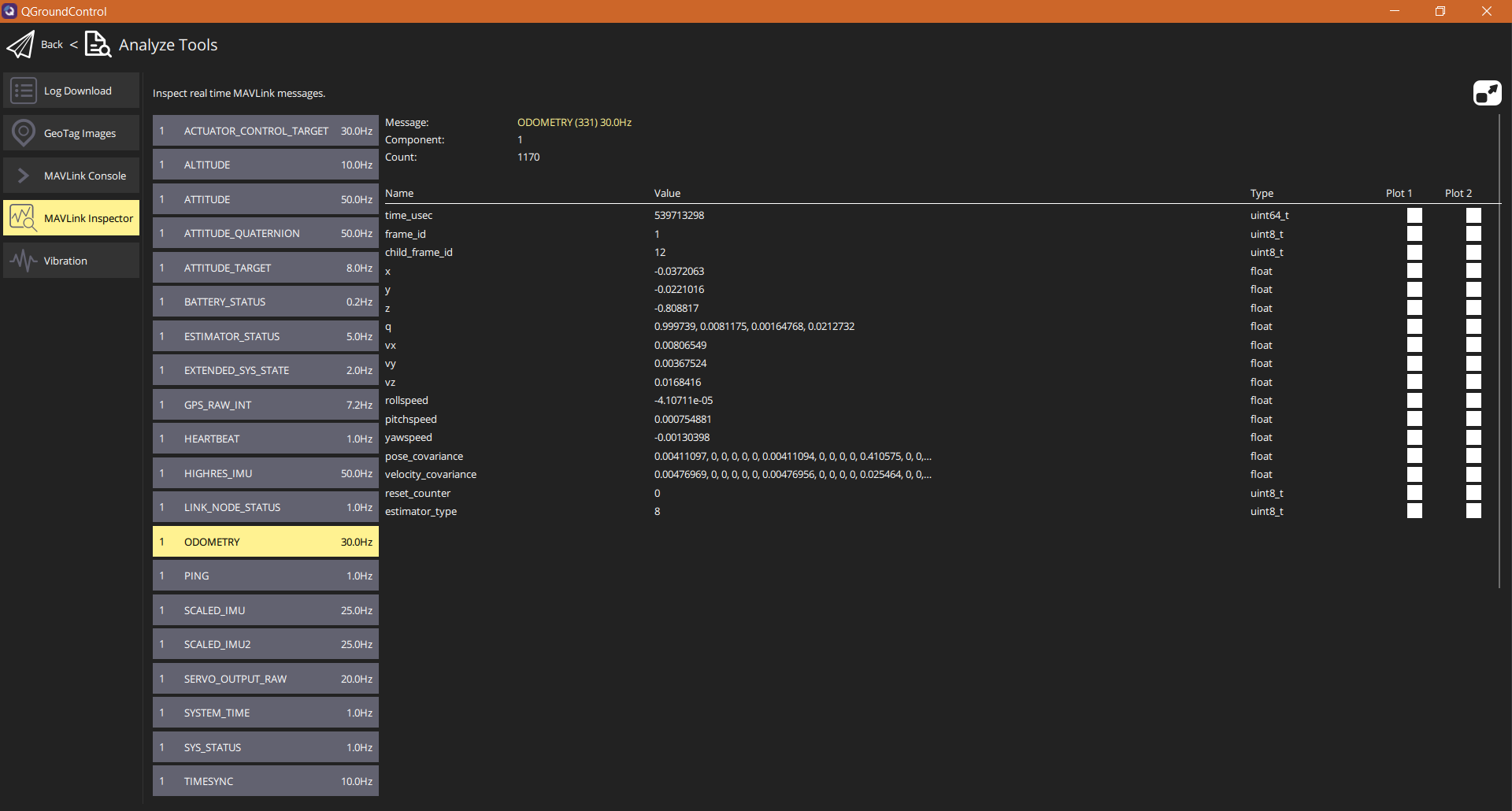
Where can I find local_position_ned?
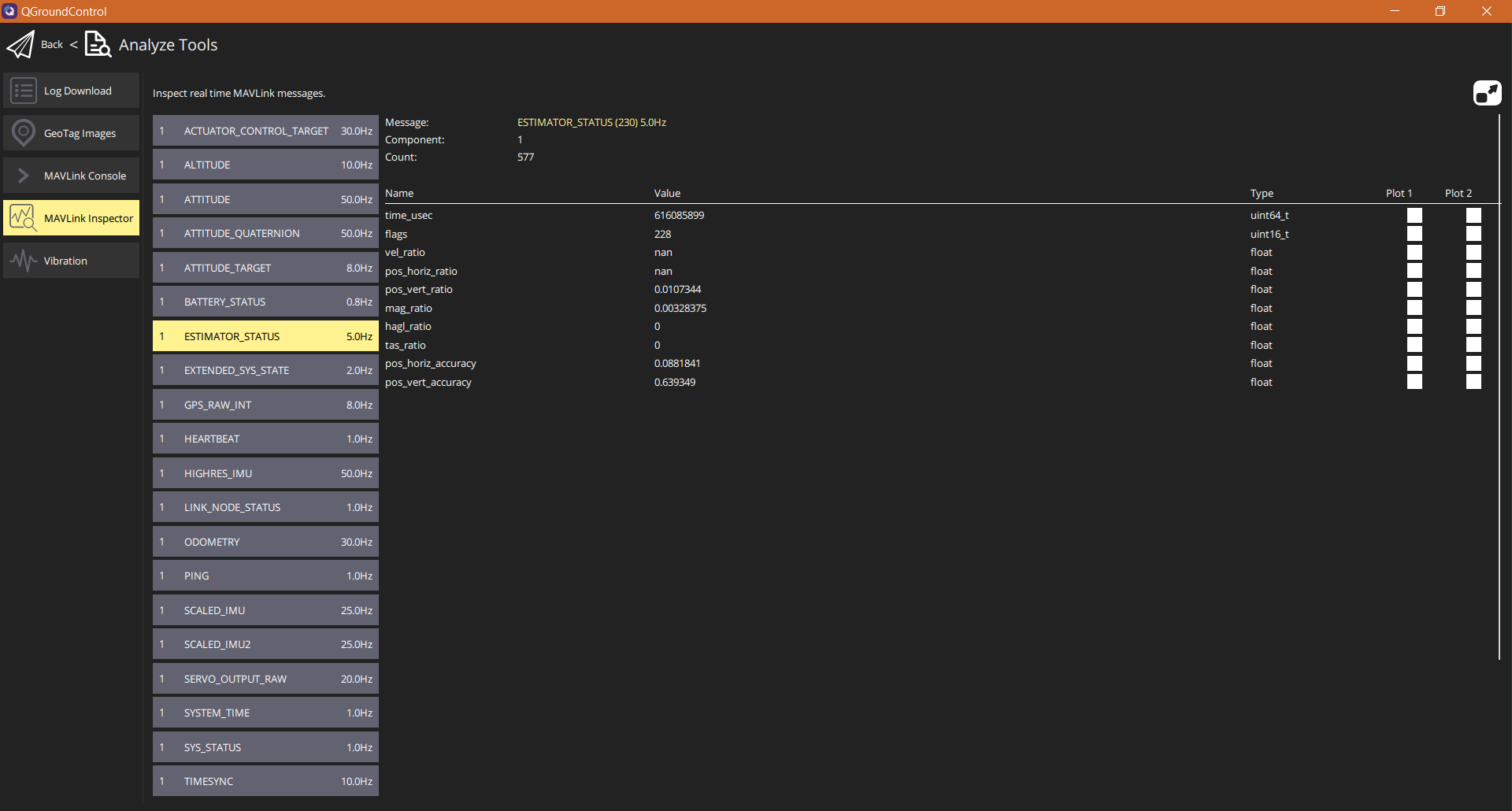
Or is it this?
-
Ah ok. The reason it says missing camera config and why you may not be able to see local_position_ned is with a flash & complete wipe, the camera calibration files get wiped as well. You will need to calibrate the cameras.
You can check to see if they're still there by:ls/data/modalaiThere should be intrinsics & extrinsics files for right/left/stereo & tracking.
If they're not there then for sure you need to calibrate the cameras.
You can find the link here -
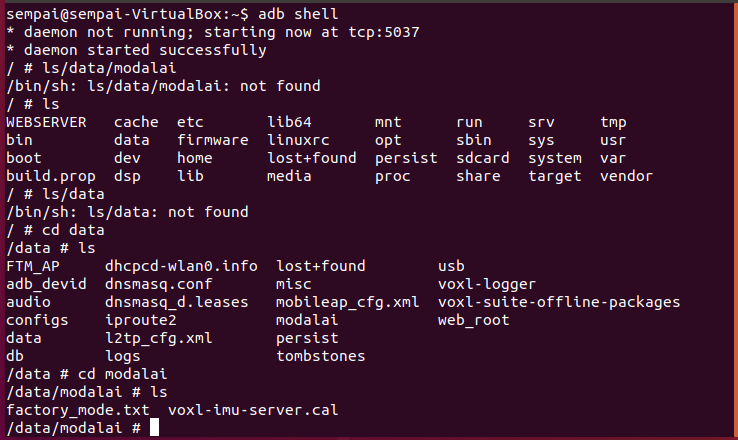
This now the only thing I get. So there is no intrinsics or extrinsics files for right/left/stereo & tracking. I will do the camera calibration then. Thanks


Reading along? Create a free ModalAI Forum account to join in.
With an account you can reply, ask your own question, get an email when a ModalAI engineer answers, and mark the reply that solved it. Your place in each thread is saved between visits.
Questions about VOXL, Flight Core, ESCs and ModalAI drones are answered here by the engineers who build them.
Register Login