Skip to content
  • Categories
  • Recent
  • Tags
  • Popular
  • Users
  • Groups
Collapse
Brand Logo

ModalAI Forum

patrickpoirierP

patrickpoirier

@patrickpoirier
Contributor
Unfollow Follow
About
Posts
10
Topics
1
Shares
0
Groups
1
Followers
0
Following
0

Posts

Recent Best Controversial

  • voxl-mavlink-server[3036]: ERROR message magic number wrong #284
    patrickpoirierP patrickpoirier

    ok I found the problem...
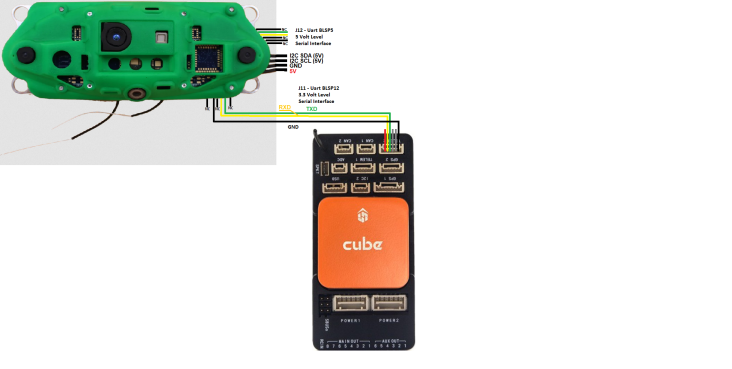
    the Cube Serial inteface are driven by TXS0108E Level Shifter powered both side with 3.3 volt making it marginal for the Voxl Primary Serial interface. Switching to secondary interface on the Voxl made it work correctly.

    I sent a request for a change in the WIKI to reflect that configuration

    40f28124-b098-4482-a038-25c450b9df6c-image.png

    Flight Core - ArduPilot

  • voxl-mavlink-server[3036]: ERROR message magic number wrong #284
    patrickpoirierP patrickpoirier

    @Chad-Sweet
    Could you implement a simple selection mode on the voxl-configure-vision-px4 allowing to specify px4 or ardupilot ?
    And in the case of Ardupilot, just pass the qvio signal straight to mavlink (I guess it was like this before ?)

    Flight Core - ArduPilot

  • voxl-mavlink-server[3036]: ERROR message magic number wrong #284
    patrickpoirierP patrickpoirier

    What would be the next step ?
    My use case requires ArduPilot and at the present stage it seems to be impractical unless you complete the complete integration.

    Meanwhile, I will try the ROS optin, but this is quite a big detour for something that I was expeting as "Plug and Play".

    Flight Core - ArduPilot

  • voxl-mavlink-server[3036]: ERROR message magic number wrong #284
    patrickpoirierP patrickpoirier

    I decided to test on PX4
    Flashed the CUAV NORA with PX4 using QGgroundControl
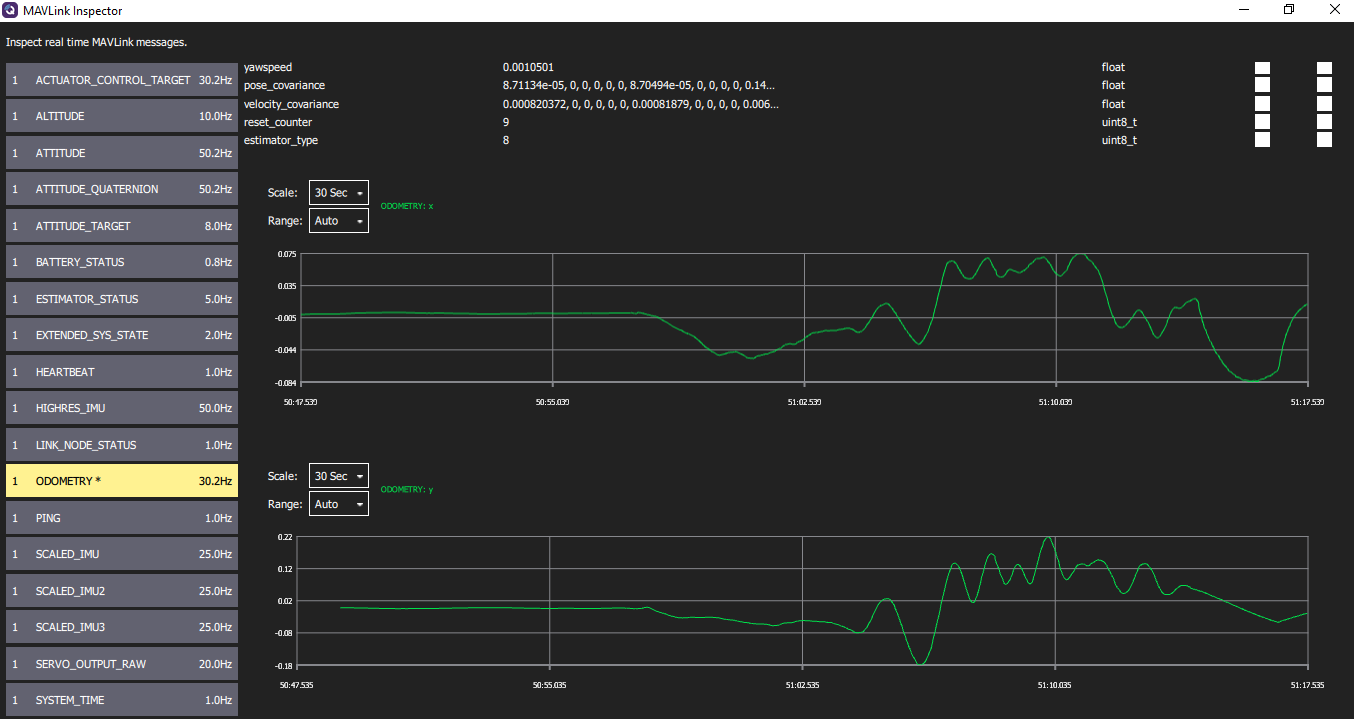
    Connected and tested by looking at ODOMETRY signal
    Working Good
    63baa341-a0ee-4b59-a710-1f2452475a34-image.png

    Flight Core - ArduPilot

  • voxl-mavlink-server[3036]: ERROR message magic number wrong #284
    patrickpoirierP patrickpoirier

    OK I have upodated to latest suite
    voxl-suite: 0.9.5

    Enabled services and configure
    voxl-configure-cameras 7 rotate_stereo
    voxl-configure-extrinsics seeker_v1_voxlcam

    Magig number error is gone, but still experience the mavlink crasg and reboot that makes multiple instances on Mavlink inspector as showned above

    Flight Core - ArduPilot

  • voxl-mavlink-server[3036]: ERROR message magic number wrong #284
    patrickpoirierP patrickpoirier

    @Chad-Sweet still trying to figure out the best way to update the module.

    I would appreciate some guidance on the process, I mean do I have to build using voxl-emulator docker and upload the particular module ?

    Flight Core - ArduPilot

  • voxl-mavlink-server[3036]: ERROR message magic number wrong #284
    patrickpoirierP patrickpoirier

    @Chad-Sweet thanks for the link, I will apply and report back

    Flight Core - ArduPilot

  • voxl-cam camera-server crash
    patrickpoirierP patrickpoirier

    @modaltb
    I sent it for repair
    You fond an issue with bad connexion on camera
    I received it back
    It is working OK

    BUT
    I have an other issue regarding connecting to ArduPilot

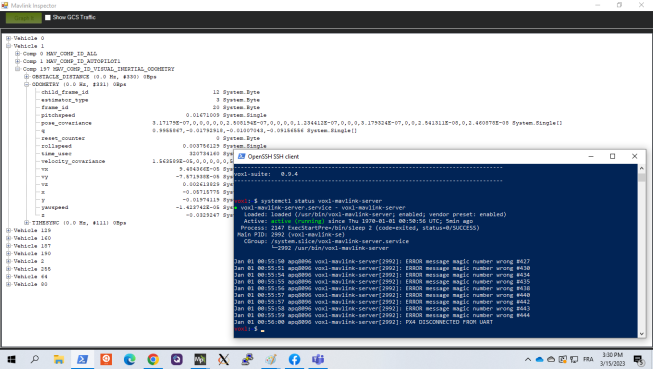
    It seems it is having issue with MavLink Message :

    voxl-mavlink-server[3036]: ERROR message magic number wrong #284
    And it seems to reconnect under a different ID

    f7f5c17a-561e-473f-8ddc-f930bc8f0b8a-image.png

    Do you have a clue?
    Do you want me to open a new issue so we can follow more efficiently ?

    Regards

    VOXL-CAM

  • voxl-cam camera-server crash
    patrickpoirierP patrickpoirier

    Update
    After a few hours sitting on bench it could make it restart
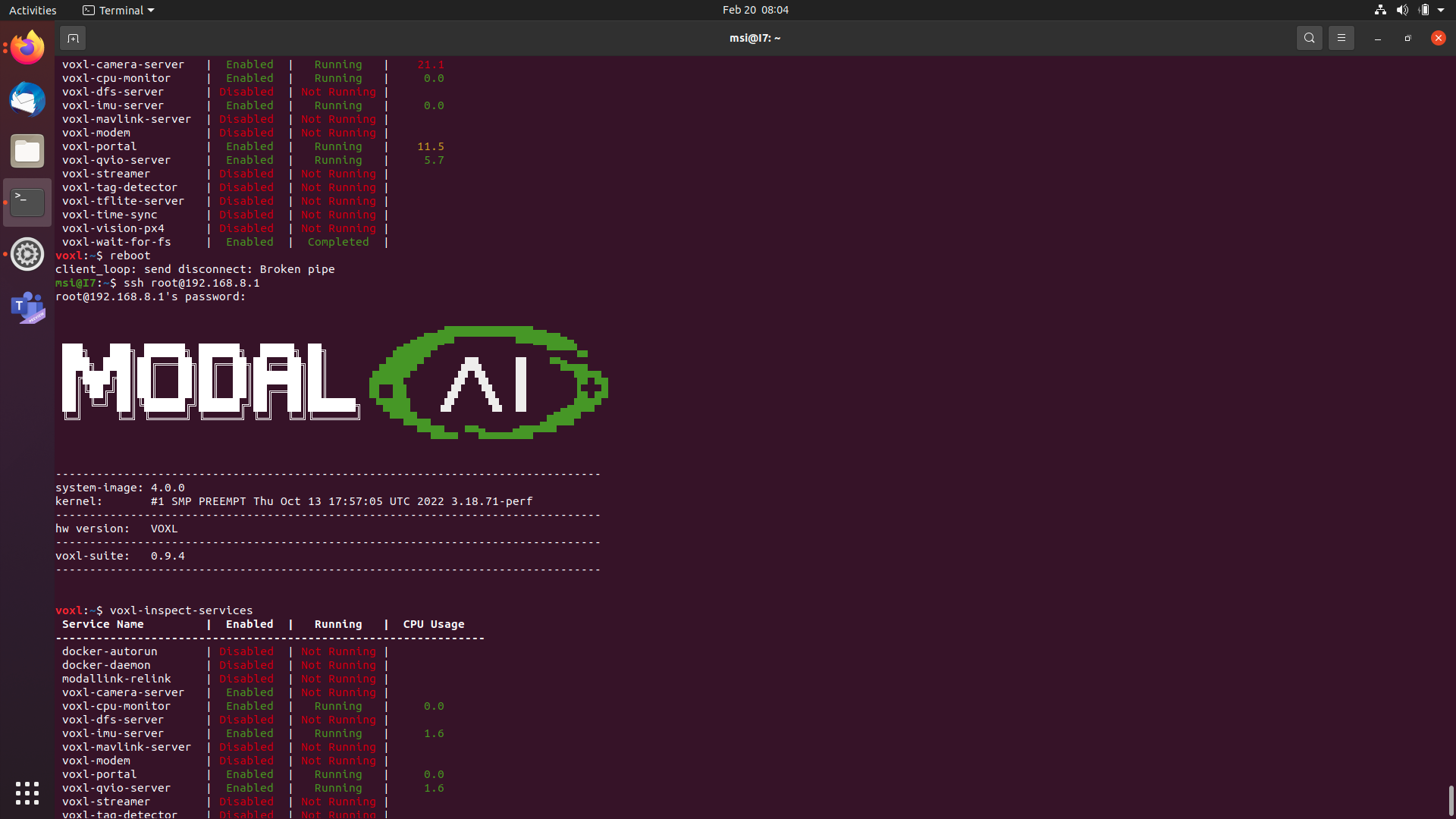
    After 20 minutes I launched a reboot and it could not restart camera server

    87420496-3c09-47c8-8150-b5b76af24ad7-image.png file:///home/msi/Pictures/Screenshot%20from%202023-02-20%2008-04-14.png

    The camera is cooled by a fan and temperature is about 35degs c

    VOXL-CAM

  • voxl-cam camera-server crash
    patrickpoirierP patrickpoirier

    Hello,
    I just received the unit and after powering it I could connect to the GUI and see different cameras and point cloud.

    After reboot it appears the camera server do not restart
    voxl-camera-server | Enabled | Not Running |

    When I launch manually , I get

    voxl-camera-server
    WARNING Failed to set priority, errno = 1
    This may be because the FIFO scheduler is not available when running in a console.
    It should work properly when run as a systemd background process on boot.
    WARNING: failed to set scheduler

    ------ voxl-camera-server: Camera server is now running
    ERROR: Recieved Fatal error from camera: stereo_child
    ERROR: Sending request 3, ErrorCode: -ENODEV
    WARNING: Thread: stereo_child request thread recieved ESTOP
    WARNING: Thread: tracking result thread recieved ESTOP
    WARNING: Thread: stereo_child result thread recieved ESTOP
    WARNING: Thread: tof result thread recieved ESTOP
    WARNING: Thread: stereo result thread recieved ESTOP
    WARNING: Thread: stereo request thread recieved ESTOP
    WARNING: Thread: tof request thread recieved ESTOP
    WARNING: Thread: tracking request thread recieved ESTOP

    ------ voxl-camera-server INFO: Camera server is now stopping
    WARNING: Deleting buffers: 3 of 16 still in use
    WARNING: Deleting buffers: 5 of 16 still in use
    WARNING: Deleting buffers: 1179655 of 1179668 still in use

    Segmentation fault:
    Fault thread: voxl-camera-ser(tid: 3439)
    Fault address: 0xa
    Address not mapped.
    Segmentation fault

    Any suggestion ?

    VOXL-CAM
  • Login

  • Don't have an account? Register

  • Login or register to search.
  • First post
    Last post
0
  • Categories
  • Recent
  • Tags
  • Popular
  • Users
  • Groups