
voxl-configure-cameras
-
Hello, I hope everyone is having a great day.
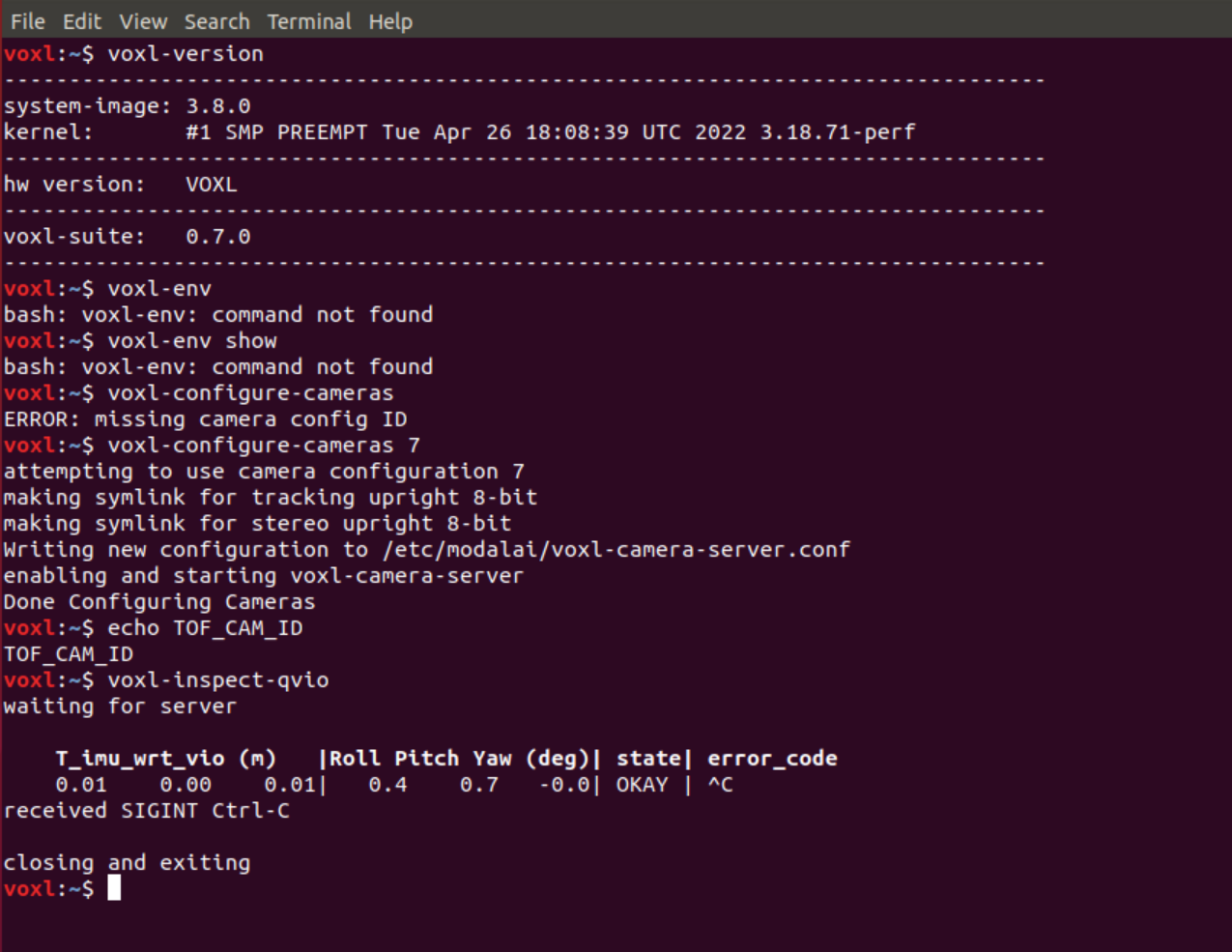
For some reason I am not able to access my camera configurations anymore.
I started experiencing this issue after I updated my voxl version.
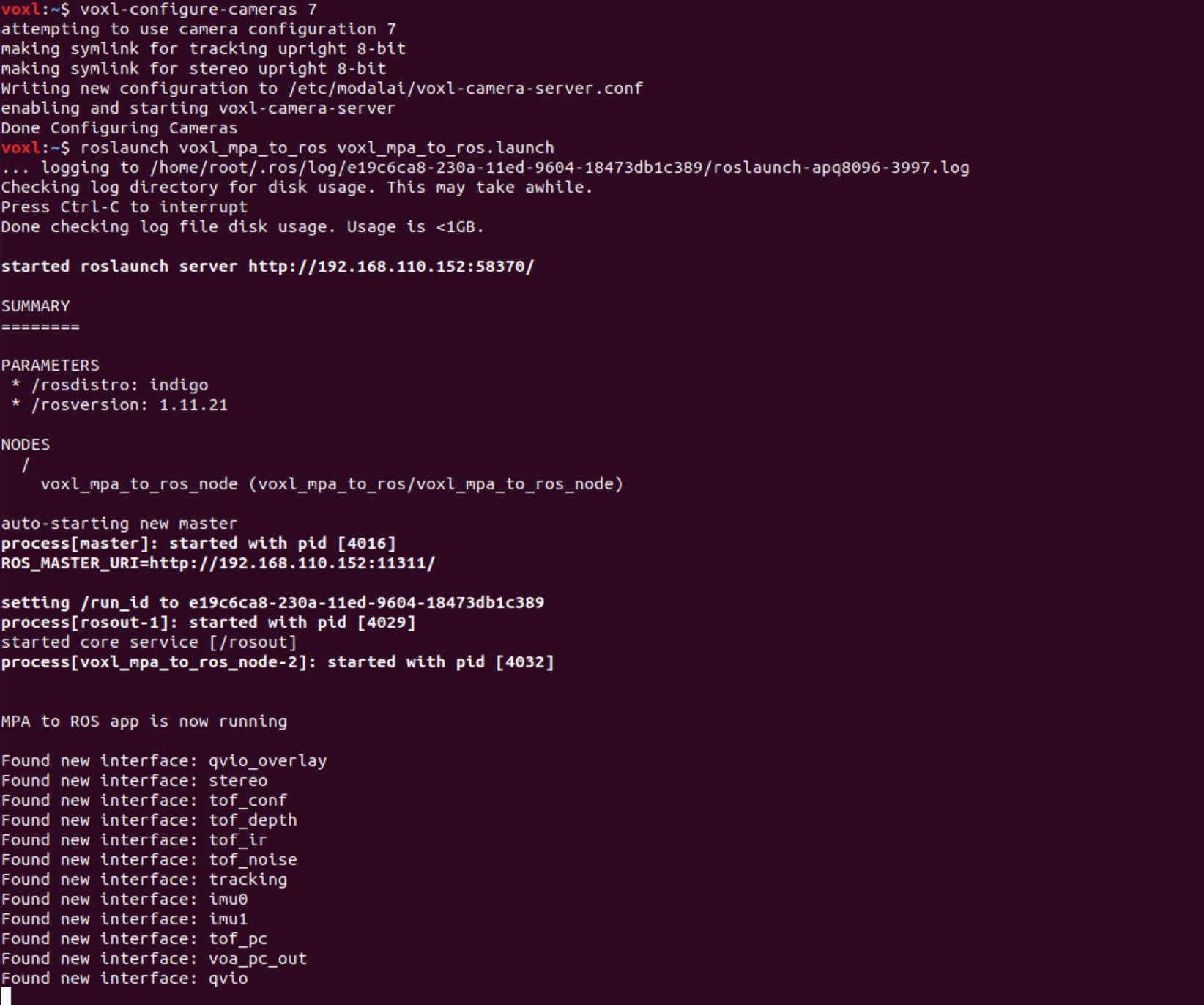
I can send the #7 configuration (tof + stereo + tracking) to voxl as an argument, but I am still not able to get any config IDs.
My qvio is working properly. I can also inspect the tof with no issues either.
In Rviz, all my cameras are working expect for my tof cam (of course my stereo cameras are upsidedown).Is this because of the updates I perfomed?
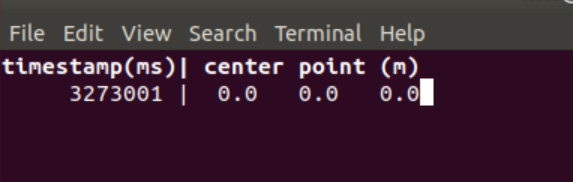
voxl-inspect-tof
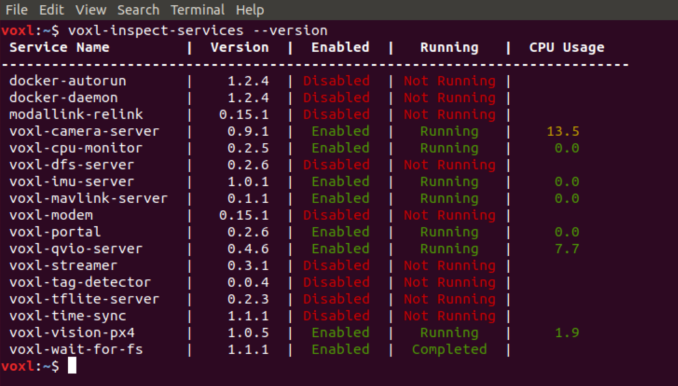
Maybe I am just missing an ipk package. Just not sure which one.
-
Hi,
We removed the camera information in the bash environment since we moved away from having ros access the camera api and instead use camera server, which mpa-to-ros pull frames from and then publishes to ros. If you want to view the configuration generated by configure cameras you can see the config file at
/etc/modalai/voxl-camera-server.conf.As for your rviz issue, I flashed a fresh 3.8.0-0.7 on my board, ran configure cameras and mpa-to-ros, and was able to successfully see all of my cameras (tracking, stereo, tof):
voxl:/$ voxl-configure-cameras 7
attempting to use camera configuration 7
making new backup of /system/etc/camera/camera_config.xml
making symlink for tracking upright 8-bit
making symlink for stereo upright 8-bit
Writing new configuration to /etc/modalai/voxl-camera-server.conf
enabling and starting voxl-camera-server
Created symlink from /etc/systemd/system/multi-user.target.wants/voxl-camera-server.service to /etc/systemd/system/voxl-camera-server.service.
Done Configuring Cameras
voxl:/$ roslaunch voxl_mpa_to_ros voxl_mpa_to_ros.launch
... logging to /home/root/.ros/log/d0187e08-2306-11ed-bd4e-ec5c68cd23bd/roslaunch-apq8096-4488.log
Checking log directory for disk usage. This may take awhile.
Press Ctrl-C to interrupt
Done checking log file disk usage. Usage is <1GB.

started roslaunch server http://192.168.1.58:50554/

SUMMARY
========

PARAMETERS
 * /rosdistro: indigo
 * /rosversion: 1.11.21

NODES
  /
    voxl_mpa_to_ros_node (voxl_mpa_to_ros/voxl_mpa_to_ros_node)

auto-starting new master
process[master]: started with pid [4507]
ROS_MASTER_URI=http://192.168.1.58:11311/

setting /run_id to d0187e08-2306-11ed-bd4e-ec5c68cd23bd
process[rosout-1]: started with pid [4520]
started core service [/rosout]
process[voxl_mpa_to_ros_node-2]: started with pid [4523]


MPA to ROS app is now running

Found new interface: stereo
Found new interface: tof_conf
Found new interface: tof_depth
Found new interface: tof_ir
Found new interface: tof_noise
Found new interface: tracking
Found new interface: tof_pc
Do you have anything else in you setup that could be causing the tof camera to not work?
-
Hi,
We removed the camera information in the bash environment since we moved away from having ros access the camera api and instead use camera server, which mpa-to-ros pull frames from and then publishes to ros. If you want to view the configuration generated by configure cameras you can see the config file at
/etc/modalai/voxl-camera-server.conf.As for your rviz issue, I flashed a fresh 3.8.0-0.7 on my board, ran configure cameras and mpa-to-ros, and was able to successfully see all of my cameras (tracking, stereo, tof):
voxl:/$ voxl-configure-cameras 7
attempting to use camera configuration 7
making new backup of /system/etc/camera/camera_config.xml
making symlink for tracking upright 8-bit
making symlink for stereo upright 8-bit
Writing new configuration to /etc/modalai/voxl-camera-server.conf
enabling and starting voxl-camera-server
Created symlink from /etc/systemd/system/multi-user.target.wants/voxl-camera-server.service to /etc/systemd/system/voxl-camera-server.service.
Done Configuring Cameras
voxl:/$ roslaunch voxl_mpa_to_ros voxl_mpa_to_ros.launch
... logging to /home/root/.ros/log/d0187e08-2306-11ed-bd4e-ec5c68cd23bd/roslaunch-apq8096-4488.log
Checking log directory for disk usage. This may take awhile.
Press Ctrl-C to interrupt
Done checking log file disk usage. Usage is <1GB.

started roslaunch server http://192.168.1.58:50554/

SUMMARY
========

PARAMETERS
 * /rosdistro: indigo
 * /rosversion: 1.11.21

NODES
  /
    voxl_mpa_to_ros_node (voxl_mpa_to_ros/voxl_mpa_to_ros_node)

auto-starting new master
process[master]: started with pid [4507]
ROS_MASTER_URI=http://192.168.1.58:11311/

setting /run_id to d0187e08-2306-11ed-bd4e-ec5c68cd23bd
process[rosout-1]: started with pid [4520]
started core service [/rosout]
process[voxl_mpa_to_ros_node-2]: started with pid [4523]


MPA to ROS app is now running

Found new interface: stereo
Found new interface: tof_conf
Found new interface: tof_depth
Found new interface: tof_ir
Found new interface: tof_noise
Found new interface: tracking
Found new interface: tof_pc
Do you have anything else in you setup that could be causing the tof camera to not work?
-
That looks right, can you see any of the tof data? We're publishing 4 "images" that will show up like other camera frames (depth, noise, confidence, IR) alongside the full pointcloud. Are you able to pull up any of the debug images or is nothing coming through?
-
That looks right, can you see any of the tof data? We're publishing 4 "images" that will show up like other camera frames (depth, noise, confidence, IR) alongside the full pointcloud. Are you able to pull up any of the debug images or is nothing coming through?
No, I am not able to pull up any images for my tof. I can pull up the tof data (voxl-inspect-tof) and nothing seems wrong there......
depth is working, as I am able to run the voxl-inspect-tof and move my hand in front of the tof sensor, and see the depth meter changing. -
That looks right, can you see any of the tof data? We're publishing 4 "images" that will show up like other camera frames (depth, noise, confidence, IR) alongside the full pointcloud. Are you able to pull up any of the debug images or is nothing coming through?
-
That looks right, can you see any of the tof data? We're publishing 4 "images" that will show up like other camera frames (depth, noise, confidence, IR) alongside the full pointcloud. Are you able to pull up any of the debug images or is nothing coming through?
@Alex-Gardner In Rviz, I was able to change the fixed frame from [map] to [world] by running
rosrun tf static_transform_publisher 0 0 0 0 0 0 1 map world 5from a new terminal after I ran rviz.
The TOF is still not being recognized.
My stereo cameras are still upside down, I dont really know how to make them upright. In my previous build I was able to run
voxl-configure-camerasand select the #7 build with the option to rotate the stereo cameras.
In this new build, this is not possible.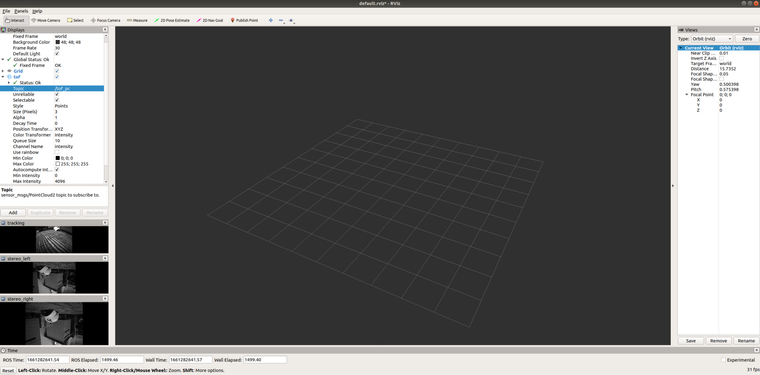
-
The rotate_stereo option is still there as a command line argument, we've just removed the wizard. If you run the script with the
--helpflag you can see the examples of how to do this. -
The rotate_stereo option is still there as a command line argument, we've just removed the wizard. If you run the script with the
--helpflag you can see the examples of how to do this.


Hello! It looks like you're interested in this conversation, but you don't have an account yet.
Getting fed up of having to scroll through the same posts each visit? When you register for an account, you'll always come back to exactly where you were before, and choose to be notified of new replies (either via email, or push notification). You'll also be able to save bookmarks and upvote posts to show your appreciation to other community members.
With your input, this post could be even better 💗
Register Login